


This is a sponsored article and was made possible by Intraboom. The actual contents and opinions are the sole views of the author who maintains editorial independence, even when a post is sponsored.
With the integration of the Internet into our work lives, it’s given rise to collaboration software. Since we work on our computers and devices, it only makes sense to collaborate over the Internet rather than do so in a meeting room, sitting around a rectangle table and office chairs.
There are several different variations of software, whether you want to have a note-taking app, a task management app, a file-sharing app, a group scheduling app, or a messaging software that allows you to collaborate.
But Intraboom is an alternative to all the other collaboration software, more importantly, a Basecamp alternative. It makes it so that you only need one software. You don’t need one for chatting, one for scheduling projects, one for sharing the projects with your colleagues, etc. You just need Intraboom that does it all.
Starting Out with Intraboom
It doesn’t matter what platform your collaborators use. Intraboom works with them on the Web, Android, and iOS. This means you can keep up with your team no matter where you are, as you can check in on your computer at work, on your smartphone on the train into work, or on your tablet at home. Your discussions, schedule, and projects will move right along with you.
You can register for a free account at Intraboom, or you can download the app from either Google Play or the App Store. In fact, that’s what separates Intraboom from other collaboration software – instead of trying to work mobile usage into the service that operates mostly on computers, they’re mobile first.
If you’re invited to participate through other collaborators, you won’t need to pay a dime. But if you are setting up the collaboration, you may need to pay if you want certain features. We’ll get into that later.

When you first open the website or the app, you are taken to the Dashboard page. It conveniently gives you a video on how to get started with the service and also explains a few things for you as well. And like most apps, it allows you to set up a profile with your photo and personal details.
The Various Functions of Intraboom
In order for you to collaborate with colleagues, you’ll want to start a group. Go to “My Groups” in the top menu bar and select “Create New Group/Project.”
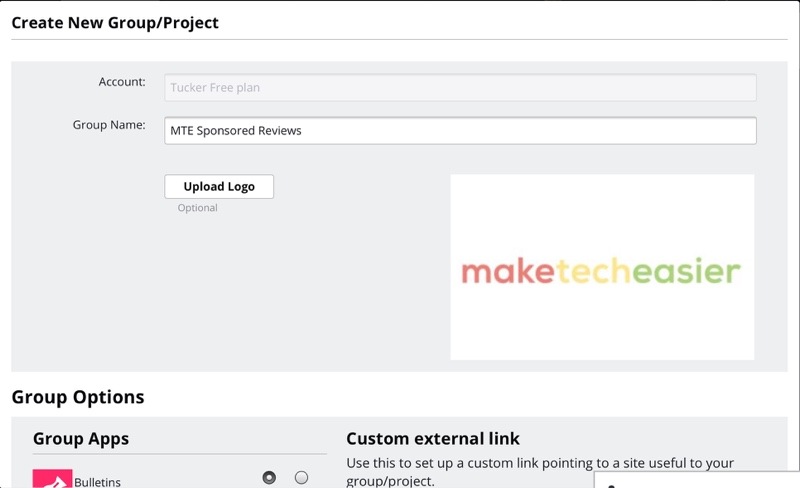
If you have an account, you can add a group and projects, but if you were added to Intraboom as part of someone else’s group or project, you are not allowed to create groups or add projects without creating an account of your own.
You’ll need to create a name for your group, and you’ll probably want to add group logo as well, just to make it more easily identifiable.
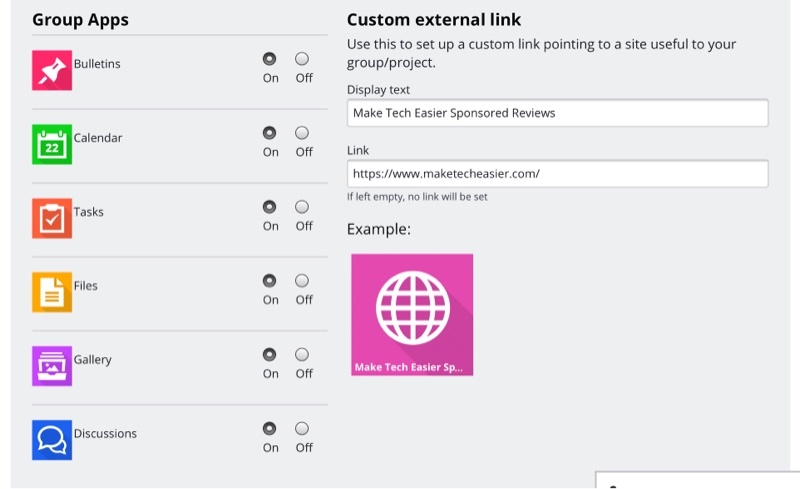
Below the identifying information of the group, you’ll find options. You can select individual Intraboom features to help you create projects and can also add an external link to the group.
The features include Bulletins, Calendar, Tasks, Files, Gallery, and Discussions. As the administrator of your group, you can choose to turn these app options on or off.
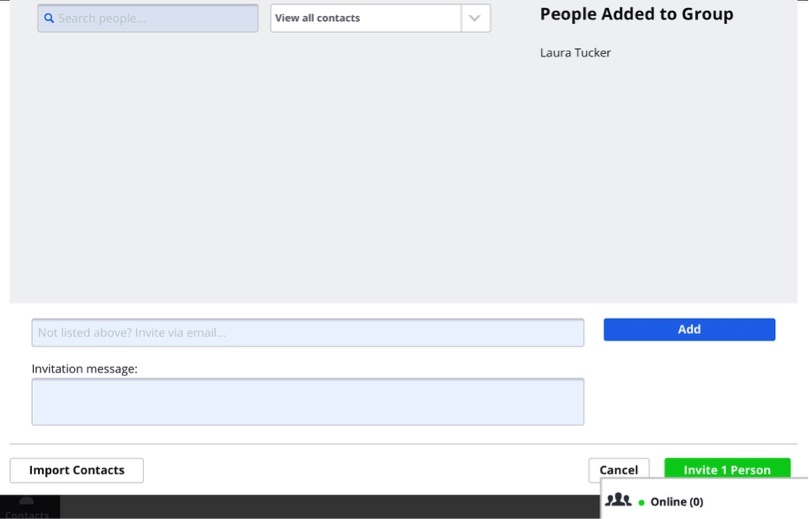
At the bottom of the Create Group page, you can add people to your group with their email address and can also add a message, alerting them to what you’re adding them to. To make it easier, you can also import all your contacts. You’ll also see that in the bottom-right of the screen there’s a running box that shows how many of your group members are currently online. If you clink on the box, you can start chats with them in the chat window.
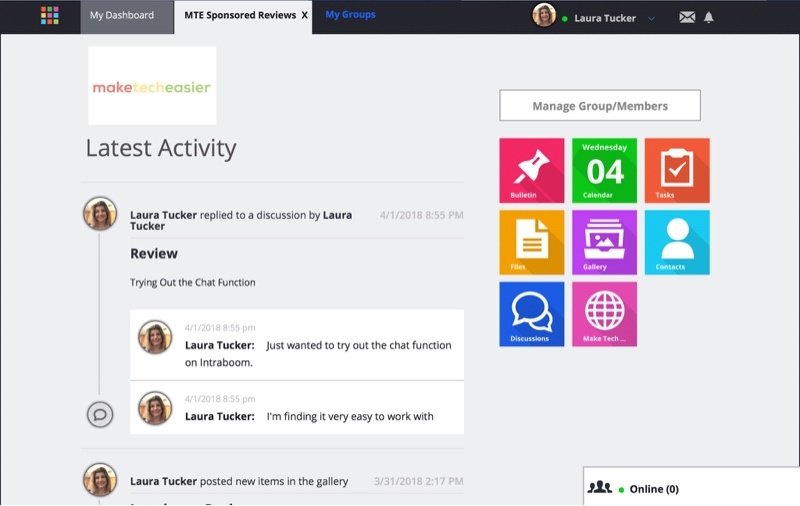
At this point, you can go to your group and see all the latest activity. There’s a running ticker of the activity, and you can also choose an app to use such as Discussions, Calendar, Tasks, etc.
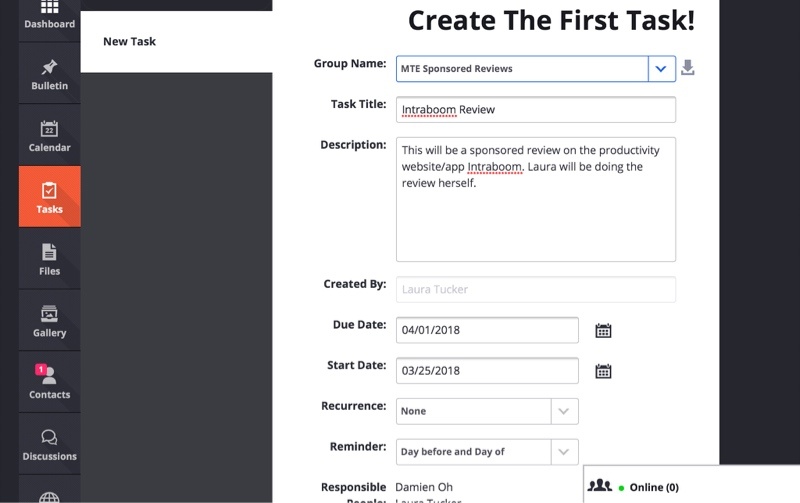
Creating a task is just as easy as the rest of Intraboom. You only need to select your group name, add a title, description, dates, recurrence, reminder, and identify the responsible people for the tasks, selecting them from the group.
Uploading photos, videos, and files is just a matter of selecting photos, videos, or files or dragging them in. That’s it.
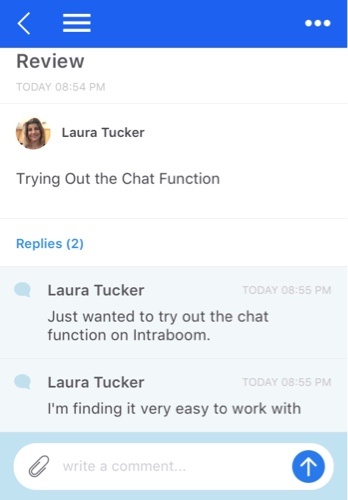
To start a new discussion, select “Discussions” and then choose “New Discussion.” Select the group, name the topic, add your text, and then select Start Discussion.
To view the discussion, I switched over to the iOS app, and it worked just the same and just as easily as on the Web. There is also an option to send SMS messages from within Intraboom, but that’s only available through the purchased plans or as a separate add-on.

Making collaboration even more convenient, there’s a handy calendar included within Intraboom. There you can add all the important dates for your group or your tasks so that everyone can see them and be aware.
Intraboom Pricing
There are three levels of membership: Free, Basic, and Premium
With a free account, you can join unlimited groups created by others, can create one group of your own with up to five members, will have 2 GB of storage, and can purchase a package for SMS messages.
A Basic account is $59 a month if paid annually, allows you to create up to fifteen groups with thirty members each, and gives you 250 GB storage and 200 SMS messages each month, with more available for purchase.
A Premium account starts at $199 a month if paid annually, allows you to create unlimited groups with up to 100 members per group, and gives you 1 TB of storage and up to 1000 SMS messages each moth with more available for purchase.
With an Enterprise account, you can tailor it to your needs and have white label licensing with subscription plans available. You can contact Intraboom for pricing.
Conclusion
Basecamp is easy to use, but it is lacking some important features. Intraboom, as a Basecamp alternative, couldn’t be easier to use and it clearly does it all. Everything you want or need to do within collaboration is right there within this one app. It’s truly the only one you need.
The only drawback is the price if you want more than one group or to collaborate with more than five people. But this app that does it all easily could be worth it to you to have everything in one place.