The Tor browser helps you surf anonymously by routing your internet traffic through a series of relays worldwide. For added privacy, you can also install the Tor browser on a USB drive and run it directly from there. You can then bring the USB drive wherever you go and use the Tor browser on any public PC.
Install Tor Browser to a USB Drive
First, connect the USB drive to your PC. Ensure it has at least 4 GB free space.
Next, download Tor browser for your operating system to a location on your PC. Tor currently supports Windows, macOS, and Linux.

Double-click the installer file, an EXE in this case for Windows. It will initiate the setup window with starting steps, such as choosing your language.
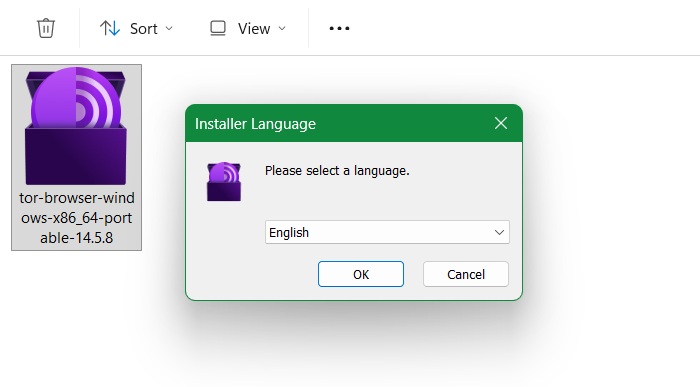
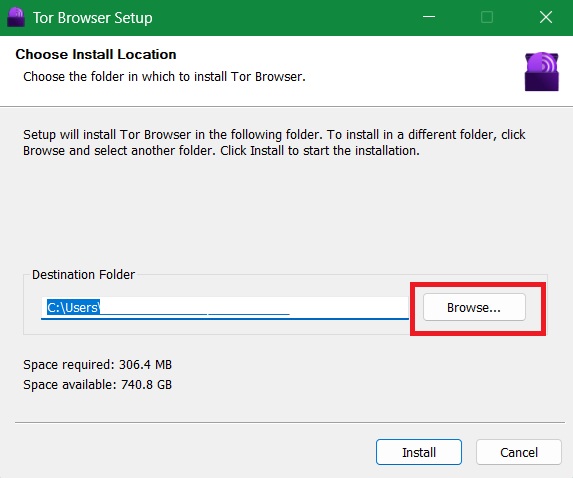
During installation, Tor will choose your operating system’s default install location. Since we want to install the application to a USB drive, click Browse instead,
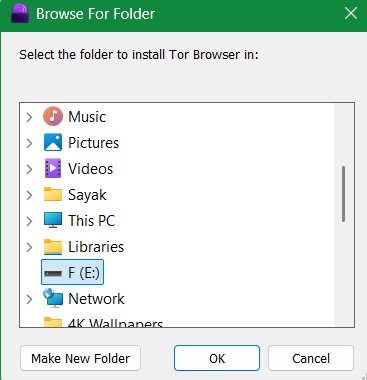
Select the USB drive.
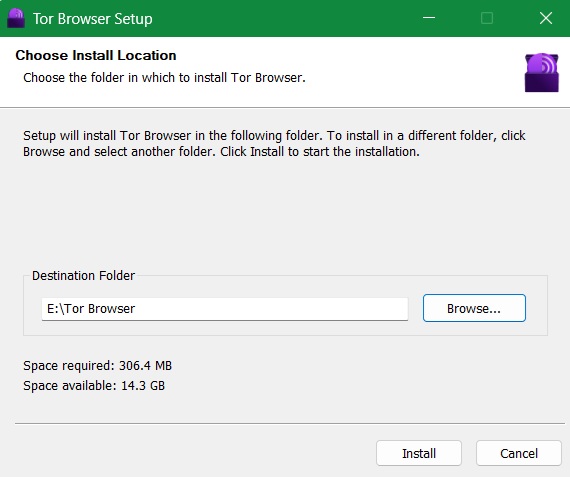
Click Install to proceed with the regular installation in the new destination folder.
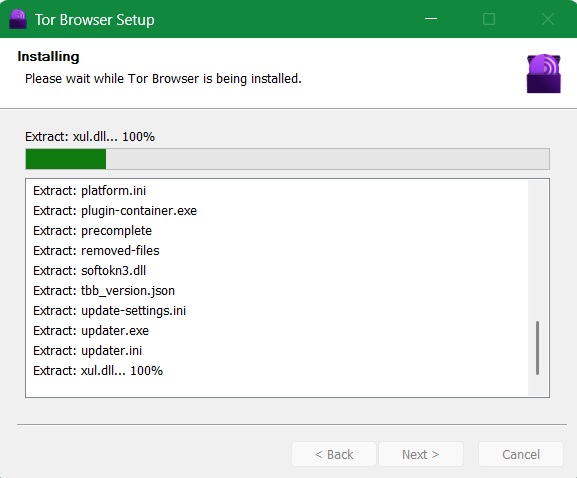
Once the installation is over, uncheck Run Tor browser as we don’t want to run it directly from the PC. Also, uncheck any options to add Start menu or Desktop icons. Click Finish once you’re done.
Related: is Tor browser not available in your country? Find out the various tried-and-tested ways you can get access to Tor installer without your ISP getting a whiff.
Run Tor Browser from a USB
After you’ve installed Tor browser on a USB, you can run it from here like any other stored application.
Connect the USB drive with Tor installed to another PC. Navigate to the folder called Tor Browser, and click the desktop icon shortcut for Tor browser.
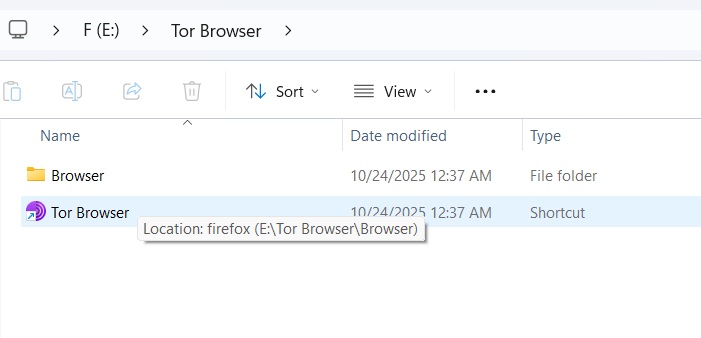
You can also visit the subfolder called Browser, and click the desktop application for the Firefox browser.

The Tor browser window will open directly from the USB drive. Click Connect to launch the browser window properly.
If you don’t want to see this starting message next time you insert the USB drive to a PC, toggle on Always connect automatically.

Wait a few seconds for Tor to establish a connection automatically. Once it’s successful, you will be greeted by the familiar Tor browser interface with the DuckDuckGo search engine.

After installing, you can use Tor directly from your USB drive to do any activity that requires Onion links, such as browsing the dark web.
Advantages of Running Tor Browser From a USB
Here are some of the benefits of running Tor browser directly from a USB drive:
- Portable, zero-install footprint: Your Tor browser runs entirely off the USB without impacting host OS storage or RAM. It’s a lightweight approach to using one of the most anonymous browsers on the Internet.
- Stealthy traceless execution: Leaves no footprint in Windows Event Logs or registry. Any shared-network admins will only detect a USB mount, provided you can find a way to bypass their network policies on external drives.
- ISP-blind anonymity: all Tor traffic originates from the removable drive, which you can hide to bypass surveillance. It’s very helpful to people living in countries where the installation of Tor or VPN is banned or restricted.
- Evade forensics: in case of emergency, you just need to eject and destroy the USB to instantly erase any trace of Tor usage.
Related: Tor uses many intermediate relays which can slow down Internet speeds. But there are many workarounds to that problem, as covered in this guide.
Limitations of Running Tor Browser From a USB
While the limitations of using Tor browser in a USB environment aren’t as pronounced as its tangible benefits, some of these issue can become a concern over time.
- Slower launch possibilities: a USB environment, especially USB 2.0, can suffer from flash latency. This can affect Tor circuit bootstrapping (the process which loads various websites on Tor browsers). Connect your USB drive using a USB 3.0 port overcomes this.
- Tedious manual updates: like all applications, the Tor browser requires frequent updates. These are handled easily by your operating system. On a USB drive, however, you must reinstall it every time — which, though not a problem, is an annoyance for frequent Tor users.
- Can’t open magnets and specific logins: Tor within a USB drive can’t automatically open special links (like torrent magnets or secret .onion logins that require PC access) the way a normal installed browser does.
Ultimately, Tor is only as secure as the person using it. While it helps to mask your identity, Tor in a USB drive does not protect you from malicious software like viruses or malware. Having said it, the anonymity benefits of Tor usage through USB far outweigh the minor inconveniences and there are absolutely no security risks.
Many users are suspicious of Tor browser, although I have always felt safer using it. However, if you want proper alternatives to Tor with more privacy, we have you covered. Also, check out Carburetor, a cool tool for Linux users, that ensures system-wide Tor routing and hides your IP address.