

Many of the initial trials of Apple TV Plus are now coming to an end. This means if you’re not willing to pay $4.99 a month for Apple’s media streaming service, it’s your only option is to cancel it. Unless you do so on time, your subscription will renew automatically. With that said, here is how to cancel Apple TV Plus.
Before we proceed, do know that if you decide to cancel Apple TV Plus, your access to this streaming service will end immediately (and not after the last day of your trial). If you plan to finish watching that series you’ve been bingeing, make sure to cancel Apple TV Plus one day before your subscription is due to renew.
How to Cancel Apple TV Plus on an iPhone
The quickest way to cancel your Apple TV Plus subscription is via your iPhone. Make sure you’re logged in to your phone using your Apple ID (the one associated with the Apple TV+ trial you plan to cancel).
1. Launch the “TV” app and make sure to be on the “Watch Now” tab (found in the bottom-left corner).
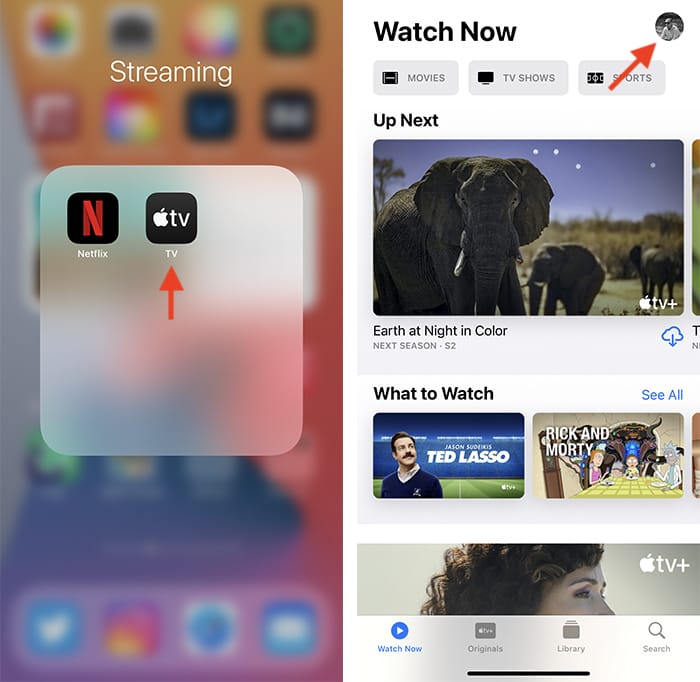
2. Select the account icon in the upper-right corner of your iPhone screen, and a new window will slide over from the bottom. Pick “Manage Subscriptions.”
3. You’ll now see all your Apple-related subscriptions. Go ahead and select “Apple TV+.” Keep in mind that if you’re subscribed to a bundle such as Apple One, you’ll need to cancel that entire subscription instead.
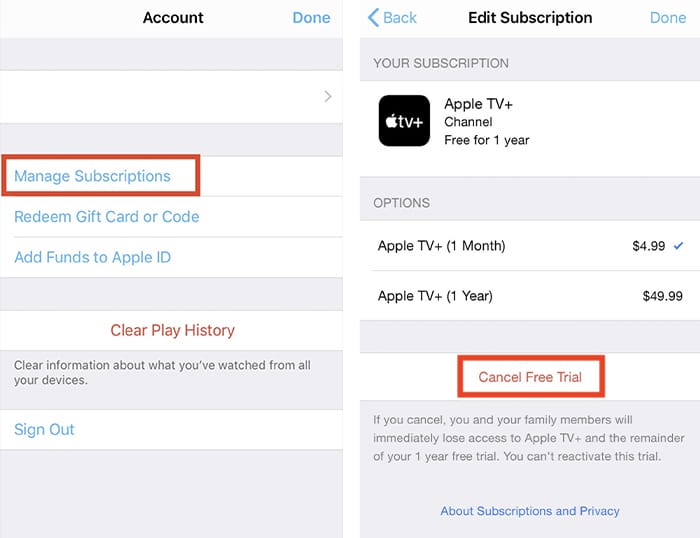
4. Finally, scroll a bit down and tap on the red button labeled “Cancel Free Trial.” If you use Apple One or standalone Apple TV Plus, it will say “Cancel Apple One” or “Cancel Apple TV+.” Confirm your decision – and that’s it!
How to Cancel Apple TV Plus on Any Browser
Other than from an iPhone, you can also cancel Apple TV Plus via any browser:
1. Using any web browser, navigate to https://tv.apple.com/. Wait until that page fully opens, then select the button labeled “Sign In” (visible in the top-right corner).

2. Log in using your Apple ID credentials.
3. Once you access your Apple TV Plus homepage, select your account icon in the top-right corner, then pick “Settings.”
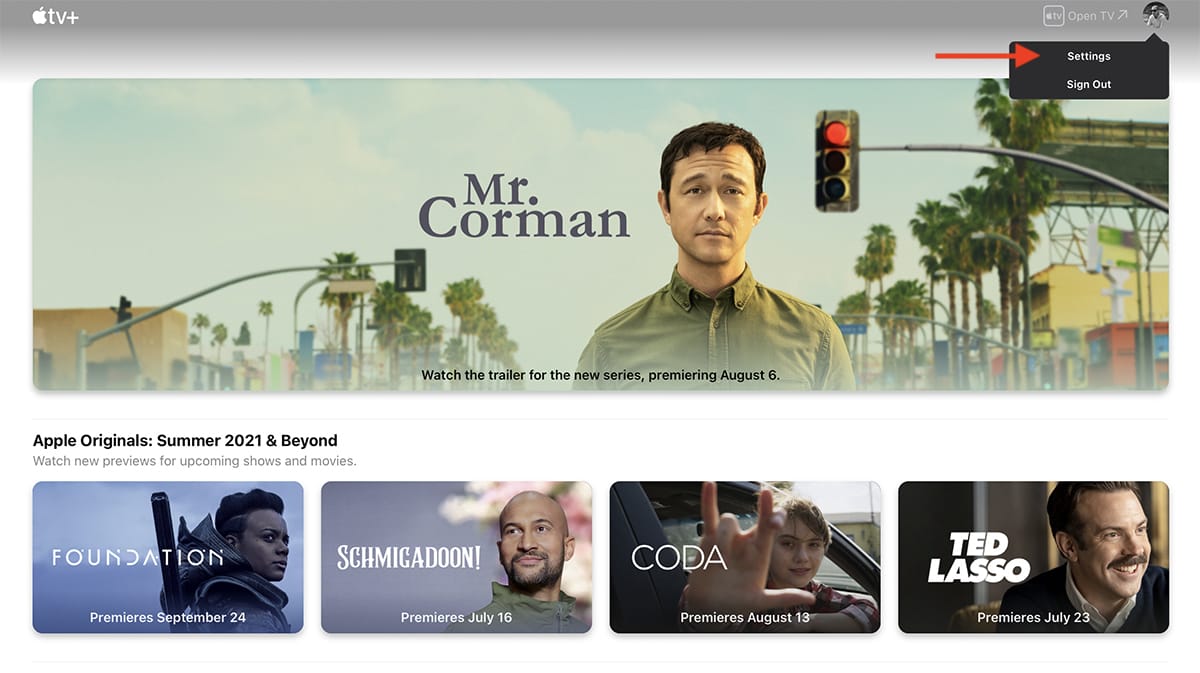
4. Scroll to the bottom of the Settings screen, and you’ll see a section called “Subscriptions.” Based on the subscription you use (whether you have a trial, standalone Apple TV+ subscription, or even an Apple One subscription), pick “Manage.”
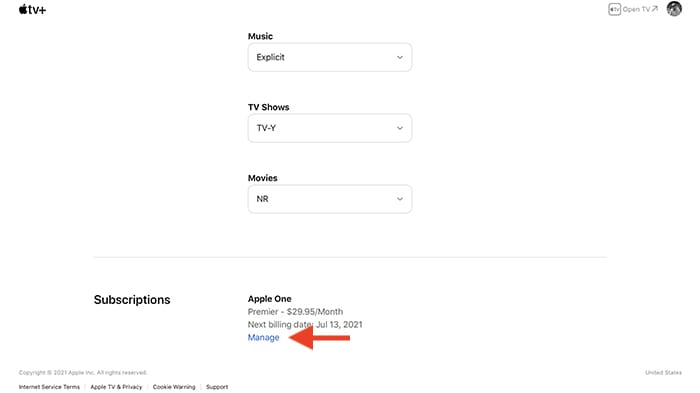
5. Select “Cancel Subscription.” Confirm your decision – and that’s it. After a couple of moments, cancel your Apple TV+ subscription, effective immediately.
Wrapping Up
Now that you’ve learned how to cancel Apple TV Plus, we’d like to recommend a couple of valuable resources.
First, know that the preloaded TV app on your iPhone works even without Apple TV+. Learn how to add TV providers to iOS, letting you access tons of content. If you’re looking for a new streaming service, consult our list of the best premium and free streaming sites, where you’ll find everything you need.