


Facebook, Google, Twitter, LinkedIn, GitHub, and other third-party login systems have handily solved the first-world problem of having to set up and remember lots of different credentials for different services. Apple’s new “Sign in with Apple” system, though, is aiming to fix one of the biggest issues with a lot of these systems: privacy. By keeping the information they collect and gather to a minimum and including several interesting privacy features designed to keep users from being tracked, their ultimate goal is to provide their users with a less-intrusive social login option.
While the system isn’t fully rolled out yet, it will likely be ubiquitous on iOS apps by April 2020, which is the deadline Apple has set for many app developers to implement the new system alongside their other sign-in options. It can also work across the Web and on Android devices, but for the time being, its use is limited to those with Apple devices.
What makes Apple’s sign-in different?
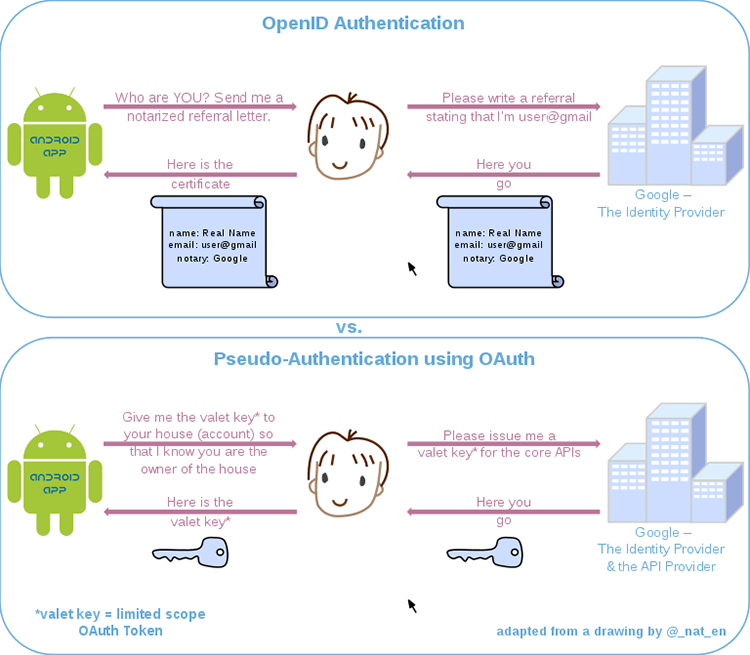
“Sign in with Apple” uses the same general system as every other third-party login. Instead of creating a username and password for an app, you can just tell the app you want to log in with your Apple account, confirm your identity to Apple, and have Apple tell the app that it’s really you. Facebook and Google do essentially the same thing.
Apple, however, has included a lot of privacy protections in its system that set it apart from its competitors. Plus, Apple device users can use biometrics instead of credentials to complete the sign-up/sign-in process. Here are a few of the privacy highlights:
It doesn’t tell the app very much

First and foremost, Sign in with Apple focuses on minimal information exchange. When you sign up using Apple, the app only gets to know your name, email, and a unique identifier from Apple. The identifier isn’t your Apple ID – that’s hidden – but rather a code that changes for every app, so it can’t be used to connect a user’s accounts to each other.
It can hide your email address

Your email address doesn’t have to be a unique identifier either. If you don’t want to reveal your real email, Apple will create a randomly-generated address for you that you can use to sign up. All emails sent to that address will then be relayed to your main Apple ID email (Apple doesn’t store or read them, just forwards them). You can create multiple addresses and delete them if you want to, which can also be a good security measure, as it means your real email address won’t be revealed in case of a hack or breach.
Of course, you could do this manually by setting up your own array of email addresses and forwarding them to your main account, but this is a much more streamlined solution.
It doesn’t track your interactions with the app
On the other end, Apple doesn’t collect any information about your interaction with the app. One of their main talking points is that they don’t know much about their users, and they’re not trying to learn more. This sets them apart from companies like Google and Facebook, where using the social login service can seem like a bit of a two-way street for your personal data.

Theoretically, you should know about and approve of the traffic between Facebook and the app. In practice, though, having so much user data involved, especially when both the login provider and the app want to use it, means that the relationship between the two generally doesn’t stop at “Hey, here’s a token that proves the user is the same one who owns this Facebook account.” That’s where Apple is aiming to be different: neither they nor the app get to know a lot about you, and they stay at the door after you’ve logged into the app.
Where can I Sign in with Apple?
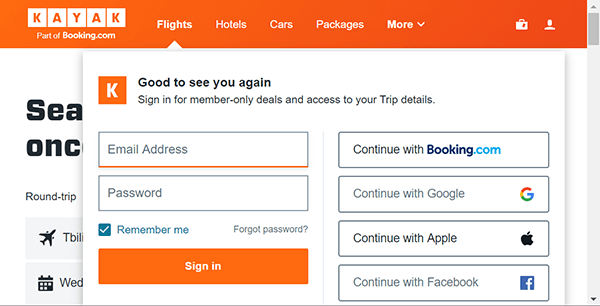
If you’re interested in using Apple as a social login provider you’ll have to wait for the apps you use to offer it. iOS apps that offer other social logins (like Google or Twitter) will be required by Apple to implement the system by April 2020, apps that only use a username/password system don’t have to make any changes if they don’t want to.
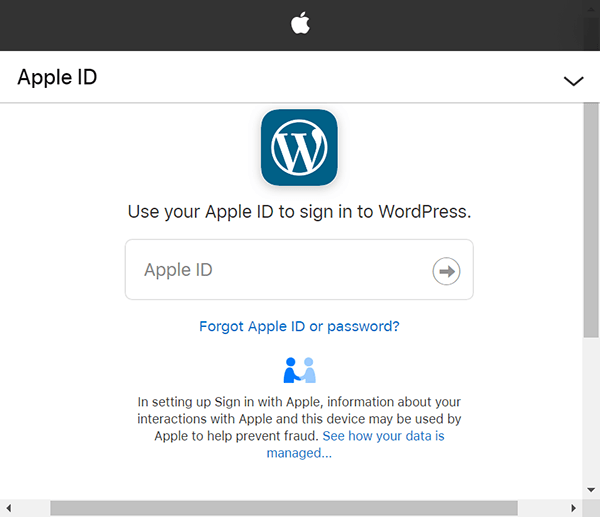
Outside of the Apple ecosystem, implementation is likely to take a bit longer, but you’ll be able to sign in with Apple on web apps and even Android using “Sign in with Apple JS,” which is the web-based JavaScript version of the iOS feature. Anyone can sign up for an Apple ID, but to use the service you need to have two-factor authentication enabled on an Apple device, which rules out anyone outside the Apple hardware camp for now.
Some apps and sites are already using the service, though, and, given Apple’s aggressive strategy for getting its solution out there, you’ll probably see it popping up across the Internet.
How do you like signing in with them Apples?
It’s not a complete substitute for a password manager, but if Sign in with Apple lives up to its privacy promises, it will probably cut into how much people use something like Apple’s iCloud Keychain. You don’t have to mess with any extensions or software to log into an account on a different device, and you get to hide behind randomly-generated emails if you want to. If it becomes available to non-Apple device users as well, Sign in with Apple could end up as a standard option alongside Facebook and Google.
Image credits: Singapore road sign, Apple logo, My iPhone apps, User-privacy-icon