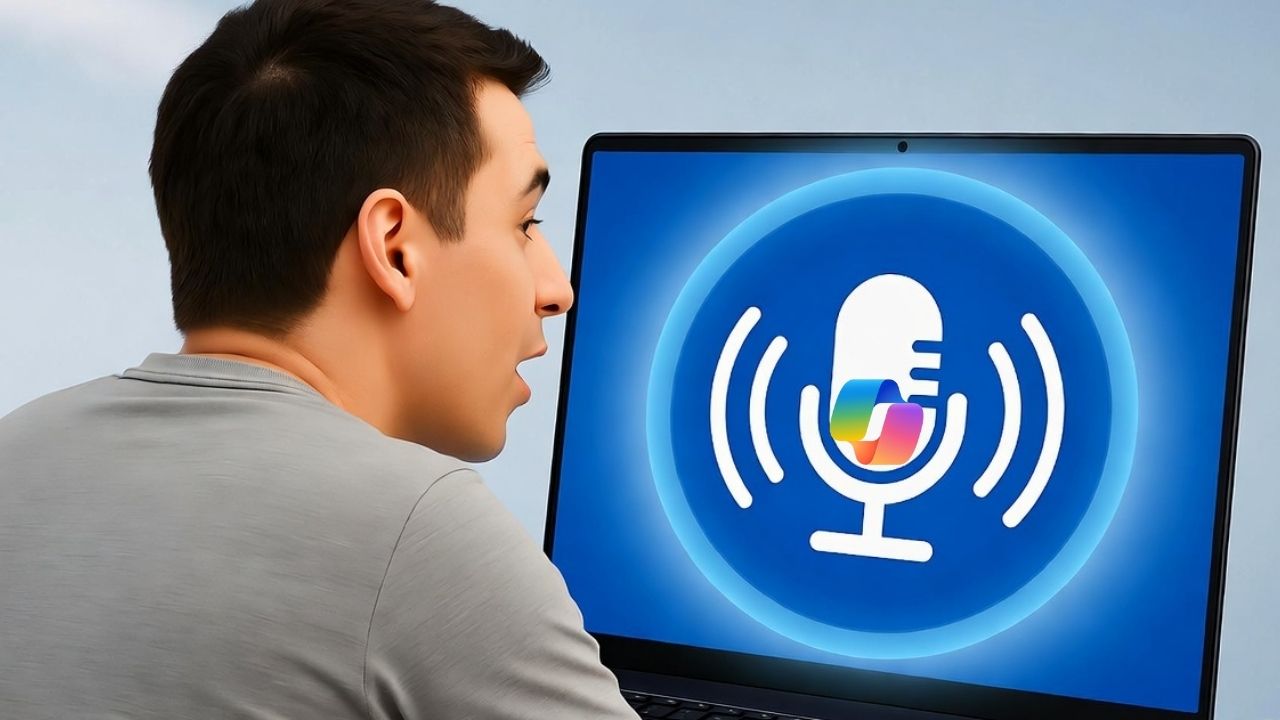
Tired of pecking at keys? Hey Copilot in Windows 11 promises voice-activated smarts, like talking to your smart speaker. It sounds futuristic, but does it make daily computing easier, or invite new privacy headaches?
Microsoft Wants You to Talk to Windows
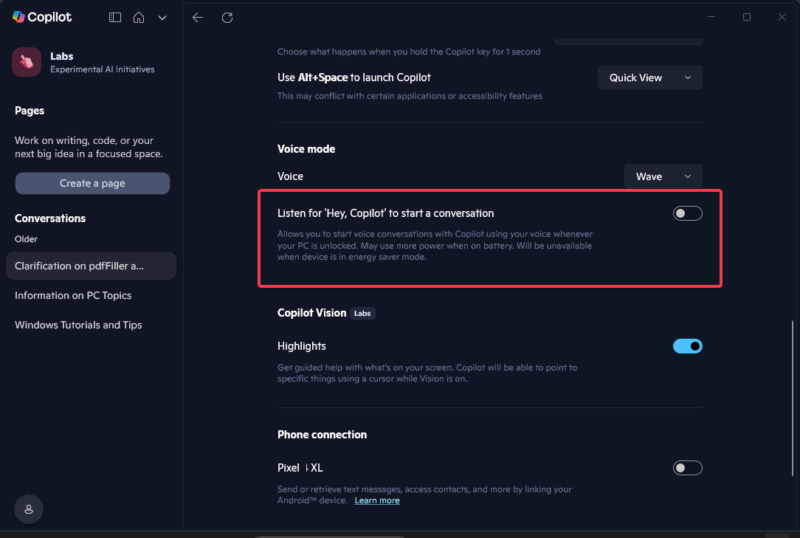
As of October 16, 2025, Hey Copilot in Windows 11 is now available to all users, not just Insiders. It’s Microsoft’s latest ambitious shove to make AI the heart of your PC. To enable, launch the Copilot app, go to Settings -> Voice Mode, and toggle on Listen for ‘Hey Copilot’ to start a conversation.
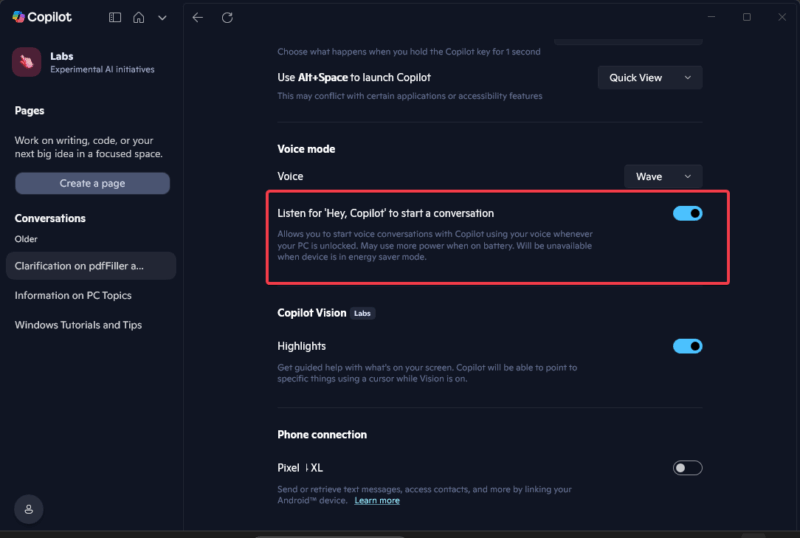
Once live, it lets you wake Copilot with a simple “Hey Copilot” to tweak settings, summarize docs, or even shop online without lifting a finger. It builds on the Microsoft Copilot basics, ditching Cortana’s clunkiness for AI that feels more responsive, at least on paper.
For casual users at home, it’s a neat trick for hands-free help. But for pros or privacy fans, this deeper AI weave means trading more control for convenience.
This isn’t the game-changer Microsoft claims, and it’s more of an echo of Siri or Alexa than a breakthrough, especially with the privacy baggage from past flops like Recall.
What “Hey Copilot” Actually Does and Where It Trips Up
Hey Copilot in Windows 11 kicks off with local mic spotting after enabling the feature. No cloud eavesdropping until you speak the wake phrase, then it chimes and sends audio online to Microsoft cloud servers for processing.
From there, Copilot handles commands like “summarize this document” or pairs with Vision to scan screens for troubleshooting, and Actions to automate chores without extra clicks.
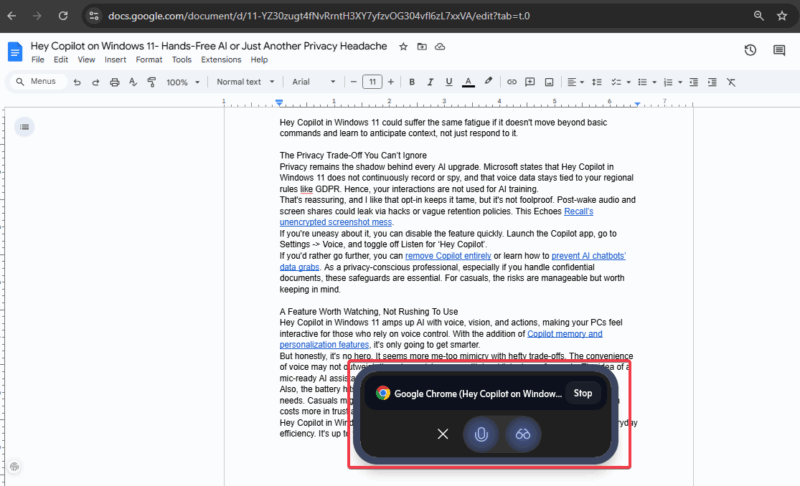
Early users on forums have shared mostly positive reactions in quiet setups. Also, no widespread crashes or slowdowns have been reported so far, which is a good thing.
However, it isn’t flawless either. It sometimes mishears accents, lags on complex tasks, and feels scripted, not chatty. Noisy environments could spark false triggers, like podcasts or chatter. This may turn your workflow into a comedy of errors.
While it’s functional for basics, it’s unreliable for anything demanding, at least in my testing, so far.
When Voice Helps and When It Just Gets in the Way
Voice activation makes sense in the right context. It’s a big win for accessibility, letting users with limited mobility use apps or even dictate notes effortlessly. Pair it with Copilot Android control, and you get an even smoother cross-device experience.
Casual multitasking also gets a boost, like editing a file while asking Copilot to summarize the main points of the document.
But here’s the problem: it uses 10-15% more battery on my laptop when enabled, which kills portability for any road warrior. Office users face disruptions from accidental activations or awkward voice commands in meetings. For high-stakes work situations, its mechanical vibe and lag can disrupt focus, making it a net drag.
Voice assistants walk a fine line between help and hassle. Siri, Alexa, and Google Assistant all tried to make conversational computing mainstream, only to hit the limits of usefulness.
Hey Copilot in Windows 11 could suffer the same fatigue if it doesn’t move beyond basic commands and learn to anticipate context, not just respond to it.
The Privacy Trade-Off You Can’t Ignore
Privacy remains the shadow behind every AI upgrade. Microsoft states that Hey Copilot in Windows 11 does not continuously record or spy, and that voice data stays tied to your regional rules, like GDPR. Hence, your interactions are not used for AI training.
That’s reassuring, and I like that opt-in keeps it tame, but it’s not foolproof. Post-wake audio and screen shares could leak via hacks or vague retention policies. This echoes Recall’s unencrypted screenshot mess.
If you’re uneasy about it, you can disable the feature quickly. Launch the Copilot app, go to Settings -> Voice Mode, and toggle off Listen for ‘Hey Copilot’ to start a conversation.
If you’d rather go further, you can remove Copilot entirely or learn how to prevent AI chatbots’ data grabs. As a privacy-conscious professional, especially if you handle confidential documents, these safeguards are essential. For casuals, the risks are manageable but worth keeping in mind.
A Feature Worth Watching, Not Rushing To Use
Hey Copilot in Windows 11 amps up AI with voice, vision, and actions, making your PCs feel interactive for those who rely on voice control. With the addition of Copilot memory and personalization features, it’s only going to get smarter.
But honestly, it’s no hero. It seems more me-too mimicry with hefty trade-offs. The convenience of voice may not outweigh the privacy risks, even with local listening safeguards. The idea of a mic-ready AI assistant running 24/7 can feel intrusive.
Also, the battery hits and glitchy reliability make it a headache, pushing forced AI over user needs. Casual users might dabble, but professionals should not rush into this yet. The help often costs more in trust and tweaks than it saves.
Hey Copilot in Windows 11 sounds futuristic, but it’s not yet perfect for privacy-first and everyday efficiency. It’s up to you to decide when it should listen.