


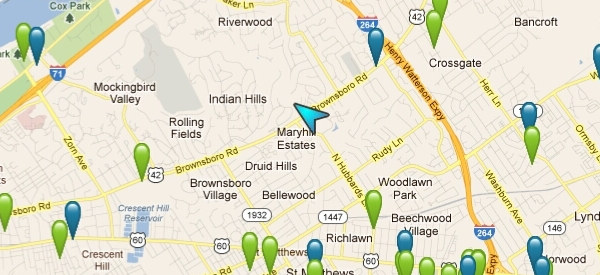
Just when you thought that your location on this planet wasn’t so painstakingly obvious to every single company you come into contact with online, you go on Google Maps and find that somehow Google knows exactly where your house is and points its location out with a little blue dot.
This is a little trick of geolocation, and no, you do not need to provide your consent for this. The only thing they need is to try to connect to your WiFi router and correlate the contact with a location. In an era where smartphones are ubiquitous, this is a very easy task.
Why Is WiFi Being Used for Geolocation?
WiFi is a solid radio technology that works in any weather with very little interference. This is in stark contrast to GPS satellite technology which could be affected by cloud cover and other aspects that may interfere with the signal’s long journey from outer space. Because of this (along with the fact that people usually don’t relocate their WiFi access points all willy nilly), Wi-Fi can technically be more reliable than GPS for geolocation especially within urban centers.
Try this experiment one day with your smartphone: Open Google Maps and allow it to use WiFi to track your location. See how quickly that happens. Now, try turning your WiFi antenna off. Sometimes the difference in time is minuscule, but if your GPS antenna sucks like mine does, using WiFi to determine your location is not only faster but yields more accurate results within a very short period of time.
How Does Google Know Where Access Points Are?
Technically, the address your IP is registered to (i.e. the billing address you have with your ISP) is not common knowledge. Your router gives Google no indication of its geographical location. In fact, it doesn’t even present its IP address unless a device manages to connect to it (meaning that if you require a password to connect to your network, you’re not broadcasting your IP address for the world to see). How does Google work out your location then?
Most people don’t bother to turn off antennas on their phones, so they usually have GPS and WiFi on concurrently. Because a wireless router broadcasts its SSID (the WiFi network’s name) as part of the “hello” it sends, there is now a way to identify it other than through its IP address (which in all likelihood will change anyway at some point in the future).
Another way is through the router’s unique MAC address. Now that Google has a way to identify your router, it only needs a location to associate it with. A passerby with an Android phone will do that quite nicely. All Google needs to do is scoop up the phone’s GPS location at the time it is connected to your router, and it now has your router’s approximate location. And now other passersby without state-of-the-art GPS antennas on their phone can find their own locations quickly.
How Do I Stop This?
Technically, there is no real way to stop your router from becoming a beacon for geolocation services. You’re stuck with the inadvertent role of being everyone else’s lighthouse whether you like it or not. Since smartphones don’t try to connect to routers that don’t broadcast their existence when they send a probe request, you may get away with just stopping your router from broadcasting its SSID wirelessly.
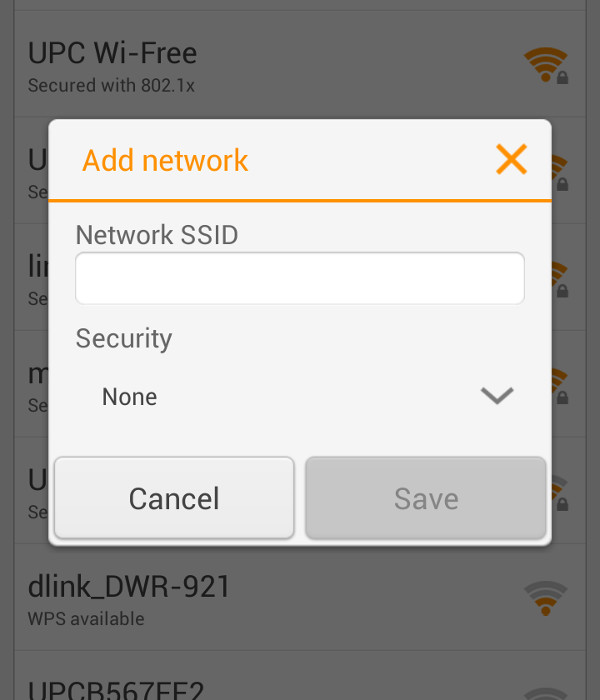
On the other hand, this means that you’ll have to manually add your wireless network every time you connect to it. On Android phones this means pressing the plus button on the bottom of the list of wireless networks in “Settings -> WLAN.” You’ll get tired of this rather quickly.
Associating your access point’s radio signal with a location doesn’t necessarily mean that people are tracking you or your data unless the connection is unencrypted. To be safe, just make sure that your router requires a password to connect to it wirelessly.
If you have any other advice for curious folks, be sure to tell us all about it in a comment!