You’ve probably heard of the Pomodoro technique and maybe even tried it – 25 minutes of focused work, then a 5-minute break. It’s a well-established productivity method, but there’s a more dynamic alternative: Flowmodoro (aka Flowtime). Let’s look at how Flowmodoro helps you sustain your productivity, and which apps make it effortless.
What is Flowmodoro
The 25/5 flow of Pomodoro is static for everyone, while everyone’s focus and work needs are dynamic. When the 25-minute focus timer hits, you are forced to stop whatever you are doing and take the break. On the contrary, you are forced to work for 25 minutes even if you lose focus in the middle. This is why many people leave Pomodoro when they are unable to keep up with the 25/5 flow.
Flowmodoro solves this problem by dynamically adjusting the break period according to how much you stay focused. You don’t have to stop at 25 minutes if you are very focused and about to complete something important. Focusing for a longer period will reward you with a longer break. For example, a 50-minute session could give you a 10-minute break.
It also helps when you lose focus early. Shorter work sessions naturally produce shorter breaks, so you’re still rewarded without wasting time. For example, a 15-minute work session could give you a 3-minute break. This flexible approach ensures people can focus according to their work needs and be rewarded accordingly.
Just like Pomodoro, you’ll need a tool that tracks your work sessions and calculates the break periods for you. Below, we are listing some of the best Flowmodoro apps.
1. Flowmo
Flowmo is one of the most complete Flowmodoro tools, which helps implement Flowmodoro and track your progress over time. You can create tasks and work on them using focus timers to see how productive you were over time. When you start a focus session, it will record the time and show it in real-time in both the main interface and on the browser tab.
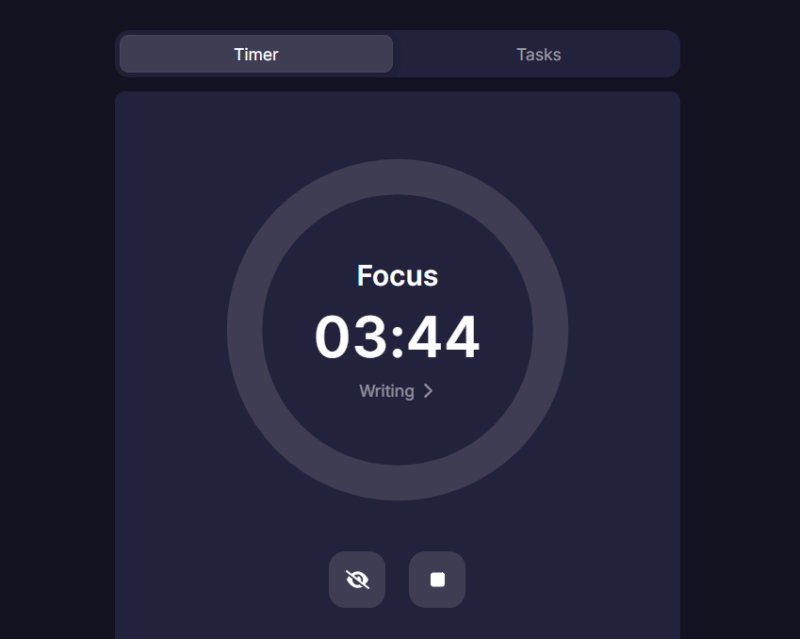
Stopping the timer will prompt you to start the break time (you need to start it manually). Only the break time has an alarm on completion, as it’s fixed based on your focus session. You also have the option to skip the break if you want.
By default, it uses 5 as the divisor for break time, which means you get a 1-minute break for every 5 minutes of focus session. In the settings, you can change the divisor to whatever fits you well. The Flowmodoro timer and task creation feature is free, but you need a paid subscription to connect to-do list apps and see stats over time. You can use Flowmo in your browser or download its Android or iOS apps.
2. Customodoro
Customodoro has a Reverse Pomodoro feature, which is basically the same as Flowmodoro. However, instead of using a divisor to give perfect dynamic breaks, it uses duration windows to give incremental breaks. For example, you get a fixed 2-minute break for a 1-12 minute focus session, and break times can reach 30 minutes for a 49-60 minute focus session.
This approach is arguably better, as extended focus sessions can be more tiring than bursts of multiple sessions, so incremental breaks make sense. You also have full control over how long breaks you want for each time window. It also tracks your sessions over time and creates a graph to show how productive you were.
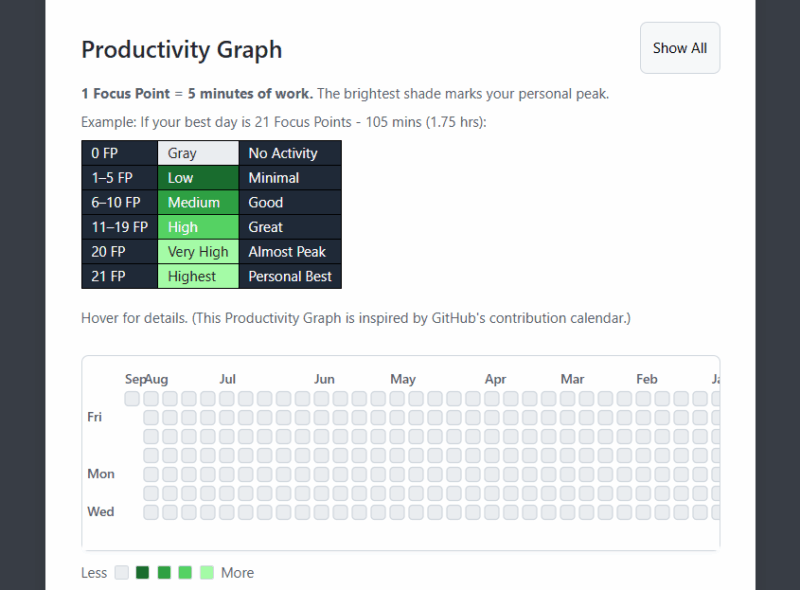
Best of all, this online tool is completely free and doesn’t need an account to work. It locally saves all the information in your browser.
3. Flowmodoro
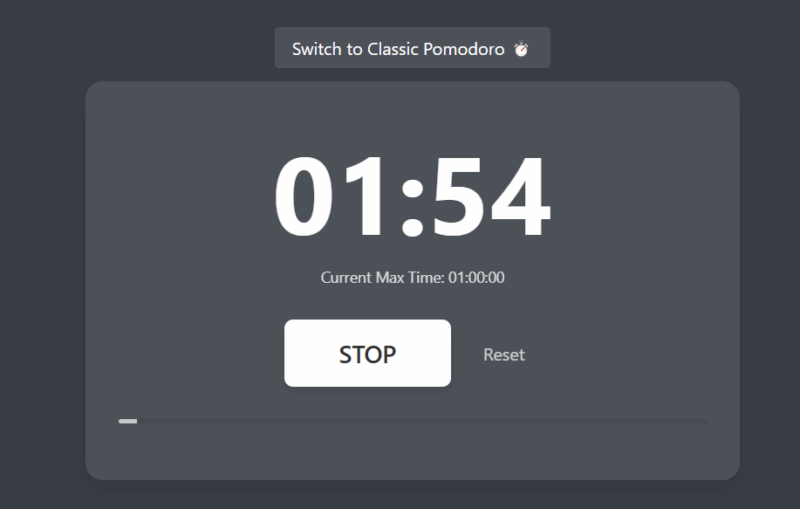
If you just want a barebone tool that gets the job done, the free Flowmodoro tool is hard to beat. This app just shows a Start and Stop button that you can click to start a session and stop it. The break time immediately starts as soon as you stop the session. There is nothing else to it, no stats, and nothing to track.
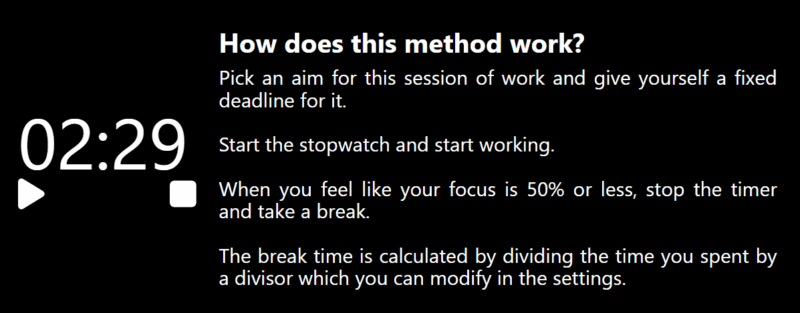
For break time calculations, it uses 3 as the divisor, which is much more generous than the original Pomodoro technique. You get a 10-minute break on a 30-minute session. In the settings, you can change the divisor to a number you like, such as 5 for the original Pomodoro break time.
The Flowmodoro technique is arguably much better than Pomodoro simply because you have the option to trade break time periods for work sessions. Instead of forcing you to a fixed routine, it adapts to your work and focus needs. You can combine Flowmodoro with a “Do Not Disturb” setup for the best focus sessions.