


Calling Disney a franchise takes away some of the cultivated magic, but that’s what it is. The Disney franchise has done wonders in giving its target users Fear Of Missing Out (FOMO) for decades. For Disney Plus subscribers, Error Code 83 turns that fear into a real-world scenario.
In this post, we look at what Disney Plus Error Code 83 is and try to help you fix it. First, let’s talk more about the error itself.
What the Disney Plus Error Code 83 Is
Like many apps, not everything runs smoothly, and sometimes you’ll encounter errors. If an app is well-designed, you’ll be given a description of some sort along with a code. This helps technical teams diagnose the issue and give you a fix.
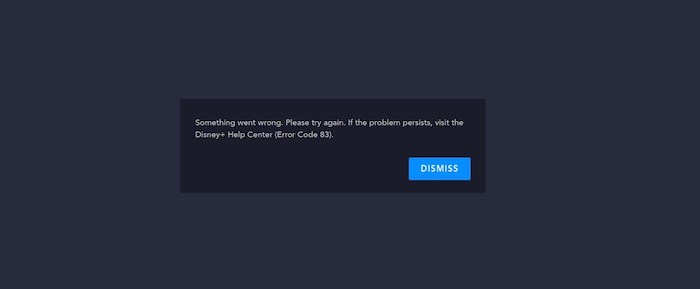
Disney Plus Error Code 83 consists of the following message:
Something went wrong. Please try again. If the problem persists, visit the Disney+ Help Center (Error Code 83).
The bad news is that this isn’t the most helpful message. To find out why this occurs, you need to do some digging. We’ve done the necessary digging for you, as we explain next.
Also read: What to Expect When You Sign Up for Disney+
Why It Exists
The error is frustrating for two reasons. First, you have an issue that stops you from watching Disney Plus. Second, the message isn’t descriptive enough to help you resolve the issue.
Even so, the official Disney Plus help page offers some advice on what the root cause is. It can be boiled down to one of three causes:
- Connectivity issue
- Device compatibility problems
- Issues with your account
Given this, you have three places to start rooting out a solution to Disney Plus Error Code 83. Let’s figure out a fix next.
How to Fix Disney Plus Error Code 83
As we noted, there are three areas you’ll need to investigate. The first step is to determine whether you’re using a compatible device. Disney Plus has a list of approved devices, and your job here is to check whether yours is on it.
On the whole, if you’re trying to watch on an Apple device running iOS 12 or later or an Android device running OS 5.0 (Lollipop) or later, you’re good to go. For TVs, models made after 2016 are often good enough (although you’ll need to check your specific model).
While most modern Internet browsers are supported, note that Linux isn’t supported. What’s more, browsers running on devices such as Smart TVs, games consoles, and more aren’t supported either. In short, use an official app for your device, and you should be good.
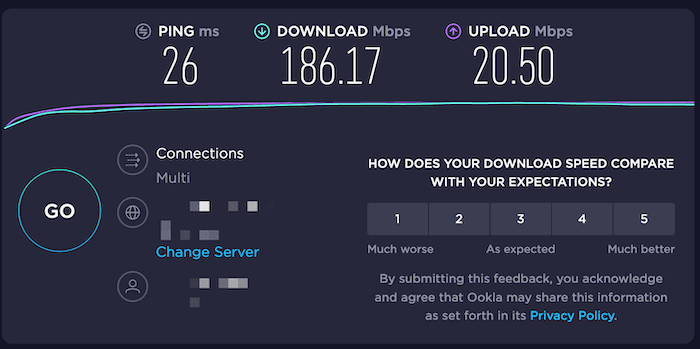
A simpler explanation could be that there’s a connection issue that needs to resolve itself. You can carry out some diagnostics on your end, such as checking your Internet speed for issues. A tool such as Speedtest will give you all the clues you need about whether the problem lies on your end.
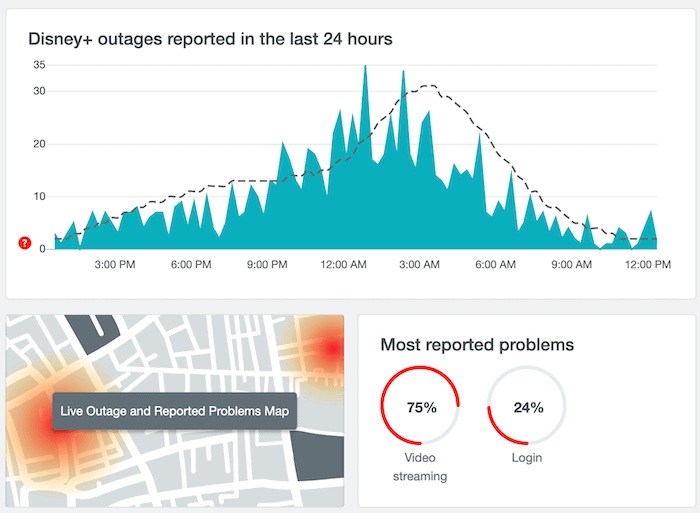
If your Internet is fine, Disney Plus could be at fault. A site such as Down Detector can help you see if others have had issues too.
If you’re still not having luck, you can try some other steps to get back up and running:
- Delete, reinstall, and/or update the Disney Plus app.
- Power down and restart your device.
- Upgrade the firmware on your device.
At this point, you may need to contact the support team if you’re still experiencing issues. After ruling everything else out, the common problem will be account-based. As such, Disney’s support will be able to talk you through a resolution.
In Conclusion
Disney’s business model is one involving a lot of FOMO for the customer. Though, with Disney Plus Error Code 83, this isn’t a deliberate attempt to cultivate FOMO. However, there’s a compatibility issue you need to solve. The advice throughout this article will hopefully help you resolve it.
If you’re not yet on board with what Disney Plus has to offer, you may want to check out our article on the subject. Have you encountered Disney Plus Error Code 83, and has our advice helped you? Share your thoughts in the comments section below!