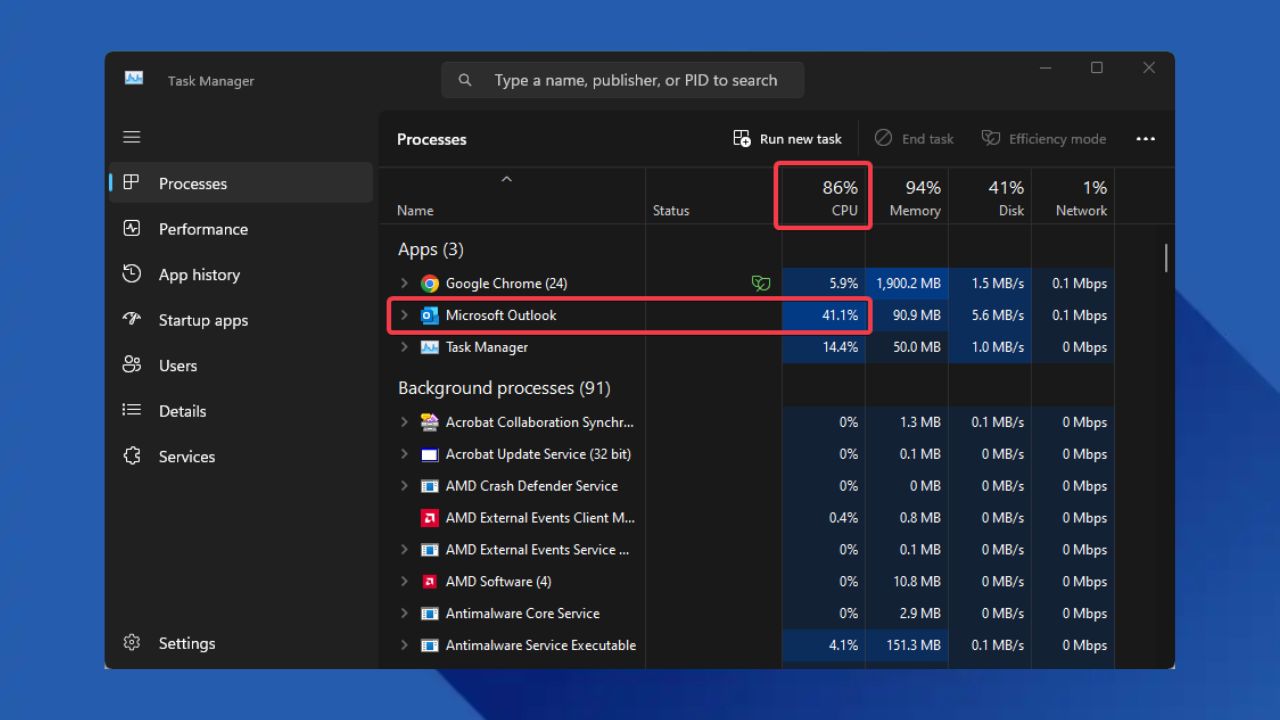
Is your PC gasping for air every time you type an email on Classic Outlook? That’s the work of the Outlook CPU spike bug. This bug causes Outlook to use 30-50% of your CPU, making your system slow and hot. While Microsoft is cooking up a permanent fix, let’s explore what this Outlook CPU spike bug is, how to work around it, and when to expect the official solution.
What is the Classic Outlook CPU Spike Bug?
Imagine typing an email and your PC fan starts making loud noises like a car engine – that’s the Outlook CPU spike bug in action. This glitch turns Outlook into a CPU usage monster and has been an issue since November 2024.
The glitch hits Classic Outlook version 2406 Build 16726.20126 and up. Whenever this issue occurs, you’ll see 30-50% CPU spikes in Task Manager.
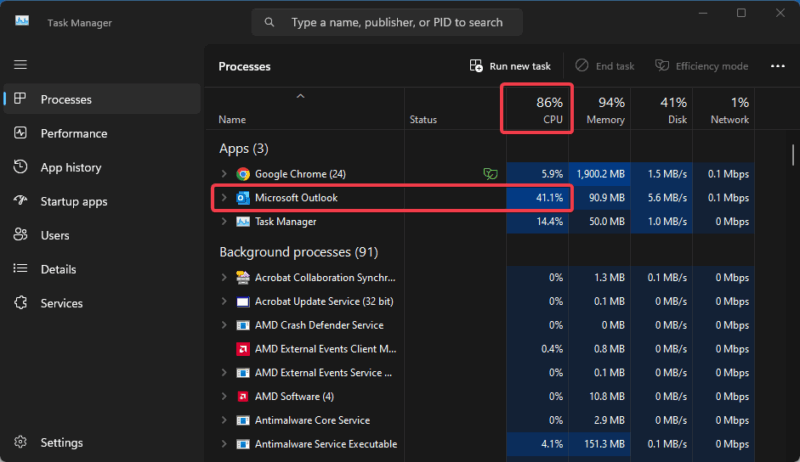
In addition, it can cause your PC to freeze, stop responding, sluggish, or overheat from the rotating fan, especially on older PCs. The frustrating part is it affects both Windows 10 and 11 users across all channels.
However, you can try some of the fixes here to curb 100% CPU usage in Windows if you’re frustrated with how your PC struggles. There are also fixes to explore for high CPU usage on Mac or Linux.
How to Fix the CPU Spike Issue Temporarily
While Microsoft is still working on a permanent fix, you can switch to the New Outlook as a solution. However, the best workaround is to revert Outlook to an earlier version (2405), which removes the bug.
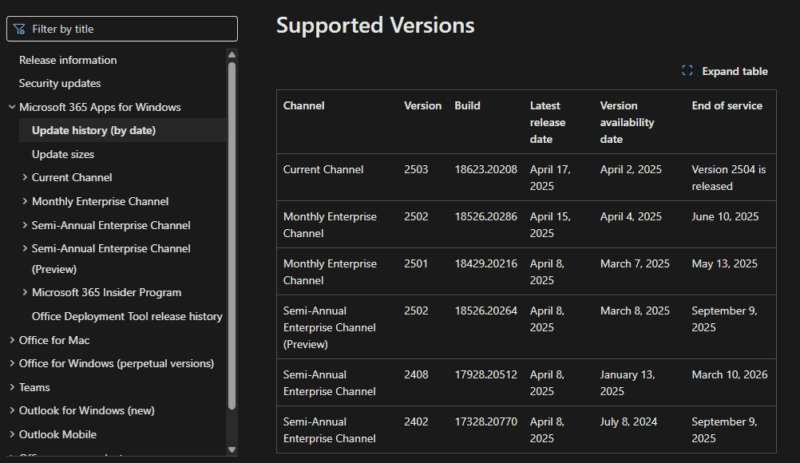
To do that, locate the build of Version 2405 for your respective channel here.
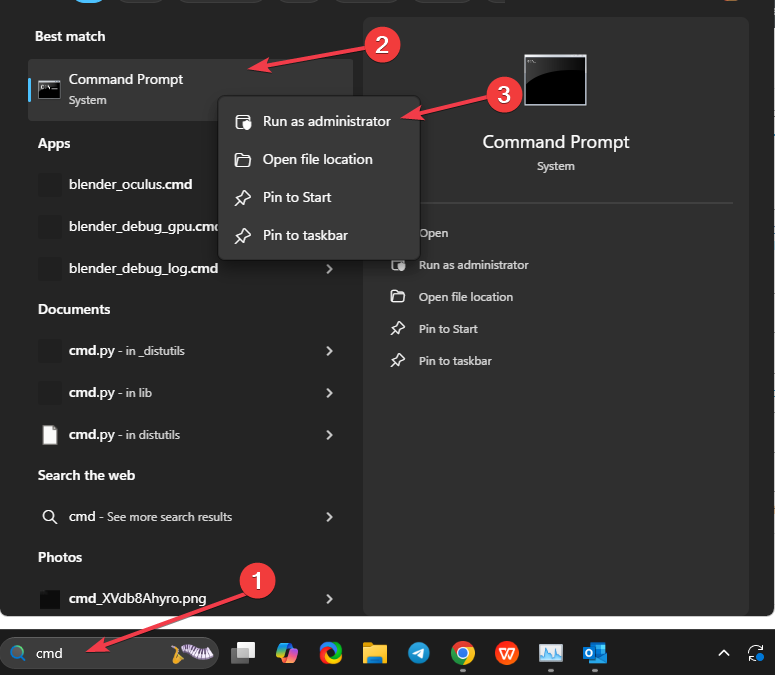
Search Cmd in the Start menu, right-click on Command Prompt, and select Run as Administrator.
Then, copy and paste the following command alongside your build from above, and hit Enter:
"%programfiles%\Common Files\Microsoft Shared\ClickToRun\officec2rclient.exe" /update user updatetoversion=16.0.17628.20144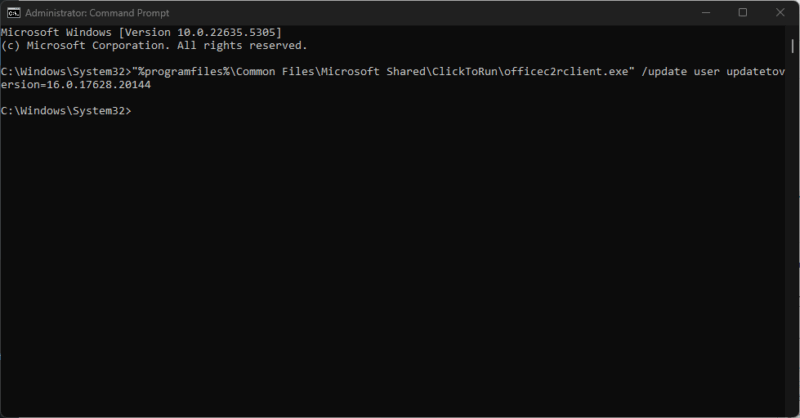
Wait for Outlook to roll back to Version 2405, then restart Outlook and test the app. Alternatively, you can use the Office Deployment Tool with Microsoft’s guide to switch versions.
FYI: While this fixes the Outlook CPU spike issue, you should know reverting skips recent security updates, and may leave you vulnerable.
Meanwhile, you can further explore more ways to limit CPU-heavy usage apps in Windows here.
When will Microsoft Release the Permanent Fix?
Microsoft will be rolling out a proper Outlook CPU spike fix in May 2025. This is the outline for the rollout:
- Beta Channel: Early May (Version 2505 Build 18822.15000)
- Current Channel Preview: Mid-May (Version 2505 Build 18827.20000)
- Current Channel /Everyone: Late May (Version 2505 Build 18827.20000)
To get the update when it drops, navigate to File -> Office Account -> Update Options -> Update Now in Outlook.
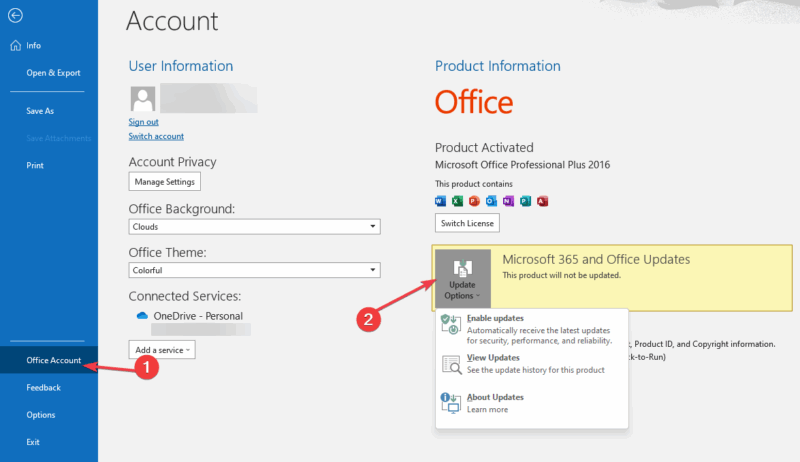
The first rollout will be for the Microsoft Insiders and select few testers to have a feedback on its effectiveness. So, you’ll have to wait for the final rollout to gain access to troubleshoot the issue.
The Outlook CPU spike issue can be frustrating and cause a drag on how you work. However, you can now outsmart it with this workaround while waiting for Microsoft’s permanent fix. Further, you could opt in for the New Outlook or explore other email apps. Did you get a fix that worked for you? Spill it in the comments!