If you’ve ever spent hours removing blemishes, evening out skin tones, or brightening eyes in post-production, you know the editing grind can quickly eat into your creative time. For commercial wedding, portrait, and headshot photographers handling thousands of images, it’s a bottleneck that can seriously affect your business.
Evoto AI aims to fix that. This next-generation AI-powered photo editing suite promises to deliver professional-grade retouching in a fraction of the time it would take to do it manually. This review shows whether it lives up to its “supercharge your workflow” claim.
This is a sponsored article made possible by Evoto. The actual contents and opinions are the sole views of the author, who maintains editorial independence, even when a post is sponsored.
Getting Started With Evoto AI
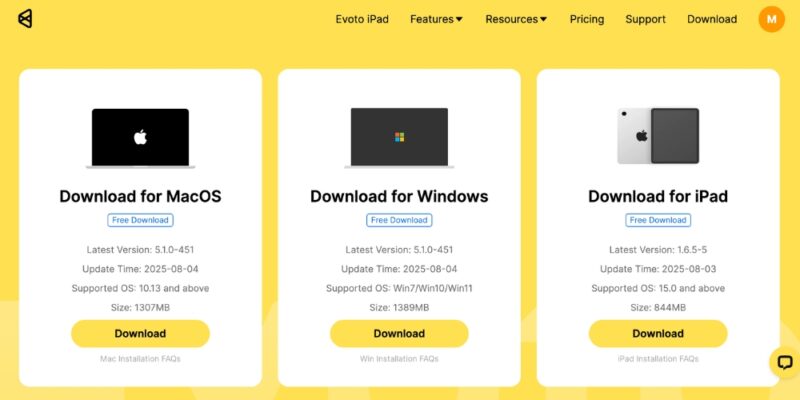
Evoto AI is easily downloadable from the website. It is available for Mac, Windows, and iPad. Since I primarily use my MacBook these days, I downloaded the macOS version. It installs quickly, and all you need is an email address to create an account and get started.
Evoto AI greets you with a clean, intuitive interface that feels familiar if you’ve used any mainstream editing software. Presets and looks line the left, while manual adjustment tools line the right. Built-in tutorials guide you through everything from skin retouching to background replacement, so you can get started right away, even if you’re new to AI-driven editing.
You can work on single images or import entire Lightroom catalogs for batch editing. Tethered shooting is supported, which means you can connect your camera directly to Evoto during a shoot and apply edits in real time.
AI Retouching That Gets the Details Right
Evoto’s skin retouching tools are the real showstopper. Whether you want subtle, natural enhancement or a more polished, high-fashion look, you can start with automated presets and refine from there.
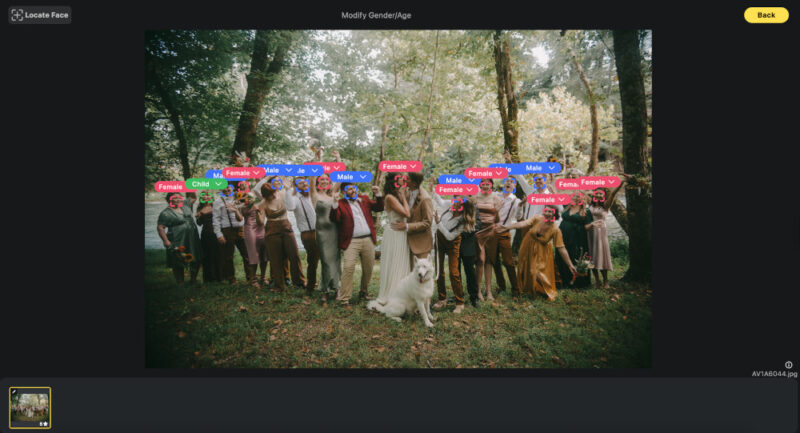
In my testing, Evoto AI accurately identified facial features, even in a family portrait with 20 people. It applied targeted edits without blurring skin texture or misidentifying subjects. This precision lets you create different presets for various age groups or genders within the same batch. For example, you can soften wrinkles for adults while brightening eyes and reducing acne for teens.
Evoto also includes:
- Eye Brightness & Teeth Whitening: automatic detection and adjustment that adds natural sparkle and removes discoloration.
- Digital Makeup & Beauty Enhancements: lipstick, eyeshadow, blush, and eyelash enhancements, although these can look artificial if overused.
- Body & Face Reshaping: options to slim waists, adjust height, remove double chins, and subtly change posture.

Beyond Skin: Backgrounds, Color, and Sky Replacement
Evoto AI doesn’t stop at skin. The Clean Backdrop feature is perfect for studio photographers dealing with scuffed backdrops. It removes marks, folds, and other distractions while keeping edges crisp.
The Backdrop Changer and Sky Replacement tools are also standouts. In one test, I swapped a dull outdoor sky for a sunset scene in seconds, with the AI handling tricky hair edges flawlessly. You can also fine-tune saturation, hue, and even the position of clouds.
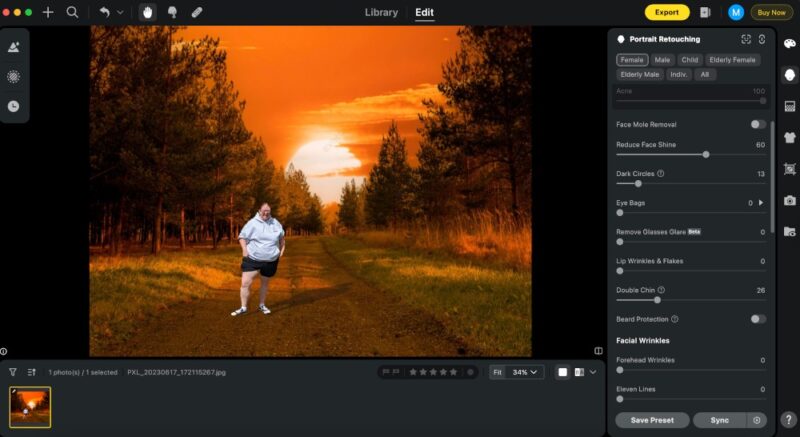
For creative color grading, Evoto AI offers a large library of AI Color Looks, which are presets for contrast, tone, and color mood. The software even suggests looks it thinks will suit your image, all of which can be tweaked and saved for future use.
Workflow Efficiency
One of Evoto AI’s best time-saving tricks is the ability to apply presets to an entire batch of images without waiting for each to fully render. You can make adjustments across the set, then let Evoto process the final versions while you take a break from day-to-day use.

This can save hours, especially for wedding photographers or studios delivering hundreds of images per client. While Evoto can’t directly sync rendered files back to Lightroom, you can export TIFFs from Lightroom, edit them in Evoto, and overwrite the originals to keep your existing workflow intact.
Pricing Model
Evoto uses a credit-based annual plan, charging you only for the final rendered images you export. This makes it cost-effective for both occasional and high-volume users. Check the company’s pricing page for the most up-to-date information on credit costs.
Credits aren’t deducted for test edits – only for exported files. Also, re-rendering an image on the same computer doesn’t cost extra.
Additionally, if you use the special coupon code, maketecheasier, you can receive a up to a 20% discount.
Final Verdict
If you regularly retouch portraits, weddings, or headshots, Evoto AI is one of the most efficient and versatile tools I’ve used. Its AI is impressively accurate, the interface is intuitive, and the time savings are real. The ability to batch-edit huge sets while keeping results consistent is a major win for busy photographers.
And while the lack of direct Lightroom sync is a drawback, the manual workaround is simple enough for most workflows.
Bottom line: for professionals looking to cut editing time without sacrificing quality, Evoto AI delivers on its promise and makes you rethink how much post-production you need to do by hand.