


Evernote has long been the gold standard in note-taking software, allowing for access and syncing across virtually all popular platforms from Windows and Mac to mobile operating systems. The browser extensions, of which there are several, offer even more capabilities. Now the company has rolled out version 6 of its Web Clipper for Chrome and completely revamped the user interface along with adding new features, some of which were borrowed from its other extensions in an effort to unify the platform.
Web Clipper allows the user to easily grab information while surfing the web, handily saving it to notebooks contained within Evernote, making it accessible later across a variety of mediums.
A New Look for an Old App
Web Clipper is one of Evernote’s oldest extensions, but it certainly appears to be one of the newest, thanks to a completely revamped user interface that now sprawls down the right side of the screen, looking much like the Windows 8/8.1 Charms menu and bringing along the new features with it.
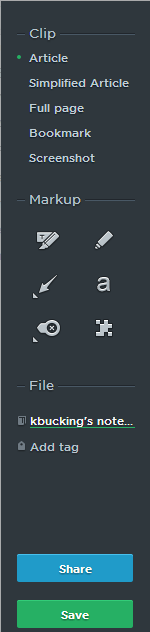
The UI, however, is the first, and most prominent feature contained within this update. It is still accessed in the same old way – simply click the icon located in the tool bar at the top the web browser.
The sleek new black bar contains a brief list of menu items, followed by icons, the option to add tags and a brand new share feature that lets you include your friends in the fun.
Added Features
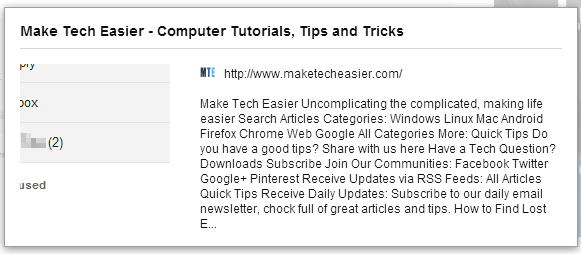
Bookmark has been added to version 6 of Web Clipper. As the name implies, notes created will contain a snippet of the page and the URL, making it easily referencable in the future. Handy, because I, for one, have clipped many notes only to not be able find the source again when I needed it.
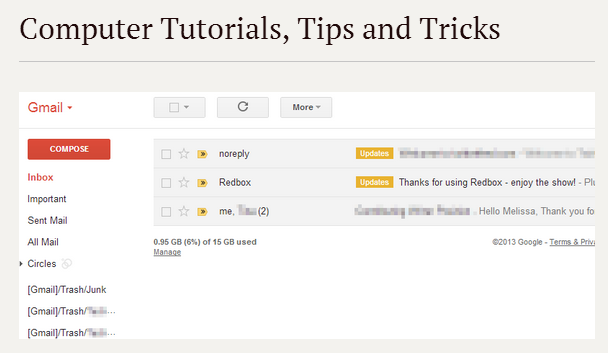
In the past, there has been a separate extension called Clearly. While that still exists, some of its features are now a part of Web Clipper. Clearly strips out extraneous parts of a page, leaving just a simple text document, allowing for easier reading.
Clearly was not the only extension whose functionality was rolled into version 6 of Web Clipper for Chrome. Skitch also makes an appearance, adding the ability to overlay shapes, arrows and text on top of the page you’re viewing, much as any photo editor can do.
To accomplish this, a Markup section has been added to the menu, containing a highlighter, marker, arrow, type, stamp and pixelator. Simply snap your image and then choose the tool you wish to use. If you change your mind, hit ESC and you’ll return to the original page.
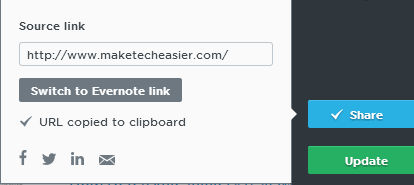
Sharing, which I mentioned above, is also present, letting you easily send content via email or to Facebook, Twitter and LinkedIn. Click the Share button at the bottom of the menu.
Conclusion
Evernote is a superior app for grabbing all sorts of useful information while traveling the web, especially when doing research. The one knock I have had on it has been the number of different extensions needed to do all you want. With version 6 of the add-on, Web Clipper begins the task of uniting these various services, bringing in elements of Clearly and Skitch, as well as adding more features, while managing to keep the service from feeling or looking bloated.