
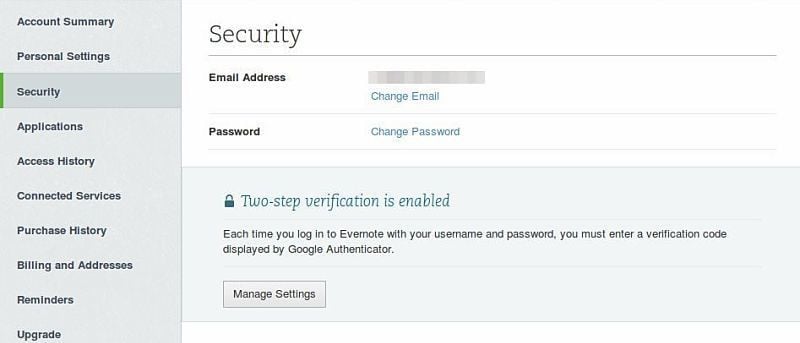

Recently, Evernote added an extra layer of security to their service: two-step verification. This will help to protect your account from unauthorized access, and also means that there will be an extra step needed whenever you log into your account (including applications connected to your account).
Whether you’re an Evernote junkie or just a casual user, it is a good idea to set this up as soon as possible; it will only take a few minutes of your time.
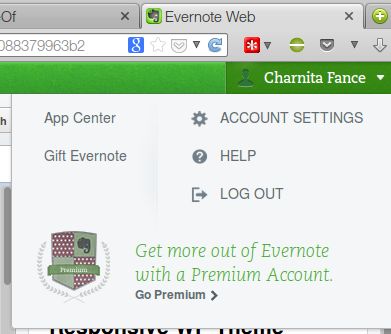
To get started, you will need to go to Evernote.com, sign in and then click on your name at the top right corner of the page. You should see an “Account Settings” option in the menu that drops down.
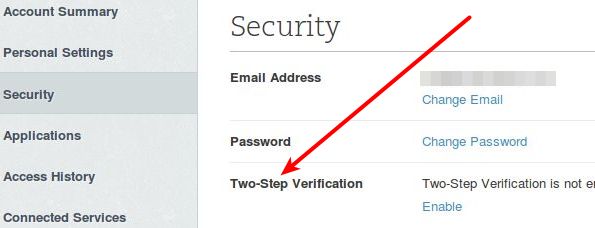
On the Account Settings page, go to “Security” in the left column and you will see the option to enable two-step verification on the right side of the page. Click on “Enable” to get started.
You’ll see a pop-up with some important information regarding two-step verification. Click on “continue” twice after reading about some important things to remember.
Now you’ll be required to verify your email address (a valid email address is required to use this feature). Click on “send verification email” and within a few minutes you should get a confirmation code in your email.
Once the email is received, you can copy and paste the confirmation code or just click on the big “confirm email address” button in the email.
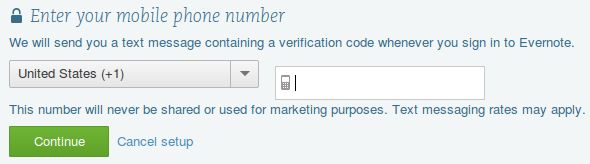
Now enter your mobile phone number (Google Voice numbers also work) and click on “continue.” Within seconds, you should get a verification code sent to that phone number. Enter the code and click “continue.” You’ll then have the option enter a backup phone number. This is not required, but is handy in case you lose access to your primary phone number.
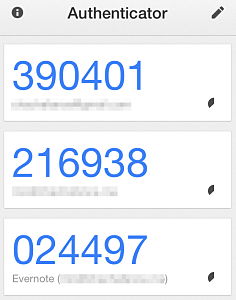
Evernote two-step verification also works with the Google Authenticator application (iOS, Android, Blackberry) and it walks you through the installation and setup for your device. This is also optional, so you can skip it if you’d like.
If all goes well you will see the message “two-step verification setup is complete.” You are now doubly protected!