


While most Google apps have dark mode, Google Docs still uses the light theme. Dark mode helps reduce eye strain if you are working for long hours, is beneficial for work at night, and in the long run, saves battery as well. Here we show you a couple of methods to enable Google Docs dark mode in Chrome.
Also read: How to Turn Dark Mode On And Off for Windows
1. Using a Chrome Flag
Google Docs doesn’t provide you with a way (yet) to enable dark mode. However, if you use Google Chrome to access Docs, there is a Chrome Flag that can trigger dark mode. Here’s how you can enable it:
1. Open the Google Chrome web browser on your desktop.
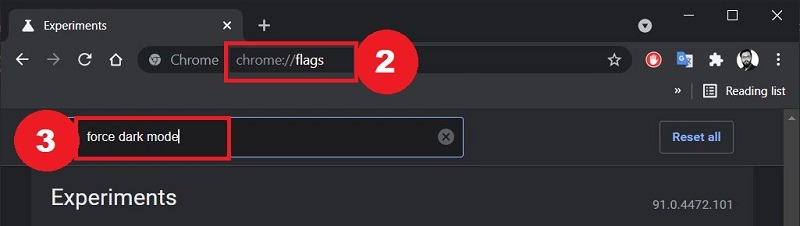
2. In the address bar, type chrome://flags and hit the Enter button on your keyboard.
3. In the search bar, type “Force dark mode” and press Enter.
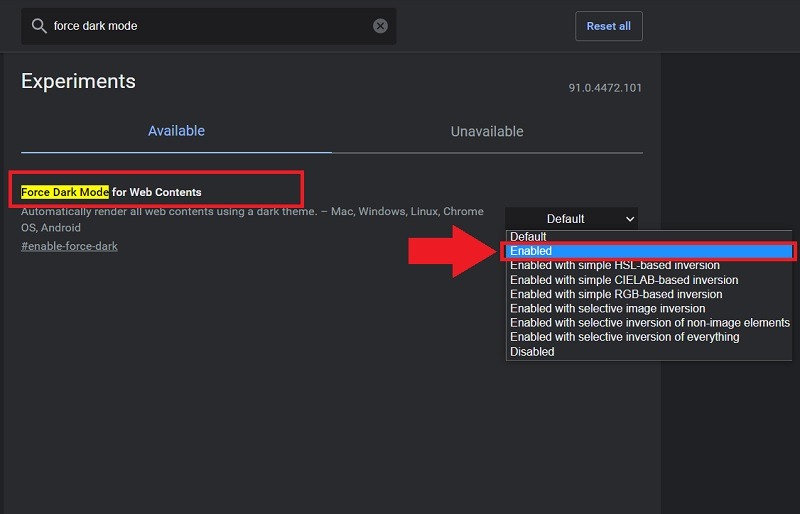
4. In the drop-down menu next to the “Force Dark Mode for Web Contents” option, select “Enabled.”
5. Relaunch the Google Chrome browser to apply the changes.
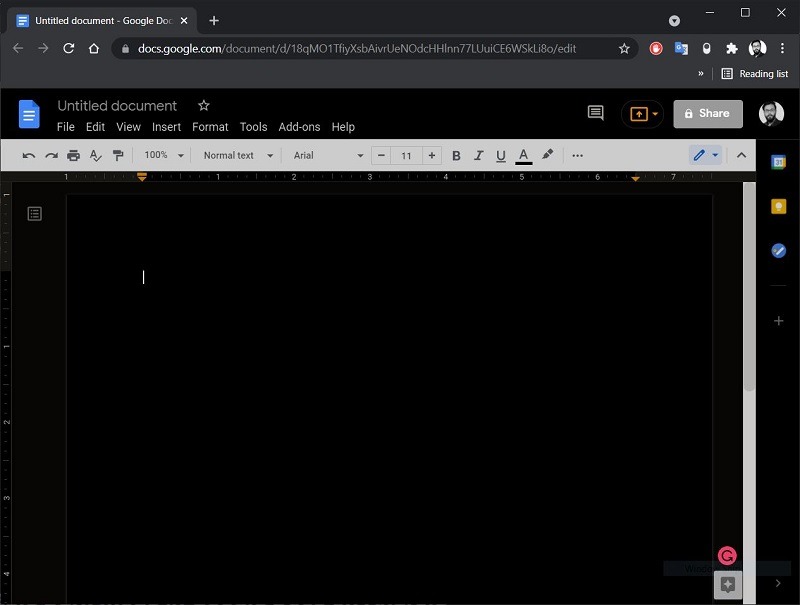
6. Open Google Docs and you will see the dark mode in action. Notably, the font color will be white while everything else will be dark.
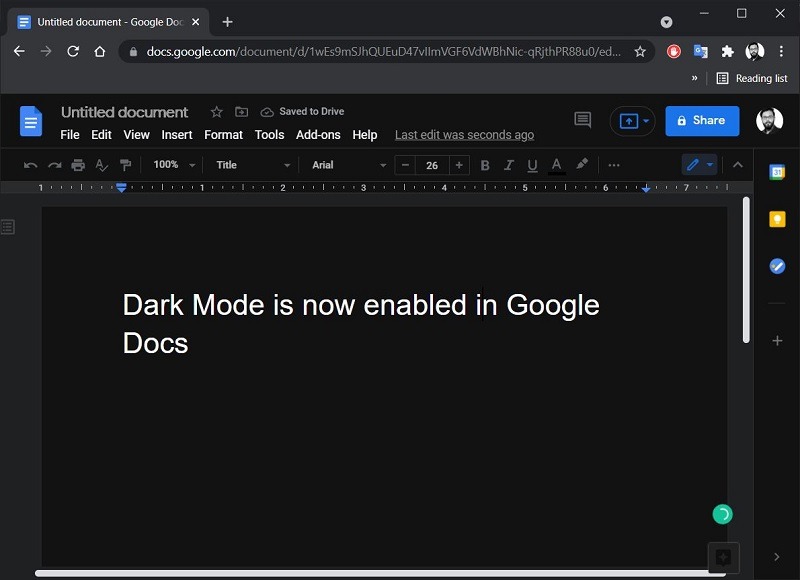
Note that enabling this Chrome flag will also affect every website and all content that you view on Google Chrome. There are some websites that don’t support it and will show some off-putting colors.
2. Using Dark Mode Chrome Extension
There are quite a few Chrome extensions that can enable dark mode on the Chrome browser. However, the one that we are using is called “Dark Mode.”
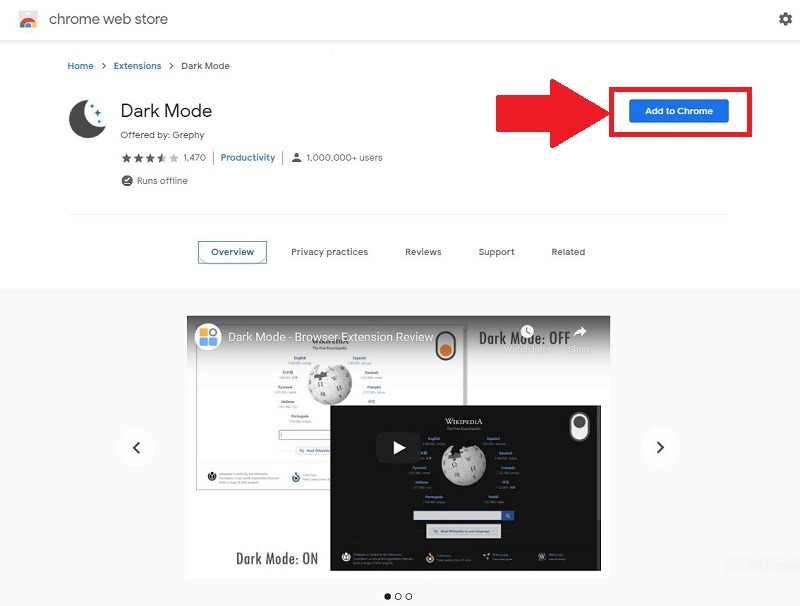
1. Open the Chrome browser and head over to the Chrome Web Store. Search for the “Dark Mode” extension.
2. Hit the “Add to Chrome” button to install the extension on the Chrome web browser.
3. You can access the Dark Mode extension from the extension menu.
4. Once enabled, everything will appear in the dark theme, including Google Docs.
Wrapping Up
Since Google Docs doesn’t support dark mode natively, the methods we have covered here are to make the browser render a dark mode instead work well in Google Docs. If you are using Google Docs on your Android phone, you can make use of the same method to render a dark mode.
Tip: Dark Mode is available in Microsoft Word, too.