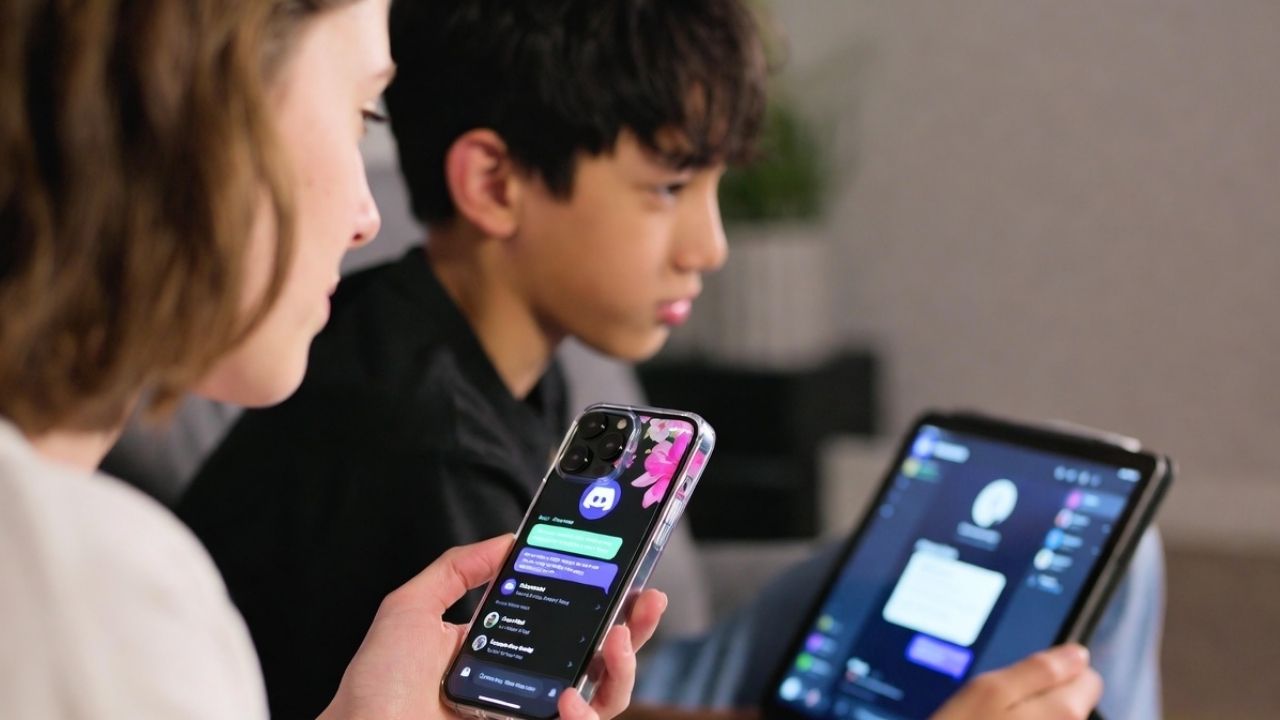
Discord is rolling out a new Family Center update that gives parents better visibility into how their teens use the platform. If your child spends hours chatting, streaming, or gaming on Discord, this Family Center update is worth checking out.
What’s New in the Family Center Update
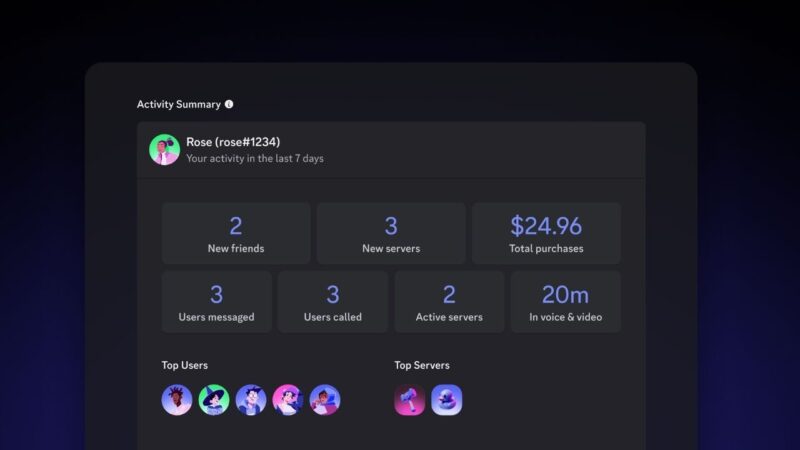
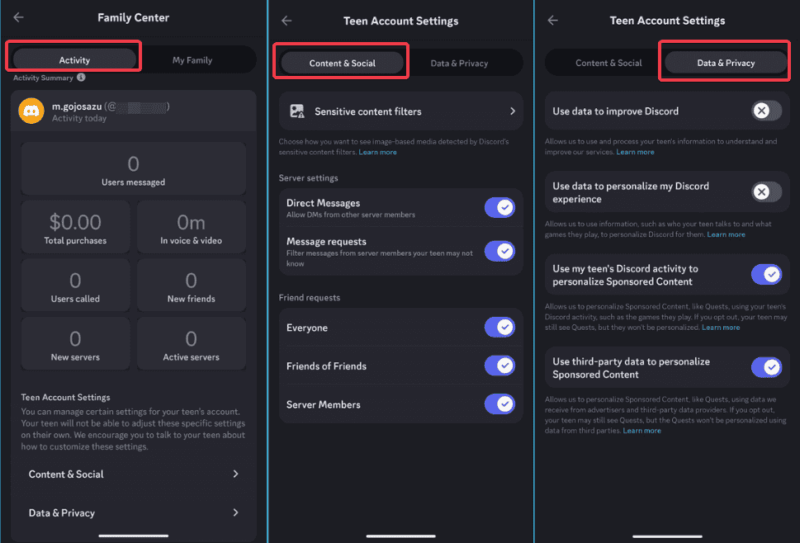
The latest Discord Family Center update on parental controls adds some key features that build on the basics introduced in 2023. Now, you can see more detailed weekly summaries of your teen’s activity, including:
- Purchase history: You can view Nitro subscriptions or in-app purchases made over the past week.
- Call and video usage: The dashboard now tracks how long your teen spends on voice or video calls.
- Top contacts and servers: See the top five people and servers your teen interacts with most.
- New DM controls: You can set who’s allowed to message your teen, choosing between friends or everyone in shared servers.
It’s worth noting that Discord designed this feature to be opt-in. Teens must scan a QR code to link their account and approve the connection. Parents can’t read chats or listen to calls, which keeps conversations private but gives a useful overview of habits.
This upgrade is Discord’s response to growing safety concerns and increasing legal scrutiny surrounding teens’ online privacy. It puts the app in line with similar safety features for teens already offered by Instagram and TikTok, adding a layer of transparency without full surveillance.
How to Use the Updated Family Center
Getting started with the Discord Family Center update is straightforward once you and your teen have the latest Discord version.
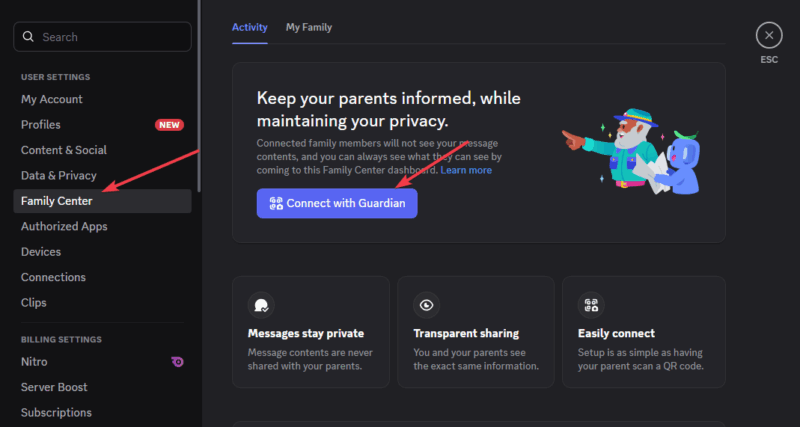
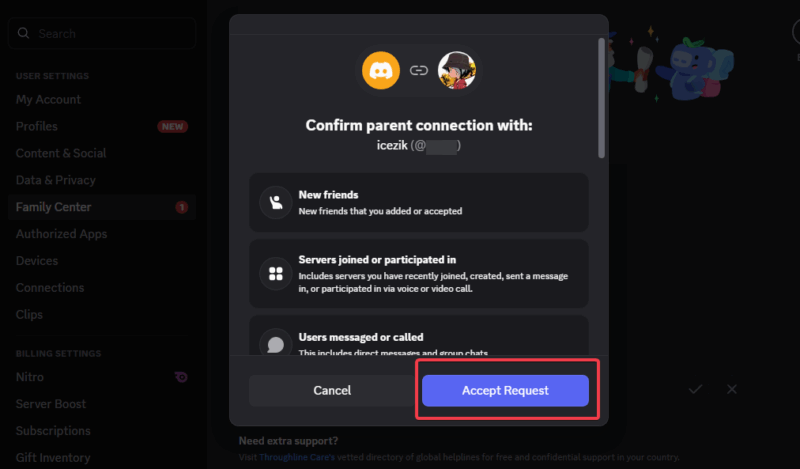
On your teen’s device, go to User Settings -> Family Center -> Connect with Guardian, and generate a QR code.
On your device, go to Family Center -> Connect with Teen, scan the QR code, and send a connection request.
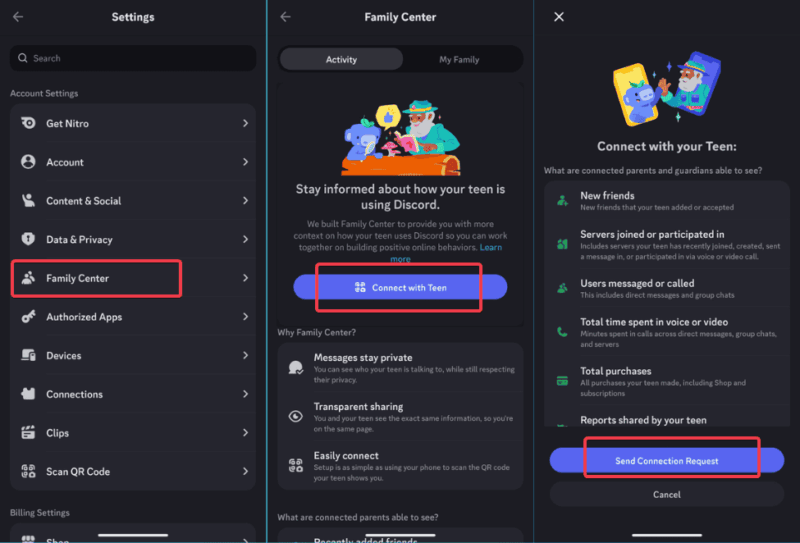
Your teen will receive a prompt to approve the connection. Once linked, you’ll gain access to a dashboard showing weekly activity summaries, call time, purchase totals, and top interactions.
Data resets each week, but you can get email recaps. You can manage settings there: toggle message restrictions, filters, and privacy options. Your teen sees the same info for openness.
For notifications, teens pick “Notify Guardian” when reporting. You’ll get an email to chat about it offline. If your teen streams with Discord’s Go Live feature, this monitoring helps spot overuse.
For parents looking for more extensive protection, consider pairing it with tools like Kidgy to shield your kids from online dangers.
Limitations and Considerations
Even with this Discord Family Center update on parental controls, there are still limits. Parents can’t read messages, see shared media, or access servers directly. Teens could also avoid monitoring by creating alternate accounts since the feature is voluntary.
It’s also easy to mistake insights for full control, which they’re not. Seeing how long your teen was on call doesn’t reveal what those calls were about. The data should be a conversation starter, not a replacement for trust or communication.
Data only covers seven days, with no long-term history beyond emails, so you might miss ongoing patterns. From my own experience with Discord communities, teens often use the app as a social space rather than just gaming. Therefore, understanding what drives their engagement can be just as valuable as monitoring the time they spend online.
For a broader context, you can learn how Discord handles data in cases like RedTiger malware stealing Discord information. Then you’ll realize why having these controls is even more vital.
Should You Turn It On?
Absolutely, if your teen uses Discord frequently — chatting in servers, joining calls, or buying Nitro — turning this feature on is a smart move. It offers a better understanding of their habits without crossing privacy lines.
Ultimately, this Discord update is a welcome change that bridges safety and independence. It gives parents visibility, empowers teens to share responsibly, and helps both sides navigate online spaces with more confidence.








