


When you use any of the Google apps or services, Google keeps a record of your activity in its servers. This information is then used to provide customized services and ads that are tailored specifically to your interests.
If you use Google Voice Search on your phone to search the web or control your phone, then it is not a surprise that your voice recordings are saved in Google server as well. If you are not comfortable with Google saving your voice (or voice searches), here is how you can delete and disable Google Voice Search.
Delete Google Voice Search History
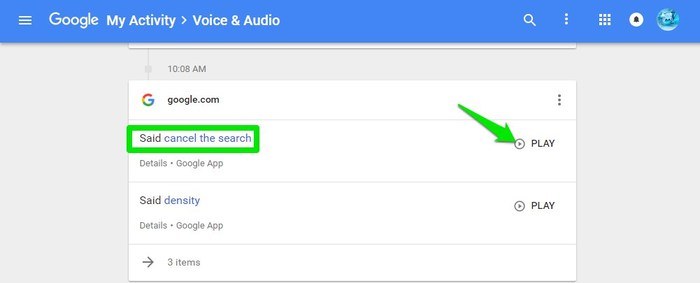
Google offers a web portal where your activity on all of the Google services can be seen. You can go to Google Voice and Audio Activity page there and sign-in with your Google account to see all your saved voice searches. It will show you the time when you did the voice search along with a “Play” button next to it to listen to your recorded voice. It will also show the transcribed search if it is available.
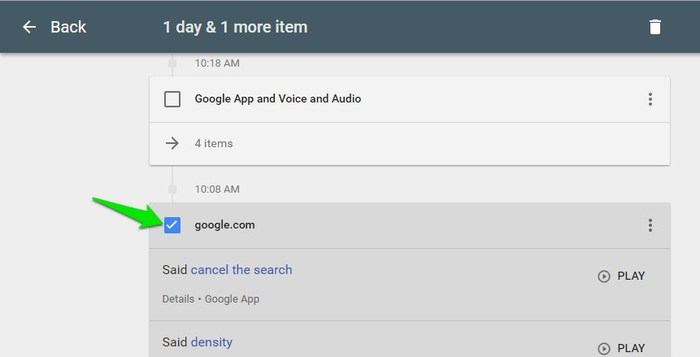
If you want to delete specific searches, click the icon at the left corner of the item to select it. Now select all the items you want to delete, and click on the “Trash Can” on top to delete them.
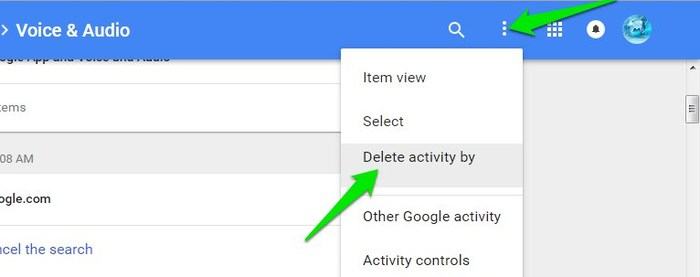
If you don’t want Google to save your voice search, then you will have to delete all the searches. Click on the three vertical dots menu at the top left corner, and select “Delete activity by” from the menu.
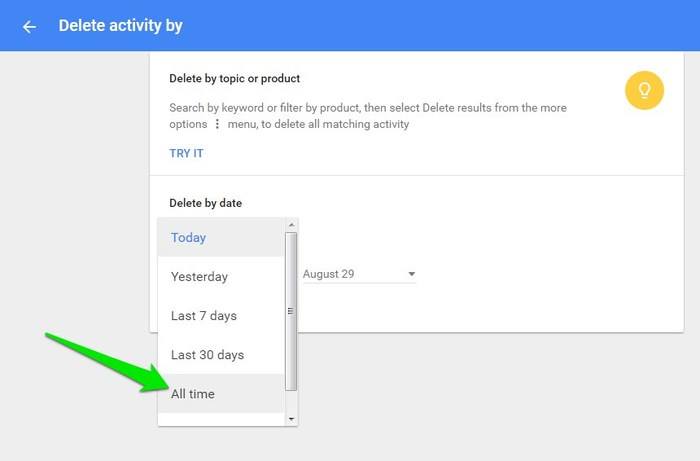
On the next page click on the drop-down menu below the “Delete by date” button, and select “All Time.” Now click “Delete” below it, and confirm the prompt to delete all the data.
Note: once you delete this data, it will also decrease the accuracy of your future search, as Google won’t have the data to recognize your accent and improve the voice search.
Disable Google Voice Search
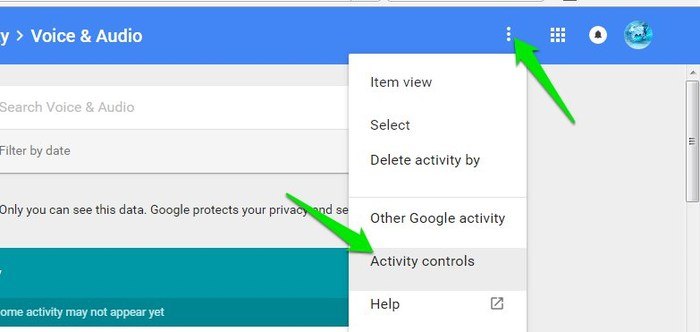
You can also stop Google from recording your voice search, but this will prevent you from using the “OK Google” command to start the voice search, and accuracy of the search will also not improve over time. To disable Google Voice Search history, click on the three vertical dots menu again, and select “Activity control.”
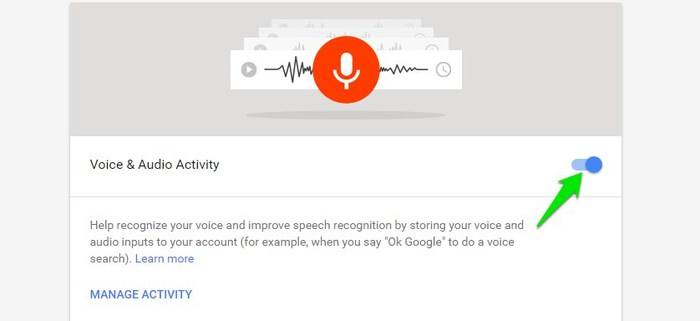
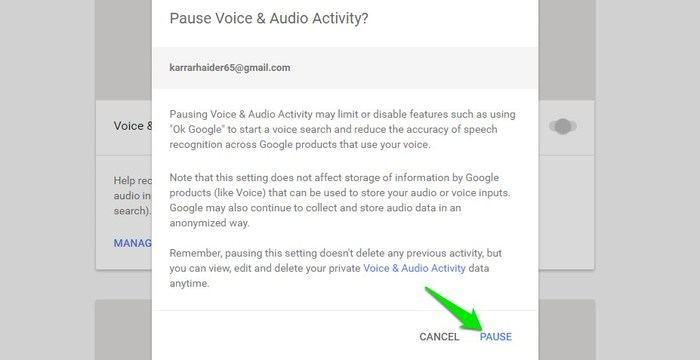
On the next page scroll down to the “Voice & Audio Activity” section, and click on the blue toggle button on the right side. Google will give a warning that this will negatively affect your voice search experience and that disabling this will not delete the previous data already collected (which we just deleted above). Confirm the warning to pause this feature.
You can always enable this feature again using the same instructions. Do keep in mind that you can still make voice search through the app even if Google Voice is disabled.
Conclusion
If you are not comfortable with Google tracking your activity, then stopping Google Voice Search is a step forward. Furthermore, in the “Activity Control” page you may have noticed there are other services where you can disable tracking. If you are interested in doing so, you can disable tracking for those services as well, although do keep in mind that this will stop the customized experience Google is known for.