


Whether you are browsing the Internet for basic information or your whole life depends on the Internet, you are somehow connected to Google services. This means that Google also knows a lot about you and keeps track of your online activities to provide a better service.
This may raise privacy concerns for privacy-conscious people. After all, not everyone is comfortable with someone tracking every location they visit. If you are a bit concerned about Google tracking you, then you might want to know what Google actually knows about you, and you may even opt out. In this article we will help you find out what Google knows about you and how to opt out of it.
1. Google Dashboard
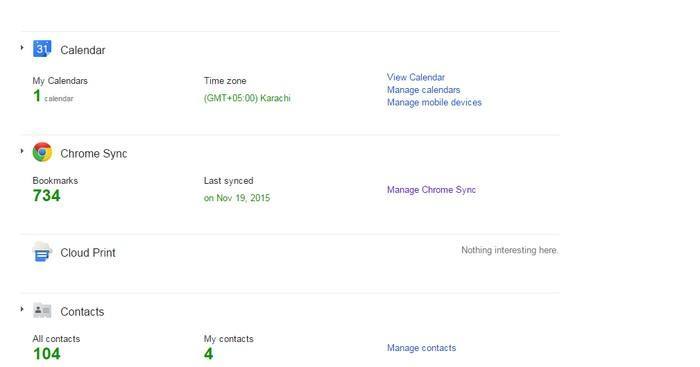
Google Dashboard is a one-stop place for getting a summary of all the Google services you are using and what you are doing in them. Basically, both you and Google know what you are doing and what your progress is.
This can be a handy way to get an overview of what Google knows about you. For example, your home location in Google Maps, your devices, bookmarks in Chrome and your Google Play apps, etc. You can also manage your services from the Google Dashboard.
2. Manage Ads
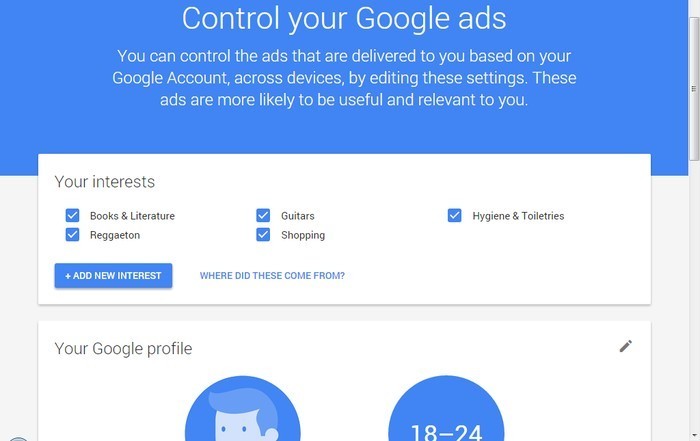
Google collects information of all the websites you visit and the ads you click to provide interest-based ads. This is a feature that helps Google show relevant ads that you might be interested in taking advantage of. In the Ads Settings you can see what Google thinks about you, including information like your interests, age, gender, etc.
Here you can customize what types of ads you want to see or opt out of interest-based ads. If you opt out, Google will not create a profile for you and will delete all the data they have collected.
3. Web & App Activity
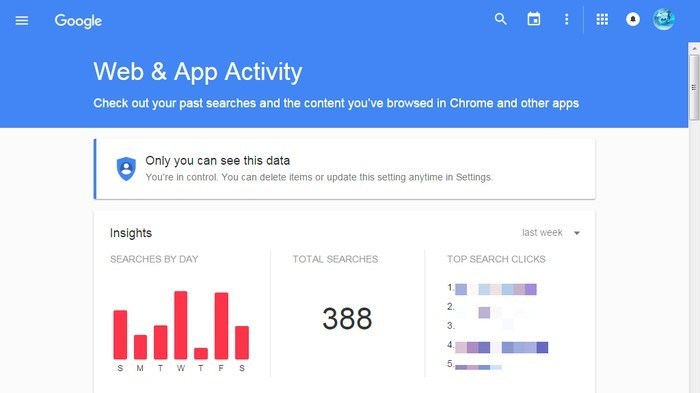
Google stores all your searches separately along with your activities on some Google apps. These searches can be seen from the Google Web & App Activity page. Google uses these searches to provide customized results and also integrates them with some of the other Google services like Search, Google Now, etc.
You can see all your searches according to time and even your most searched phrases. You can completely delete all these searches or turn this feature off to make sure Google can’t track anything. However, this also means you will not be offered custom searches.
4. Your Location History
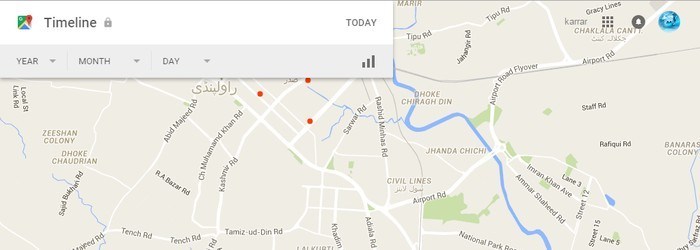
If you have enabled location history on your Android device, then Google will keep track of all the places you have visited. Google uses this information for many of its services like Search, Ads and Google Now to provide a customized experience according to the places you visit. This can be a big breach of privacy for some people, so it would be good to know what Google knows about your location history. You may also delete it.
You can visit the Google Maps Location History page to see all the locations you have visited on an interactive map. You can see the most-visited places and also see which places you visited on a specific day. Location history can be both paused or completely deleted and turned off.
5. Account Logins
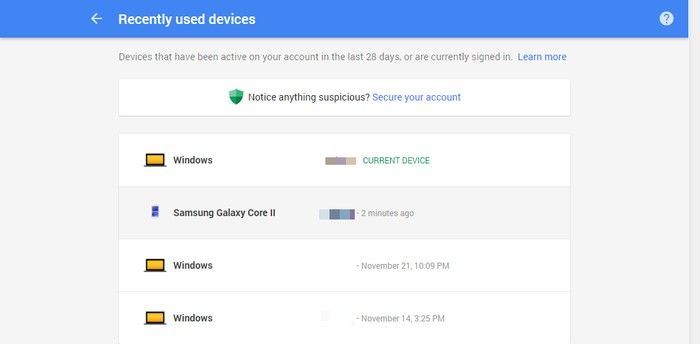
You can see all the devices recently used to log in to your Google account in security settings. This doesn’t really help Google in any way to make its services better, but it does help you identify suspicious logins. You can see all the devices that are used to log in to your account and also immediately report to Google if you see any suspicious activity and make your account more secure.
Conclusion
If you regularly use Google services, then you will definitely want to know what it knows about you to customize or delete information. However, by knowing things about you, Google offers many exclusive services which you will have to give up if you restrict Google’s access to you.