

QR codes are your handy partners for providing quick access to links, files, contact details, and much more. Once you know how to create a QR code in Canva, you’ll probably be using them even more often than you do now.
[mte_toc]How to Create a QR Code in Canva Editor
While you might already use Canva to create graphics for social media, websites, marketing, and more, you may not realize it’s a great way to create QR codes for free. Simply create a design, add in a QR code with your details, and you’re all set. And, if you’re not using Canva, now’s a great time to start. You can create graphics, edit videos, make GIFs, and so much more.
Figuring out how to create a QR code in Canva only takes a few minutes and you can do it on your computer or a mobile device.
Start by logging into your Canva account. If you don’t have one, it’s free to create and lets you save your designs.
Create a QR Code on a Computer
On a computer, select All Apps on the left side of the editor window. You can also access this from the main Canva dashboard. For my example, I’m creating an Instagram post, but this works for any type of design you’re creating.
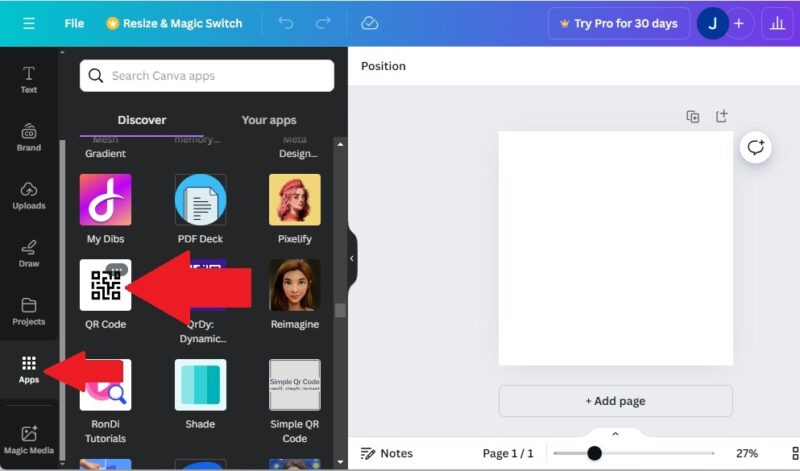
Select QR Code from the list of Canva apps. It’s pretty far down the list, so I recommend, just searching for “QR Code” in the search box. Select Open when prompted.
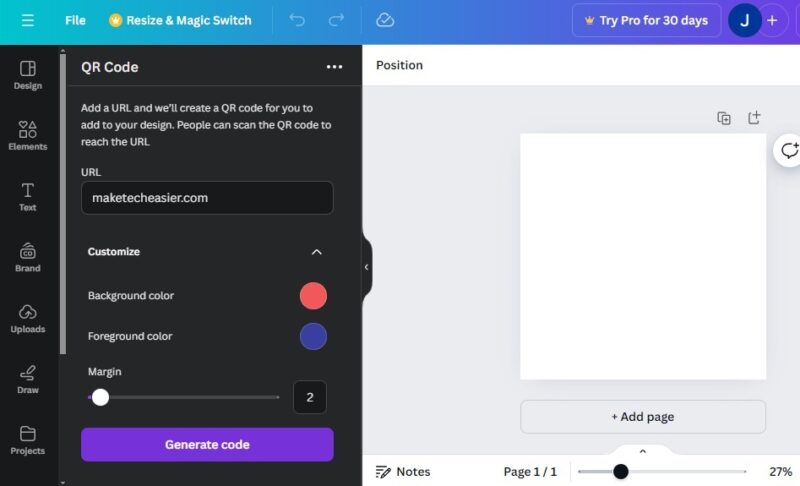
Enter your desired URL. Then, expand Customize to select the background/foreground colors along with the margin. Press Generate code when you’re finished.
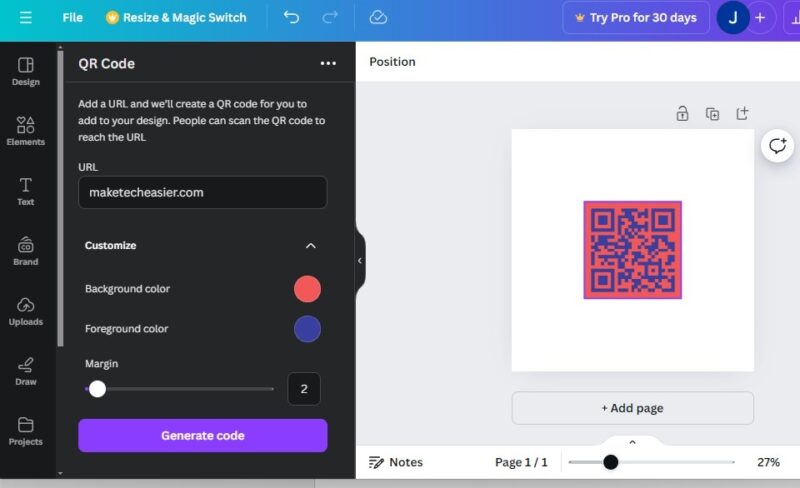
Position and resize the QR code in Canva to best fit your design and needs. Then, save, download, and/or print the final design.
By the way, you don’t need your phone to scan a QR code on your Windows PC. Instead, use these four options to scan QR codes in Windows.
Create a QR Code via Mobile
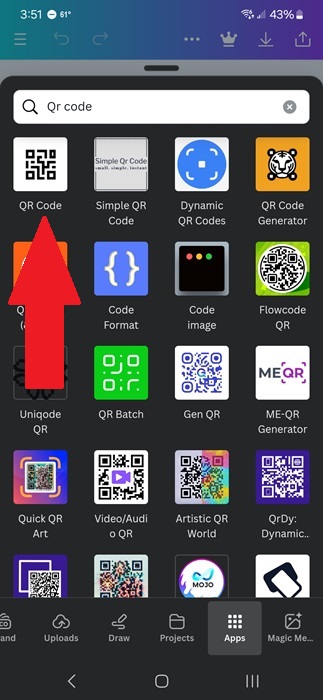
Prefer to learn how to create a QR code in Canva on a mobile device? Download the Canva app and login to your account. Start your desired design. Select Apps from the bottom toolbar and search for QR Code. Tap QR Code and select Open. You may need to grant permission for the app to run.
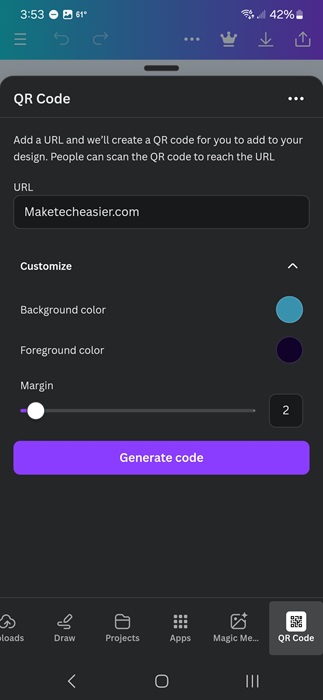
Enter your destination URL and expand Customize to select a background color, foreground color, and margin. Tap Generate code to add the QR code to your current design.
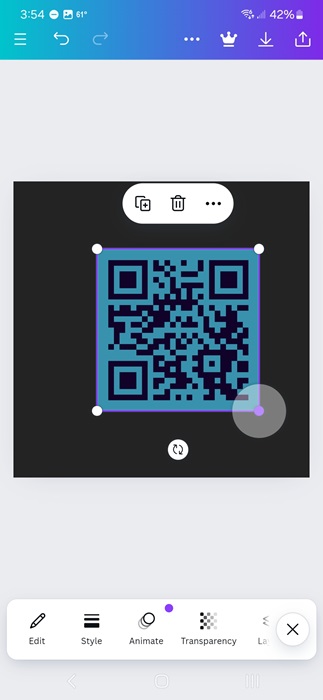
Resize and reposition your QR code as needed to fit your design.
How to Create Dynamic QR Codes on Canva
To create dynamic QR codes on Canva, you’ll need to sign up for an account with Hovercode. This is completely free. Once you create an account, you’ll link it with Canva to add and update dynamic QR codes to your designs. The process works on both desktop and mobile versions of Canva.
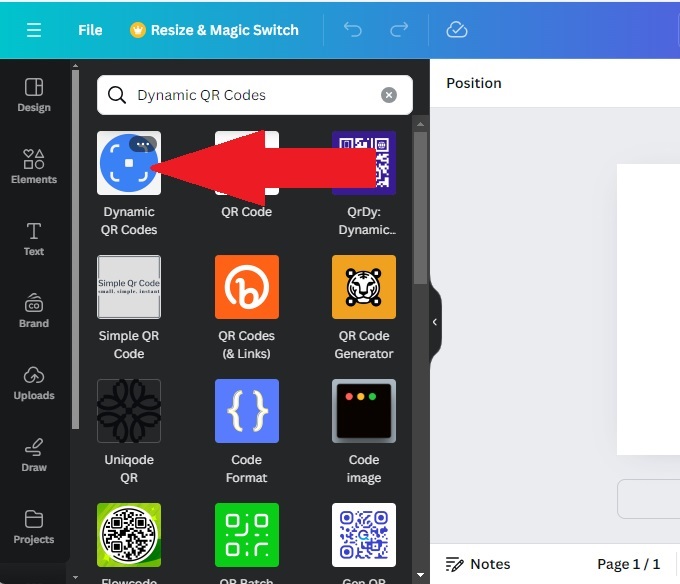
Either from the Canva home page or the Canva editor, select Apps in the left sidebar (or at the bottom in the mobile app). Scroll or search for Dynamic QR Codes. I find searching is must faster. Select the result and choose Open.
Choose a template and then customize it with your link, a logo, and colors. Only the link is required. Once done, turn on the Dynamic option (it’s the final customization option). Otherwise, it’s just a normal QR code.
Then, create or sign in to your Hovercode account to link the two. Finally, select Add to design. If you’re doing this from the home page versus the editor window, you’ll be prompted to add it to a new design or an existing one.
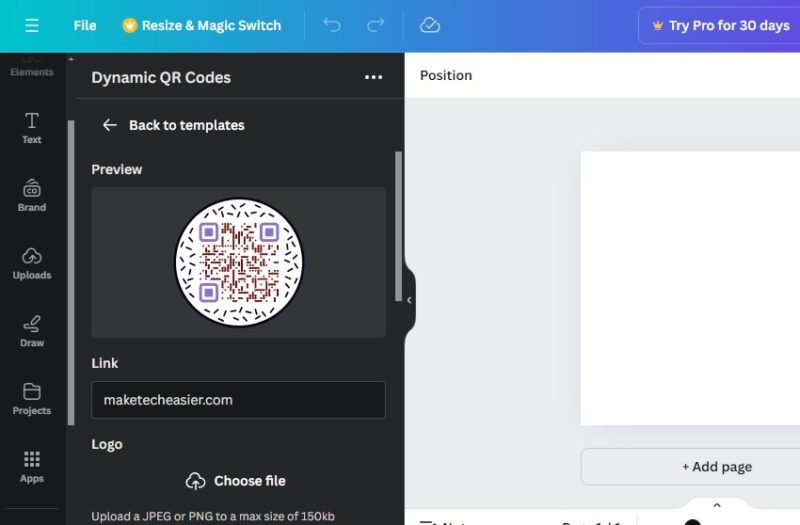
Then, finish your design as usual. Log in to your Hovercode account at any time to make updates to the link or check analytics. You don’t have to re-do the QR code or design to make an update, which is nice.
Currently, the only app in the Canva app store that allows you to update QR codes after they’re created is the Dynamic QR Codes app. If you use any other QR codes app from their store, you’ll need to create an entirely new QR code anytime you want to update the link.
Learning how to create a QR code in Canva helps you make your designs even more useful. And, if Canva isn’t working out quite right for your social media designs, try these other social media graphic sites. If you don’t need a full design and just want a simple QR code, try these QR code generator apps. If you’re an Outlook user, skip the usual login and learn how to log in to Outlook with just a QR code.
Image credit: Pexels, All screenshots by Crystal Crowder