

Cursor changes might not be the most popular property in the world, but it’s still a useful tool for developers. While browsers will automatically change the cursors for certain objects, like links and some draggable items, developers can get better results from specifying their desired cursor specifically.
Change the Mouse Point in CSS
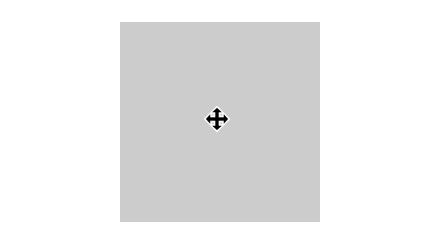
The appearance of the cursor is controlled by the cursor CSS property. This property controls the type of cursor rendered when the user mouses over the object. For example, mousing over the object associated with the class below would produce a four-directional dragging arrow:
.cursor { cursor: move;}
When mousing over the object, the user would see a cursor like the one below.
Also read: How to Add Cool CSS3 Animation to Your WordPress Content
Standard Cursor Options in CSS
There’s a wide variety of cursor options you can set for your cursor usage. Note that the “N,” “S,” “W,” and “E” you see in the list refer to the cardinal directions of north, south, east, and west. For example, cursor: e-resize; shows a resize handle with an arrow on the “eastern” or right-hand side.
.alias {cursor: alias;}
.all-scroll {cursor: all-scroll;}
.auto {cursor: auto;}
.cell {cursor: cell;}
.context-menu {cursor: context-menu;}
.col-resize {cursor: col-resize;}
.copy {cursor: copy;}
.crosshair {cursor: crosshair;}
.default {cursor: default;}
.e-resize {cursor: e-resize;}
.ew-resize {cursor: ew-resize;}
.grab {cursor: grab;}
.grabbing {cursor: grabbing;}
.help {cursor: help;}
.move {cursor: move;}
.n-resize {cursor: n-resize;}
.ne-resize {cursor: ne-resize;}
.nesw-resize {cursor: nesw-resize;}
.ns-resize {cursor: ns-resize;}
.nw-resize {cursor: nw-resize;}
.nwse-resize {cursor: nwse-resize;}
.no-drop {cursor: no-drop;}
.none {cursor: none;}
.not-allowed {cursor: not-allowed;}
.pointer {cursor: pointer;}
.progress {cursor: progress;}
.row-resize {cursor: row-resize;}
.s-resize {cursor: s-resize;}
.se-resize {cursor: se-resize;}
.sw-resize {cursor: sw-resize;}
.text {cursor: text;}
.url {cursor: url(myBall.cur),auto;}
.w-resize {cursor: w-resize;}
.wait {cursor: wait;}
.zoom-in {cursor: zoom-in;}
.zoom-out {cursor: zoom-out;}
Chris Coyier, the wizard behind CSS-Tricks.com, created this doodle to help show off the various cursor options in CSS.
Using Images as Cursors
Like many CSS properties, the cursor property can also take attributes via URL specifications. For example, the class below would use the associated image for the cursor.
.cursor {cursor: url('path/to/image.png'), auto;}
The auto afterwards specifies a fallback cursor. The auto attribute will show whatever cursor the browser would typically use for the current object underneath the cursor. You can also specify additional images with a comma-separated list or specify any of the cursors to work as your fallback cursor.
.cursor {cursor: url(cursor.svg), url(path/to/image.png), wait;}
Animation of any kind, whether in GIF, SVG, or PNG, is unsupported by browsers. But transparent PNGs work in all popular web browsers on the market today. SVGs are not as reliable in Firefox, but work well in other browsers.
By default, the “hot spot” of the cursor will be set to the top-left corner of the image. To indicate a different “hot spot”, specify an (X,Y) coordinate pair in your cursor call. This example below will set the hot spot as (3,3), using the top left as (0,0).
.cursor {cursor: url(cursor.svg) 3 3, pointer;}
Conclusion: Using These Attributes
If you’re developing a website, you can add these CSS properties to any object on your site to change the cursor the user sees when mousing over the object. If you’re more adventurous, you can also use a browser extension like Stylus, TamperMonkey, or GreaseMonkey to execute arbitrary CSS on top of a website. This way, you can show your own custom cursor whenever and wherever you want.