
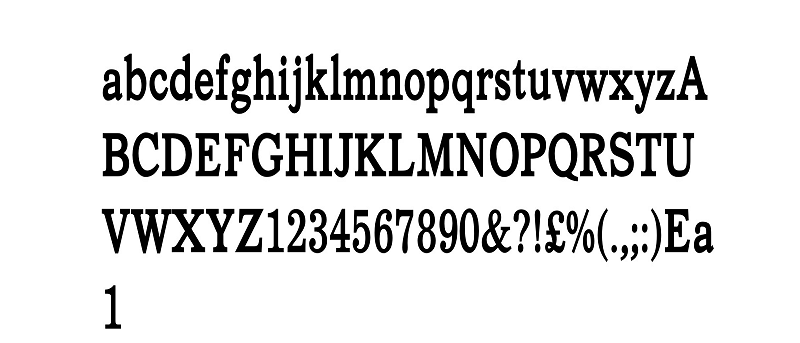

Every web site takes advantage of different fonts to help make the user experience better for a given theme. Depending on your eye sight, comfort level and how long you spend on the Web, fonts can actually drive you away from your favorite web sites and blogs. Font Changer for Chrome lets you control how fonts look across the Web and individual web sites.
How to Use Font Changer on the Web
1. Install Font Changer from the Google Chrome Web Store.
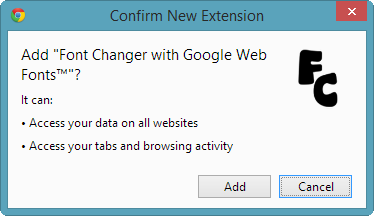
It’s important to note that Font Changer needs access to your entire browsing history to work properly. This may not be okay for some Web users, so proceed with caution.
Font Changer will be available in the toolbar to the right of your browser.
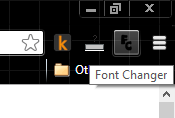
2. Left-clicking on the icon will allow you to remove it from Chrome but other than that, everything else is customized by right-clicking the icon.
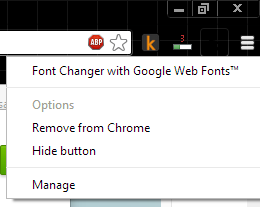
3. Right-click the “Font Changer icon.”
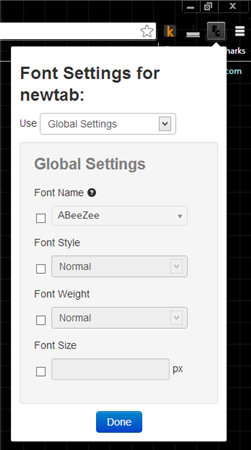
Font Changer has three setting levels: Global Settings, Custom Settings and No Settings.
4. Click on “Global Settings” to set fonts for your entire browsing experience. These will apply to every web site you visit.
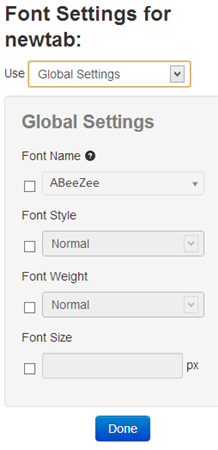
6. From here, you can set four different font values: Name, Style, Weight and Size.
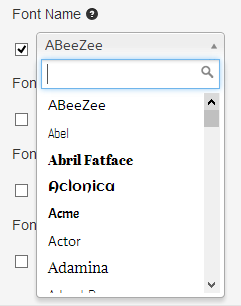
Font Name allows you to set the font. Since this extension uses Google Web Fonts, you have a variety to choose from.
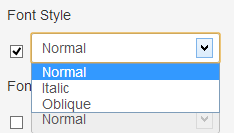
The Font Style section allows you to configure the style of the font, like italic, oblique etc.
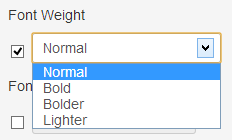
You can also change the font weight from normal to, bold, bolder or lighter. Again, options may change based on the Font Name.
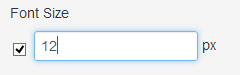
The default font size for most browser is 16px, but if you find that is too big/small for you, you can set the size in the “Font Size” section. Some fonts may look better at small a small px whereas others may look clearer at a larger one. Font Size may need you to tinker with it more frequently than any other settings in our experience.
7. Click “Done” once you set your font values.
8. If you have any web sites open, you’ll need to refresh them to get the font changes to take over.

From here on out, as long as you set up Global Settings, every web site will convert to the font settings you select.
By using Custom Settings, you can change font settings for individual pages which can come in handy for those web sites that drive you nuts by using specific fonts that bother your eyes.
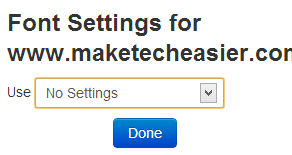
The No Settings option completely turns off Font Changes in Chrome but still leave it installed.
Conclusion
Font Changer is a truly remarkable extension that gives users complete control over the fonts in Chrome. If you find yourself shying away from visiting your favorite web sites or blogs because of poor font use, Font Changer is for you.
Image Credit: tarrytown