Many people keep important apps and tabs open all the time and cannot afford abrupt closures. Imagine visiting a malicious website and having your browser or your entire PC crash within 15 to 60 seconds. That is exactly what a Chromium vulnerability can do. Read on to learn what this vulnerability is and how to stop it.
What is Brash Vulnerability
Blink, the rendering engine of Chromium, doesn’t throttle the document.title API (the title of a tab) updates. This means, with the right setup, it can be forced to update millions of times per second to overload the system. Since most browsers today are based on Chromium, users of browsers like Edge, Chrome, Opera, Brave, etc., are all vulnerable to it.
The attack is executed by first creating about 100 unique hex strings of 512 characters. Afterward, it applies these new and heavy values to the tab title in very fast bursts, millions of updates per second. Blink then tries to process each title change, which is impossible, leading to an unresponsive browser and then a crash.
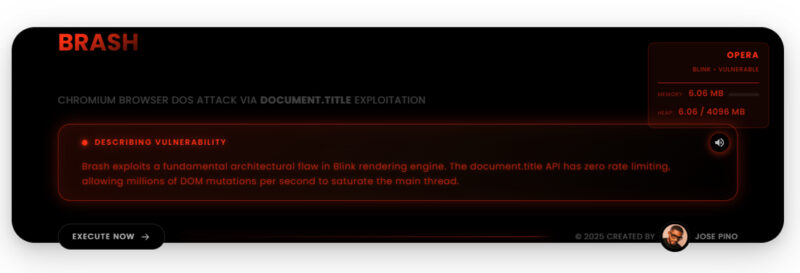
Security researcher Jose Pino, who exposed this vulnerability, named it Brash. He has even created a Brash demo for anyone to test on a Chromium browser. We tested it on 3 separate devices with different configurations, and we noticed the following behaviors:
- The browser became unresponsive, and we had to end its main process through Task Manager.
- Both the browser and Windows File Explorer crashed. After restarting the File Explorer, the app icons in the system tray disappeared, forcing a restart of apps.
- On a system with a manually managed pagefile, the whole system crashed within 15 seconds with a BSoD.
- In another extended test in the Opera browser, the whole system became extremely unresponsive, but the browser didn’t close. The process to open the Task Manager and kill the process took minutes to complete.
- We also tested on an Android phone, and it froze the browser while the system stayed responsive. The browser just crashed and restarted after 30-40 seconds.
How to Detect a Brash Attack and Stop It
Google will have to fix how document.title is managed by the Blink engine in Chromium to solve this problem. As of writing, there is no fix for it; Google has only said they are looking into the issue. Until a fix arrives, your best option is to detect a possible Brash attack and immediately close the malicious tab.
If you find the following signs after opening a website or running a task in a website, close the tab; preferably, using the Ctrl + W browser shortcut key, as it’s more likely to work even when the UI stops responding:
- Look for Abnormal Tab Titles: the attack rapidly changes the
document.titleso the tab title may flicker, show rapidly changing strings, or appended numbers. If you see this, close the tab immediately. - Unresponsive Browser Signs: before the browser becomes completely unresponsive, it shows signs that it’s becoming unresponsive, like lag when switching tabs, loading spinner icon next to the cursor, cursor jumping/skipping, etc.
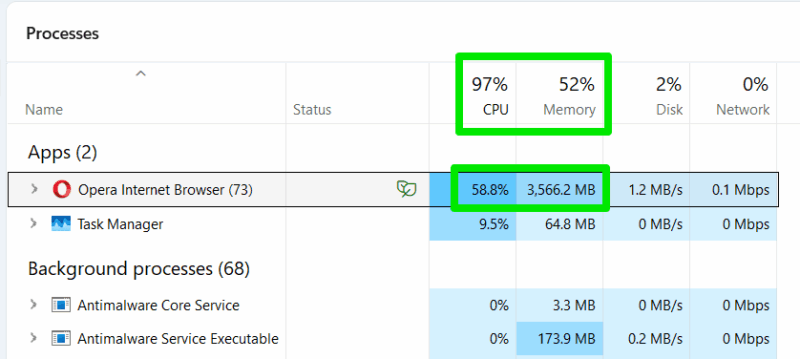
- PC Fans Suddenly Running on Full Power: on all 3 devices we tested, the PC fans ramped to medium and then full speed within 5–8 seconds of execution. The attack overloads the CPU to 100% and causes high memory usage, which makes the fans immediately crank up. If you aren’t running a heavy program and your PC is cool, then this is a good indicator.
- Track Browser Resource Usage: to confirm if a Brash attack is executing, you can open the Task Manager and view the browser’s main process. If its memory usage is rapidly increasing, with high CPU usage, it’s probably a Brash attack.
Prevent Brash Attack from Executing in the First Place
Unfortunately, there is no easy way to prevent a Brash attack using a proactive solution. Your best bet is to disable JavaScript in your browser. Like most other attacks, Brash depends on JavaScript to execute. However, JavaScript is also essential for many websites to function properly.
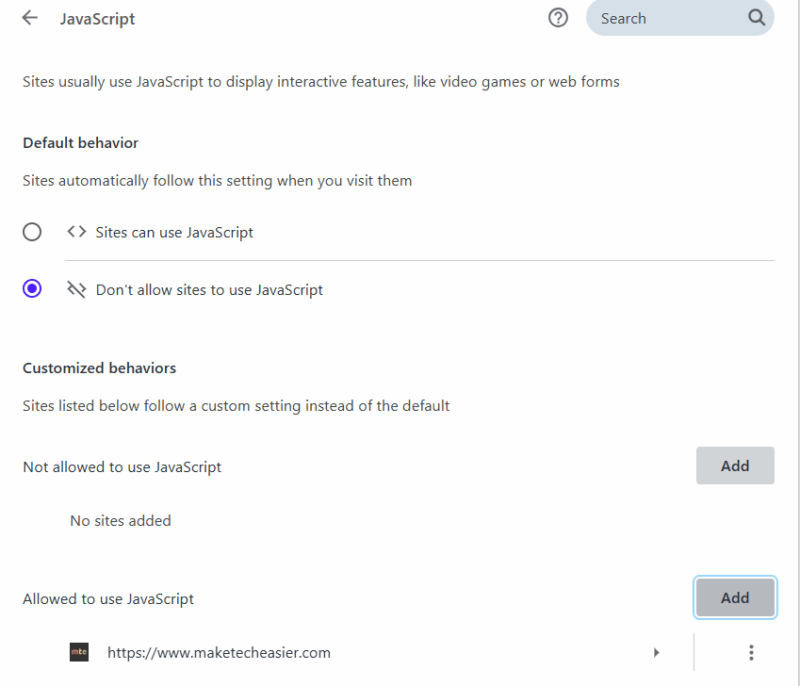
Many privacy-conscious people keep JavaScript disabled and create exceptions for websites they trust. For security, you can try this route to prevent new/unknown websites from attacking. You also have the option to use a non-Chromium browser like Firefox or Safari, since this vulnerability is only in Chromium-based browsers.
Jose Pino also pointed out that the Brash attack can also be executed using different triggers, like specific delay, action, or time period, making it very dangerous in the wrong hands. In the end, the best way to stay safe from it is to avoid unsafe websites.








