I’ve used many notes apps, but so far, none of them are satisfactory. I experimented with Trilium and Joplin, and while both are fantastic in some ways, I still went back to Notion. While I’m still on the lookout for the perfect Notes app, I’ve found one that’s better than anything I’ve tried so far – Blinko. It’s an open-source note-taking platform that you can run on your own server or device. It combines the flexibility of a productivity app like Notion with advanced AI features.
For me, a good Notes app should have three traits: privacy (and security), usability and accessibility. Blinko, an open-source, self-hosted personal note-taking tool, is the one I found that has them all. What sets it apart is its built-in AI features.
Blinko uses advanced retrieval-augmented generation (RAG) to let you search and retrieve notes using natural language queries. It can understand the meaning of your notes, not just keywords, and fetch the information you need. If you’re someone with a large archive of notes, this feature can prove to be a game-changer.
Being a self-hosted app, all your notes and data stay on your server. It supports full Markdown formatting for rich text notes, code snippets, to-do lists, and more. The interface is intuitive, and each note is like a card you can quickly create and shuffle around.
Blinko essentially serves as a personal knowledge base, where you can even build connections between related notes (much like a knowledge graph) to structure information meaningfully.
You can run Blinko on macOS, Windows, Linux, or even access it from an Android device. As an open-source project licensed under GPL, Blinko is completely free to use and welcomes community contributions.
Setting Up and Using Blinko
The quickest way to install Blinko is via Docker. The developers provide a one-line command that fetches a ready-made Docker setup to get started in seconds. This deployment brings up Blinko, its database and all the required services.
On my home server, I just ran the command below, and within a minute, Blinko was live on my network. If you prefer docker-compose, the project also provides a sample configuration that you can tweak to suit your needs.
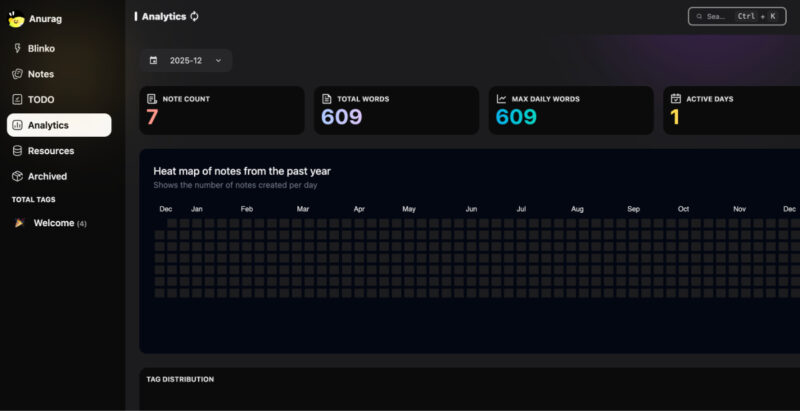
curl -s https://raw.githubusercontent.com/blinko-space/blinko/main/install.sh | bashUsing Blinko feels familiar if you’ve used modern note-taking apps, but it also has its own flow. The interface is split into a sidebar for navigation and a main area for writing. In the sidebar, you’ll find sections for Blinkos and Notes (more on that distinction in a bit), along with an Analytics dashboard and categories like archived items and trash.
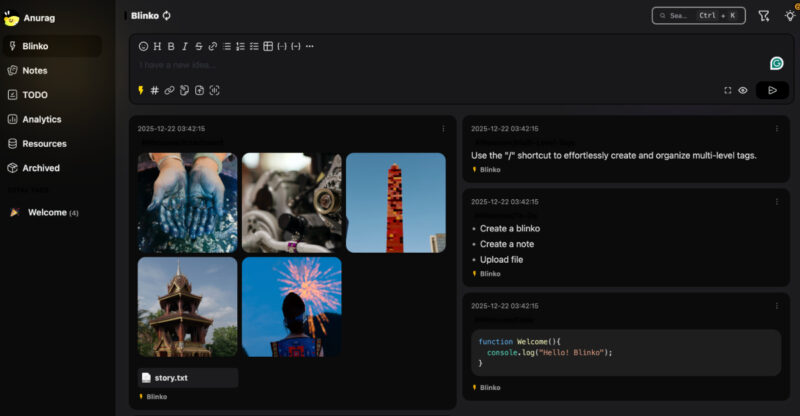
Creating a new note is straightforward. Hit the Add button, and start typing in the WYSIWYG Markdown editor. You can format text, add headings, create bullet lists, insert code blocks or images, and even add checklist items for to-dos. The app autosaves as you type so that you don’t lose your thoughts.
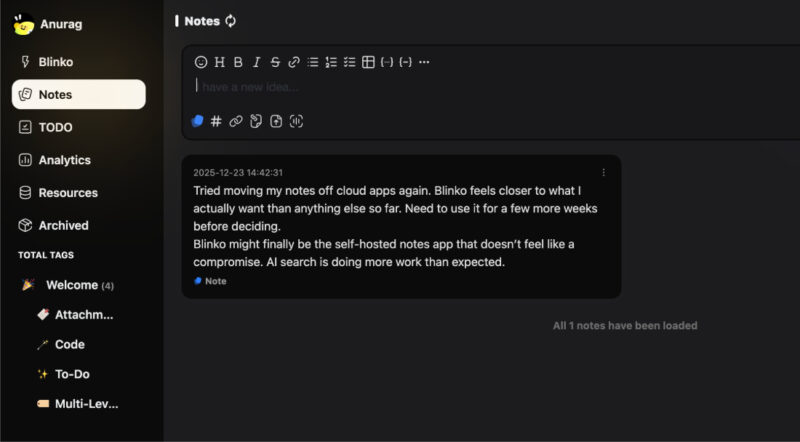
The left sidebar lets you switch between quick posts, called Blinkos, longer-form notes, analytics, and settings.
The Blinko vs. Notes split is one of the ways the app helps organize information. A Blinko is essentially a quick micro-note or microblog entry, something like a fleeting idea or a short status update. Notes, on the other hand, are meant for more traditional, longer-form content. You can tag both Blinkos and Notes with keywords and link them together to build relationships between ideas.
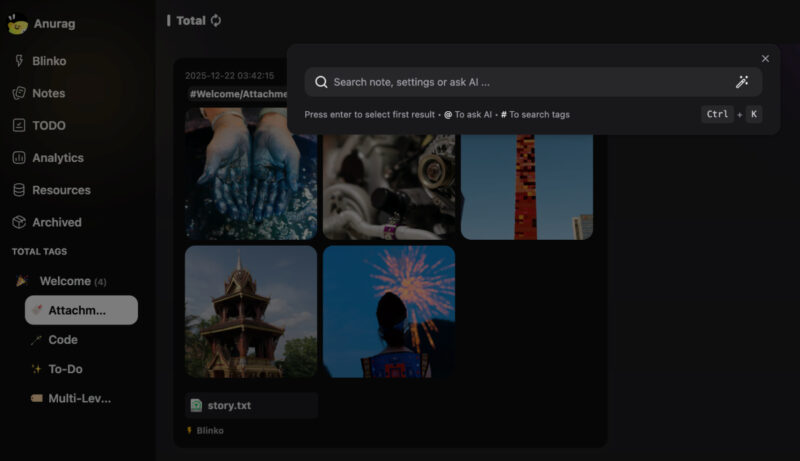
To get the most out of Blinko’s AI-powered note retrieval feature, you’ll need to do a one-time setup in the settings. Blinko can integrate with AI models either by using an OpenAI API key for GPT-powered search or connecting to a local AI inference engine like Ollama if you want to keep everything fully on-premise.
If you go the OpenAI route, paste your API key into Blinko’s settings. If you prefer a local setup, you can run Ollama on your machine and point Blinko to its endpoint. My setup isn’t powerful enough to run a local LLM, so I went with the API key option. Once configured, the AI features let you search your knowledge base using natural language.
Blinko Features That Make It Worth Using
The problem with almost every self-hosted notes app I’ve tried is the underwhelming feature set. You either get privacy and lose convenience, or you get power features, but the app feels dated and clunky. Blinko is the first one I’ve used where that trade-off mostly disappears.
The AI search is a good example. It changes how you use your notes. It allows you to stop worrying about structure upfront. You can dump thoughts, half-formed ideas, code snippets, and random research into Blinko, knowing you can ask natural questions later and still find what you need. That alone makes it feel closer to Notion, or even better in some cases, while still running on your server.
Knowing that your notes live on your NAS and not on someone else’s servers changes how comfortable you are storing things. Credentials, work notes, drafts, and personal ideas all feel safer.
Other than that, you still get fast search, a clean UI, and cross-device access, which is where most self-hosted tools fall apart.
I haven’t noticed any lag when creating notes or heavy sync delays. Since it supports Markdown, your data stays portable, but the editor still feels friendly and polished. I have also come to appreciate the way Blinko handles organization. I get a lot of quick ideas that I previously jotted down in Apple Notes. While Blinko still needs to be open in a browser tab for this to work, the Blinkos feature has proven useful for quick notes.
Blinko is not perfect. If you want advanced project management or deep offline mobile apps, you will still need other tools. But for everyday note-taking, idea capture, and personal knowledge management, this is the first self-hosted app that feels complete enough to stop looking for alternatives.
Note-taking apps are the easiest tools to self-host, but if you want to take things further, you can learn how to self-host a wiki and figure out which one is right for you. You can also host tools like n8n to automate redundant tasks.