

When you think of a virus infecting a system, you may imagine a scenario where someone opens an infected executable file on their PC. This then plants the malware on the system which can then steal information, commence a cryptojacking attack, or do damage to the filesystem. With antivirus being a key part of people’s computers these days, it’s been tricky to get this sort of attack to play out. Recently, we’ve seen a spike in an interesting method of spreading malware – by not using files at all!
Also read: Triada Malware Preinstalled on Low-Cost Android Phones – Here’s How to Beat It
What Is “Fileless Malware?”

Of course, the malware isn’t totally fileless — it has to come from somewhere after all! The idea here is that the malware works without needing a file on the computer’s filesystem. That way it can operate without needing a “home base” that will give its presence away.
If you think about how a traditional antivirus works, you can see why fileless malware takes this interesting path. An antivirus will check all of the files on a computer’s filesystem for anything that might have been infected. Of course, if the malware hasn’t left any traces on the filesystem itself, there’s no way the scanner can pick up on it and remove it. This is fileless malware’s greatest strength; it’s stealthier than other traditional means.
Where Does It Live?
So if the malware isn’t residing on your computer’s filesystem, where is it being stored? The idea behind fileless malware is that it can operate entirely within the PC’s RAM. The RAM is used to store software while it’s running, so malware can sneak into the RAM where it can do its work while skirting detection. It may get into the system using a vulnerability in existing software, such as through a browser plugin, a hole in the operating system’s defenses, or macros in programs such as Word.
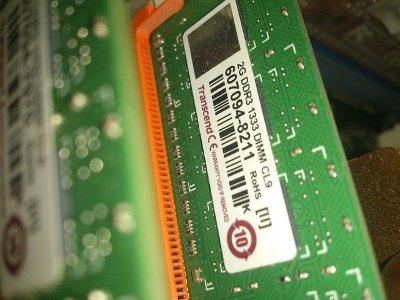
Living in the RAM means that the malware goes undetected from antiviruses that check the filesystems, but it also comes with a disadvantage. Filesystem-based malware persists when the PC is shut down because hard drives remember data after the computer has been turned off. The RAM, however, gets wiped on shutdown, meaning any RAM-based malware inside of it also perishes. As such, fileless malware is designed to be stealthy and quick so it can perform its job before the PC gets turned off.
How to Avoid It
So now that you know what fileless malware is, how do you avoid being hit by it?
Avoid Untrusted Macros
Try not to install any macros that aren’t from a reputable source. There’s a chance that macros on shady sites will be programmed to take advantage of security holes in the software you’re running the macro in. Only use macros from good, trusted sources.
Keep Software Up to Date
Because fileless macros need a security hole to breach a system, it’s a good idea to keep your software updated with the latest security patches. This includes your operating system which can have native processes hijacked by fileless malware.
Also read: The “Troubleshooter” Malware Scam and How to Fix It
Use a Good Antivirus

A basic antivirus will only scan the filesystem, but more advanced ones have the ability to check the RAM for threats while scanning. If you’re worried about fileless malware, there are a few free antiviruses that can check the RAM for anything sneaking around in it.
Fileless Foes
While malware is more traditionally spread using an executable, it’s not always the case. Now you know how fileless malware works and how to beat it.
Is fileless malware a big concern for you? Let us know below.
Image credit: Hacker – Hacking – Lupe von Nullen und Einsen – MALWARE – blau