


The cloud is increasingly becoming integrated in our daily lives. Microsoft has built its SkyDrive straight into the latest versions of Windows and Office. Dropbox has revolutionized file sharing and both Google and Amazon have used the technology to get you your music wherever you are.
To go along with that kind of popularity, browser extensions have been popping up to aid you in handling this new found storage solution and provide quick cloud integration without much technicality. For Google’s Chrome, there are multiple choices, but here are three that I have found most useful.
Dropbox
Dropbox has a dedicated Chrome extension, though it’s not technically made or supported by the service. Download to Dropbox adds an icon to your menu bar that displays an open box with a down facing arrow above it.
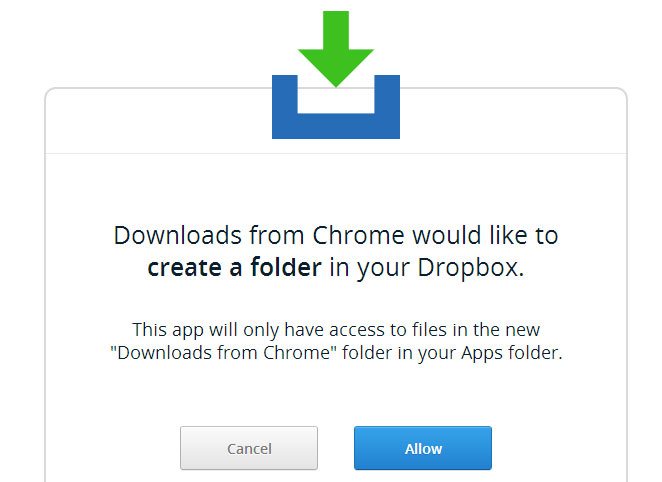
The extension allows you to download files straight to your Dropbox account, as opposed to downloading locally, and then having to turn around and upload the file to Dropbox.
You can also access the options via clicking Tools and then Extensions from the Chrome Settings menu. This provides options to choose the folder to which files download to, as well changing your Dropbox account — in case you happen to have more than one. You will need to authorize the app for access to each account.
Save to Google Drive
Aside from Dropbox, Google Drive is also popular. After all, it’s rare today to find someone who does not have a Google account – Gmail, Music, Calendar, Android; all mean you have an account. With Android owning 81-percent of today’s smartphone market, this means a large portion of the computing public, and it also means those same people have a Google Drive account.
Unlike the Dropbox extension, Save to Google Drive differs in key ways. First, this add-on is made by the operator of the cloud storage service, meaning it comes from Google. Second, instead of placing an icon on your menu bar, the extension adds an option right to your right-click context menu.
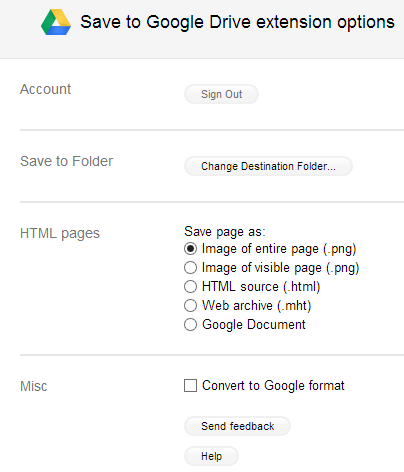
Options can be accessed from Chrome’s extension page. By default, it is is set to save a web page as a PNG file, but this can be altered to HTML or a Google Doc.
Cloud Save
Cloud Save, unlike the previous two extensions, is not centered on just one service. Instead, it embraces a number cloud storage solutions, including both Dropbox and Google Drive.
In addition, it is capable of sending files to Amazon, Box, SkDrive and others. It can even utilize photo storage services such as Picasa and Flickr and even Facebook.
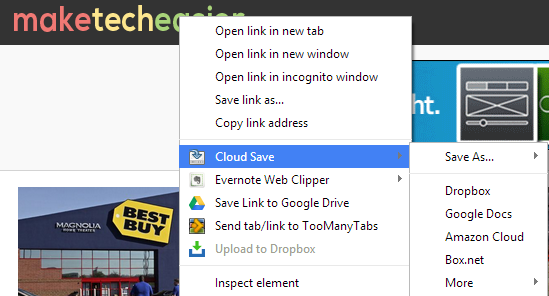
To customize how things work, head to Chrome setting and click the Extensions option. Now scroll down to CloudSave and click on the “Options” link.
This opens a tab that display a rather compact list displaying choices for hosts, search and marketing. There is also a dropdown list that includes a rather long list of cloud services
Conclusion
There are numerous cloud extensions available for Chrome, but these three will cover most customers. And, of course, if you use something other than Dropbox or Google Drive then Cloud Save will cover you for almost any other service.