
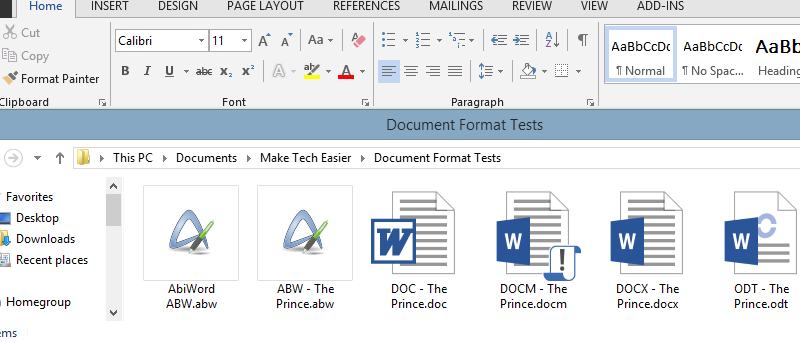

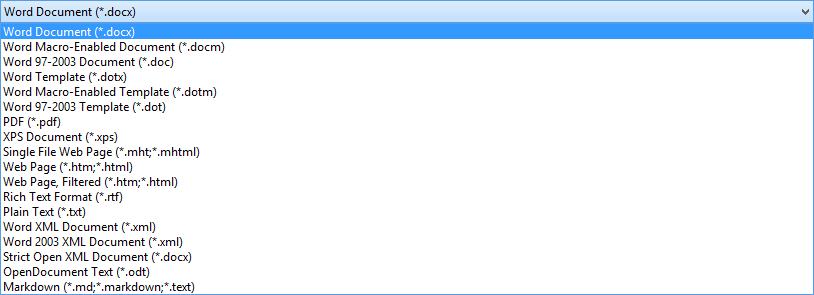
If you’ve ever tried saving a document for use on another computer, you’ll likely have been inundated by the number of file formats you can choose from. Microsoft Office comes with a dazzling array of formats which you are unlikely to use: for the average person, Office’s default settings are hard to beat.
Regardless, you’ll also have wondered what the purpose of these other file types are. In this article we’ll cover many formats that relate to documents which can be edited as possible.
.docx
At present, .docx is the default file format in Microsoft Word and has been since Office 2007. Opening a .docx file in Office 2003 will force it to open in “Compatibility Mode.” It’s a fundamentally different format tHan its predecessor, being based on the Extensible Markup Language (XML) and .zip compression technologies. As a result, file types are meant to be smaller. Corrupted documents can still have some of their content recovered, too.
.doc
The predecessor to the .docx file format, this has been a mainstay of word processing for a very long time. It was a de facto standard before .docx was released; even the latest versions of Office allow you to save files in this format. Thus it remains popular and is the best way to maintain compatibility with older versions of Microsoft Office.
.docm
Described within Word as a “Macro-enabled Word document,” the format came into being with Office 2007. If you want a macro to work, the document must be saved in the .docm format. Saving it in any other format will not allow it to function. For the average computer user, this is an uncommon format to encounter. We strongly recommend scanning any .docm files, as a macro can infect a computer with a virus.
.dotx
You may have already assumed that based on the ‘x” in the file format, .dotx is a newer file format. This assumption is totally correct. This file serves as a template, allowing you to retain a consistent appearance across different documents. The “x” format is newer and boasts smaller file sizes due to XML and .zip, much like the .docx format.
.dot

The predecessor to .dotx, this format serves as a template for other documents. If you’ve spent time pouring over a document’s appearance, you may wish to save it as a template for the future. In the past, .dot was the only way to do so. Nowadays it has been mostly superseded, but it is the newest template Office 2003 can accept.
.dotm
Like .dotx, this template format appeared with the release of Office 2007. The “m” at the end of the extension denotes that the template is macro-enabled. While this is not likely to be a major boon to everyday computer usage, it could prove useful in corporate settings.
.odt
Denoted as “OpenDocument Text” within the present versions of Microsoft Office, .odt is an open standard for text documents. This means that most, if not all, word processors should be able to support it. For example, a document saved in this format with Office should appear identically in OpenOffice, LibreOffice, and other free office suites. Like the latest-generation of Office file formats, it relies on XML to achieve its purposes. Note that, depending on the source, .fodt is occasionally used as the file format.
When we attempted to save a document in this format, Word produced the following error message, though it managed to save the document successfully.

.abw
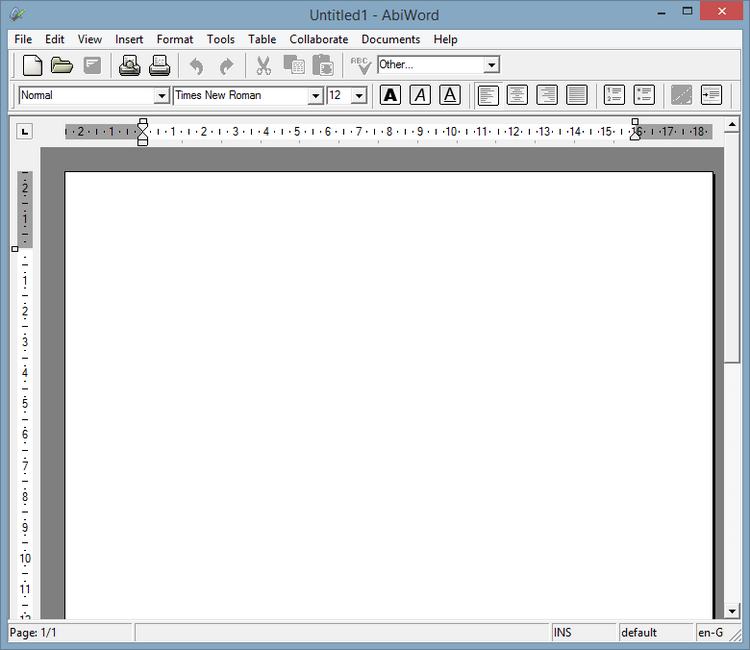
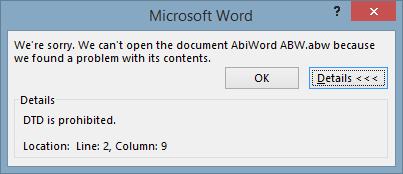
A file format unique to AbiWord, this proves something of a limitation for other office suites. Opening an AbiWord file in Microsoft Office produces a “DTD” error, which occurs with XML files (further explanation available here). Subsequently, it seems likely that .abw is an XML-based format, but that it is not fully-compatible with other word processors. Thus, we suggest using this file type only if you know you’ll be accessing your documents via AbiWord.
File Size Comparison
While not an exhaustive comparison, we decided to try and figure out what format offers the smallest file sizes out of those already outlined. For this test, we used Project Gutenberg’s plain text copy of The Prince, by Niccolo Macchiavelli and saved it in a variety of formats. With the exception of the .abw file, all formats were saved using Office 2013.
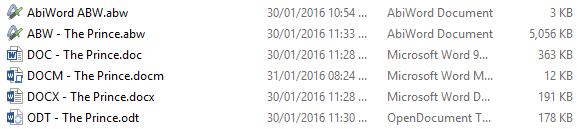
The .odt file format yielded a particularly pleasing file size, coming in below even Microsoft’s .docx format. AbiWord’s .abw file appears comparatively gargantuan, swelling to more than ten times the size of Microsoft’s outdated .doc format.
Conclusion
There you have it: more than you ever expected to know about document file formats. If you have noticed the frequent references to Microsoft’s “x” file formats and wanted to know more, you’ll be pleased to know that they have a dedicated Wikipedia page. While a very technical overview, the page provides insight into the usage of XML in other Office programs, including Excel and PowerPoint.