

If you are an iPhone user, you are likely using Safari as your primary browser. Given Apple’s decision not to allow its users to set their own default apps, Safari is the smartest way to surf the Web on iOS devices. However, if you prefer one of the third-party browser alternatives, Firefox is one of the best on iOS. Firefox is full of tricks for browsing the Internet on your iPhone or iPad.
Here’s why you should use Firefox as your default browser in iOS.
Also read: How to Reduce Firefox Memory or CPU Usage
Syncing with Other Devices
One of its major benefit is its ability to sync with your Firefox account. You can then pick up wherever you left off on another platform. While there is no shortage of third-party browsers available on iOS, few offer open tab syncing with desktop counterparts.
1. To properly set up sync, start by hitting the menu button at the bottom right of the screen. It looks like three lines one on top of another.

2. Tap on Settings and then on your account name. (You will need to set up a Firefox account if you don’t have one.) Note that on this screen you can also manually sync by tapping on the line underneath the account name labeled “Sync Now.”
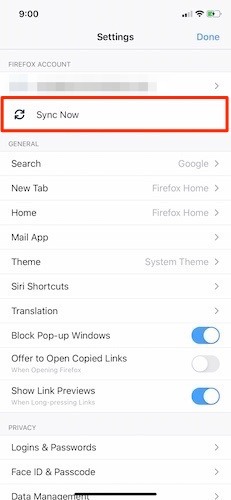
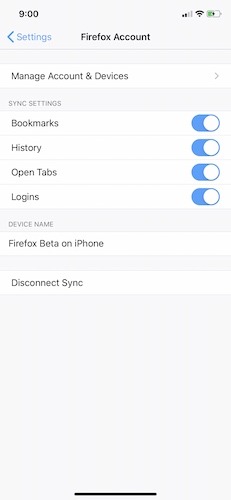
3. Once you are in the account screen, you have the option to enable or disable a variety of syncing options. This includes open tabs, which is the most valuable sync tool to pick up wherever you have left off on another device.
While tab syncing is likely the best and most commonly used aspect of sync, your bookmarks should not be ignored. In this case, tap on the menu button again and select “Your Library.” From here you can see all of your bookmarks, including those on the toolbar, those you’ve selected on mobile or even your most recent additions. On the same screen, at the bottom of the browser, is another tab for History, Reading List, Downloads and Synced Tabs.
Organizing Your Tabs
We have all been there. Too many open tabs can make your browsing life miserable. Fortunately, Firefox for iOS has one of the smartest tab management systems.
- The bottom bar on the Firefox browser offers a few options, but when focusing on tabs, the square box with a number inside of it is most important. This relates specifically to how many tabs you have open. Tap on it, and you will immediately be shown all of your open tabs in bite-size preview windows.
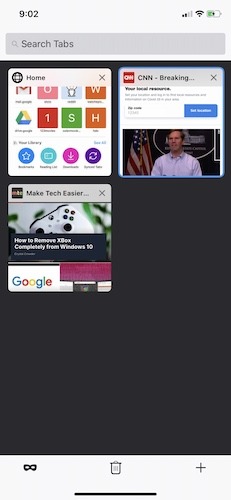
- Opening a tab is as easy as tapping on the “+” sign at the bottom-right corner of the screen. Press on it, and you can enter a search or website URL from the Firefox home screen.
- Want to rearrange tabs so they are in a particular order? Simply hold and drag each tab to any spot you want on the tab page.
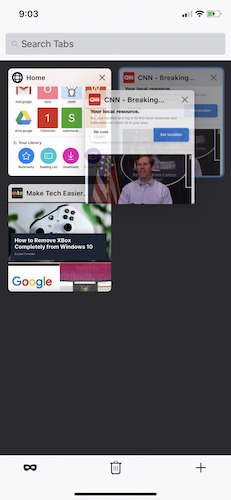
- When you want to open a private tab and browse without any history, just tap on the mask icon.

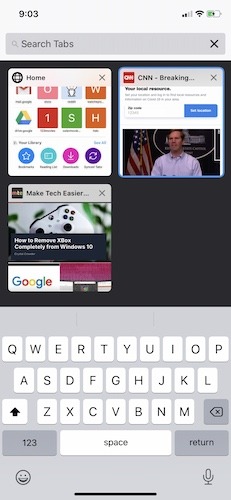
- One more advantage of using Firefox over Safari is the opportunity to search your open tabs. Enter any term into the search box and find exactly what you are looking for.
Taking Privacy Seriously
Firefox is well known for their strong positions on user privacy. Open Firefox on either your iPhone or iPad and head back to Settings. Scroll down to the privacy section, and you will see a bevy of options available that can be adjusted. There is even a link to Mozilla’s privacy policy which clearly outlines the exact steps the company takes to preserve user privacy.
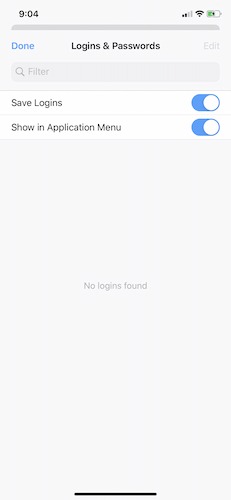
- Logins & Passwords will allow you to save any logins you’d like to have synced with other devices. If you do not want Firefox to keep any logins, you can disable the feature.
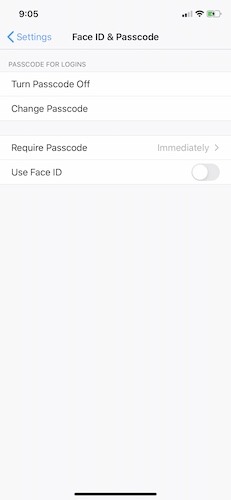
- Touch ID and Passcode will enable you to require a passcode or the use of Touch/Face ID to access the app. You can even set the time before a password is required to use the app so you don’t have to log back in every five minutes.
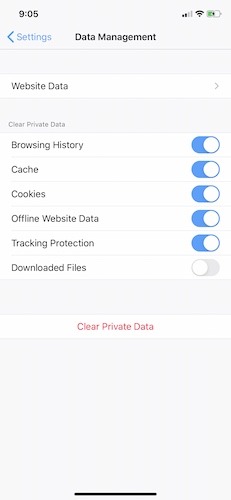
- Data Management will review any website so you can enable or disable options such as clearing cache, cookies, downloaded files or your browsing history.
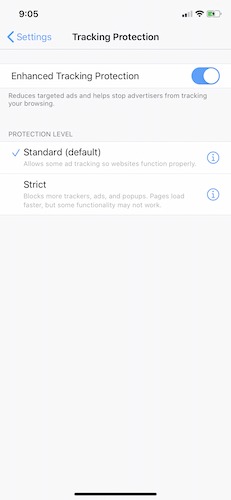
- Tracking Protection is one of the biggest reasons to use Firefox for iOS. It works to reduce the number of ads you see and also stops those ads from tracking your browsing history. Standard protection is set by default and opting for Strict protection will enable more blockers for reducing ads, popups and trackers.
How Far Back Can You Go?
Another big addition to Firefox for iOS is going back on a site you previously browsed. Let’s say you’re visiting maketecheasier.com and you have read five articles. You can tap and hold the back or forward arrow and see a shortlist of previous pages or sites. It’s a small but incredibly useful addition that makes browsing with Firefox a major upgrade over Apple’s default browser. That it works in both browsing directions makes it one of those browser tools you never knew how much you missed until you have it.

Make It Your Default Browser
While Apple’s iOS 13 does not allow the changing of default apps, that’s going to change in a few months. When Apple releases iOS 14 to the world, iPhone and iPad owners will be able to change both their default email and browser choices. That’s major news for Firefox fans who so far have been stuck using Safari as a default and then pushing links to Firefox.
Firefox isn’t a perfect browser, but it is one that excels in so many ways where Safari does not. The ability to use extensions also make it one of the few mobile browsers that support extensions – not to mention that it is available for every platform out there, which makes it easier to sync and use. That you will be able to use it as your default is all the more reason to give Firefox for iOS a good look.