
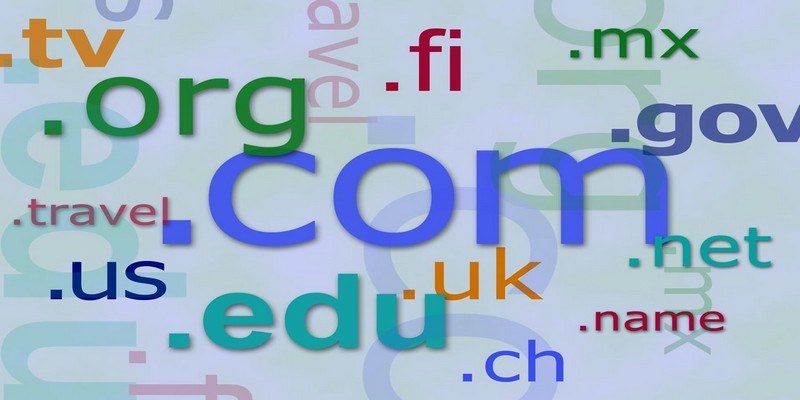

Every time you type a domain name, you’ll always need to type something after the dot, like .com, .net, .org, etc. Those three letters are vital for the address you typed to take you somewhere and are called Top Level Domains (TLD).
The three letters are always at the end of the domain name, but are they that important? Can you tell what information the site has just by reading these three letters? By not typing them you could be taken to the wrong site or nowhere at all.
What Are Top Level Domains or TLDs?
Top Level Domains are also called internet domain extensions or domain suffixes. Thanks to TLDs you can instantly know what kind of information the site has to offer. For example, if the URL you’re typing ends in .gov, you know that you’ll find information that has to do with the government.

Every TLD has a self-reliant registry that is managed by a particular organization. That specific organization is under the control of the Internet Corporation for Assigned Names (ICANN).
But why are there so many TLDs? Since a TLD tells you what is associated with it such as its geographical area, who owns it, or its purpose, there will be quite a few to choose from.
How Many Types of Top Level Domains Are There?
There are six main types of TLDs that are recognized by ICANN:
- Country Code TLDs (ccTLD) – Every country has its own TLD that is based on the ICO code of two letters. For example, the United States TLD is .us, and Mexico’s is .mx. This TLD will only have two letters instead of three.
- Generic Top Level Domain (gTLD) – These types of TLDs are called generic for historic reasons. As of March of this year, the number of generic TLDs is over 1,200 and there are different kinds of gTLDs such as sponsored, geographic, and brand. Examples of generic TLDs are .com, .org, .info and .net. Anyone can register these kinds of TLDs.
- Infrastructure Top Level Domains (arpa) – This TLD only includes one and is controlled by the Internet Assigned Numbers Authority. The only one in this area is arpa, which stands for Address and Routing Parameter Area.
- Sponsored Top Level Domains (sTLD) – Private organizations are the ones that manage these TLDs. Examples of sponsored top-level domains are .asia, .edu, .aero, .museum, .jobs, .mobi, and .gov. These TLDs are restricted and will only be assigned if certain guidelines are met.
- Creative Top Level Domains – .tv (for TV shows and other video projects), .name (for sites that concentrate on a specific person), .me (personal branding projects), .expert (to show the world you mastered a specific niche), and .guru (does the same as the previous TLD).
- Internationalized Top-Level Domains (IDNs) – These types of TLDs can be seen in a language-native alphabet. If you see one with the letters .ykp, that’s the IDN for Ukraine.
Not all top-level domain names are used in production networks: for example, TLDs such as .example, .invalid, .localhost, and .test. What these TLDs can be used for are right in the name itself. Another example is .test that is used in tests.
Conclusion
Once you know what TLDs are for, you at least have an idea what type of information that is waiting for you on that site. Since there are so many, you might only learn about the ones you use the most, but it’s always a good idea to at least have an idea of what most of them mean. How important are TLDs to you? Let us know in the comments.