


The word “API” is flashed around a lot when talking about new apps and operating systems, but it doesn’t seem to target the general public. There are people out there very excited about new APIs appearing in different platforms, which might make you curious as to what exactly this thing is. There’s no easy way to explain what these things are, but then again, this is what we’re here for!
Defining The API

An API stands for – Application Programming Interface. But, of course, a quick Google search would have told you that. What you’re here to learn is exactly what an API does.
APIs serve several different purposes, allowing people to add features of their own to applications. You generally hear about them when there’s a new operating system or software. APIs are various functions that give developers the ability to remotely access a web service (or OS) and build a client for the web service. For example, there are many Twitter clients out there. Most, if not all, of them use Twitter APIs to access Twitter and to update/retrieve/delete/reply tweets. The APIs allow the developers to access the Twitter server without any security risk.
API makes your application look uniform to others
If you use one Android app, you’ll notice that it shares some aspects in common with other Android apps. The buttons look similar, and the scroll bar is identical on most of them. That’s because these are API objects provided by Android’s operating system. Without such an API, there would be no uniformity in application items, and they’d also take up a lot more space (I’m talking about several megabytes compared to just three) as the developers need to come up with their own UI code.
The details: How API works
To get down to how an API works in detail, let’s refer back to Twitter clients. When you install a Twitter client, it will first request you to authorize them to access your Twitter account. Once authorized, the client can then access your tweet and allow you to update/reply to tweets. But how does the client communicate with the Twitter server? Instead of writing their own codes, Twitter comes up with a set of rules/functions (API) for the developers to follow. These set of rules make it easy for the client to access your tweet, and they work uniformly throughout all the clients. This also minimizes the chances of bugs, since the API only has to concentrate on that particular task, while the app developers can concentrate on building their apps instead of meddling with never-ending lines of code.
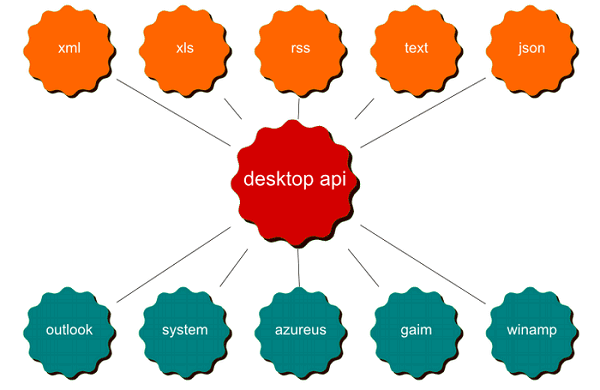
So, let’s recap: An API is a list of shortcuts that contain pre-compiled or pre-defined functions and structures that let programmers do their work more easily. It’s either that or a gateway to deeper parts of the operating system you wouldn’t be able to normally reach. For example, video games use APIs that communicate with your graphics card so that they can gain access to its memory and processor. If they communicated with the graphics card directly, each game would have its own way of doing it, leading to very bloated code and much larger games (again, several orders of magnitude larger).
Whenever programmers see new APIs in applications and operating systems, this is why they get excited! Every new API means a new functionality that the developers can integrate into their apps. Every application, every module, and every game you play uses APIs to bring the great features you enjoy using. Even the system running behind a washing machine that communicates with your phone uses APIs to get the job done.
Conclusion
Hopefully this has cleared the waters a little bit, and you understand APIs a little more than before! If you still have questions about APIs, please leave a comment, and I’d be more than happy to help you.