
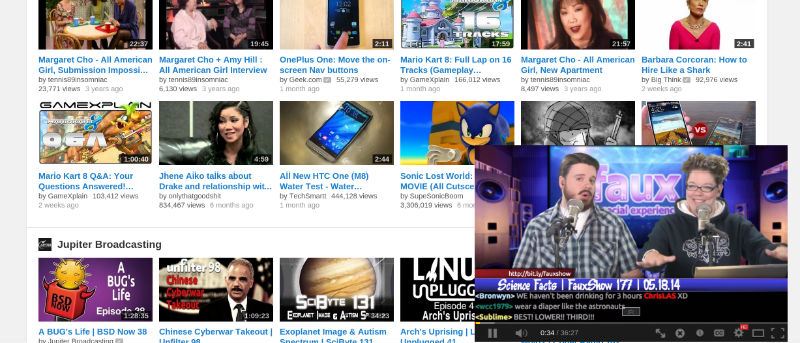

YouTube has come a long way, and now it’s arguably the single greatest source of content on the web. A person can get by just fine by tossing out their TV, cutting the cord, and spending countless hours perusing various YouTube channels. Unfortunately, there’s a downside. Browsing the site typically consists of hopping between multiple tabs, otherwise you’re stuck watching a video to completion before you can check out other things. An upgrade to the YouTube Android app a while ago introduced the ability to browse the site while the current video plays in the corner. Thanks to this Chrome extension, you can do the same with Google Chrome on any computer.
Let’s Get Started!
To begin, head over to the Chrome Web Store and install the Seek ‘n Play extension.
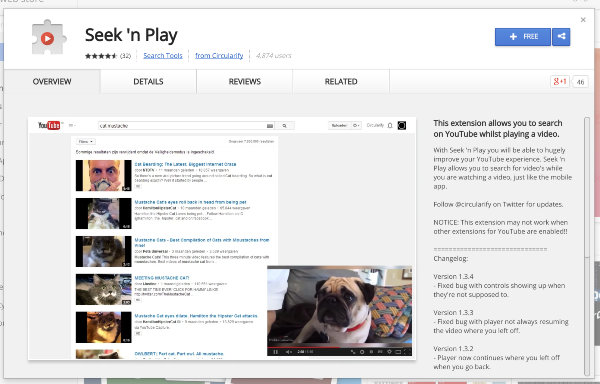
After that, the feature should kick in automatically. Head over to YouTube and start playing a video. Then back out to browse for more stuff to watch. The video should appear in the bottom-right corner. If it doesn’t work, restart your web browser. This should provide the kick-in-the-pants it might need.
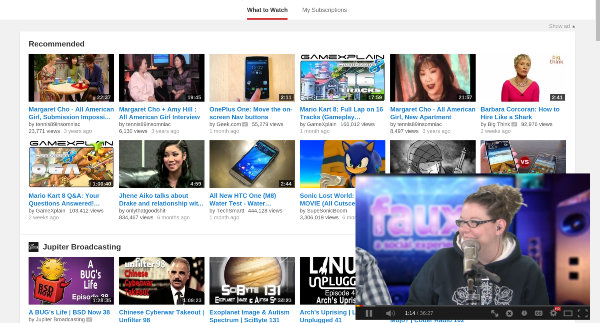
There are a few things to know about how the extension works. Primarily, the video you’re watching will continue to play until it ends, you pause it, or you start another video. If you back out of the page but don’t start something else, it will continue to stream.
The extension offers a single option. To toggle it, you must head to the extensions page and click on the options button there. Afterwards, you should see a choice to put your video in the bottom-right or top-right of the screen.
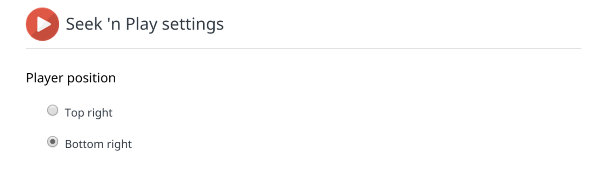
Once toggled, you should see the video move to precisely the position you instructed it to. If this is too bothersome, you can always move it back. Unfortunately, this is the extent of the choices you have. There’s no ability to drag the window around manually, so if it’s blocking any text or images you want to see, your only option is to scroll. Then again, this is still more configurable than the Android app. There, users can only view videos in the bottom corner.
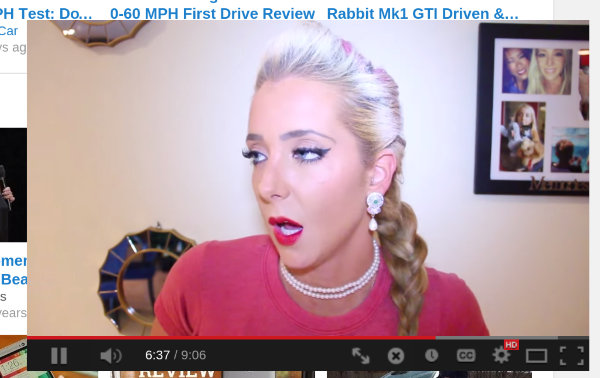
In the minimized window, there are two new buttons added to the list. One is an “X” icon, and clicking it will close the video without you having to return back to the original page or exit the tab. The icon to its left is an “expand” option that returns you to the video’s page. Clicking on the video will pause it just as you’re accustomed to.
Conclusion
That’s it for the extension. It does an impressive job of replicating the Android app, and just like it, there isn’t much complexity. The experience just works, and it makes browsing YouTube a smoother, less interrupted experience. Hopefully Google implements functionality such as this on its own, but in the meantime, this extension gets the job done.
If you know of other extensions that improve the YouTube viewing experience, please share them with us in the comments below.