


There are many reasons to save Google Maps for offline use. Depending on where you are, the cost of just 1 GB mobile data can be quite expensive. If you’re traveling to another country on a roaming SIM card, the download charges can add up significantly. It turns out way cheaper to find the nearest Wi-Fi outlet and download select portions of Google maps for later use.
Follow the simple steps below to save your Google Maps directions for the future.
Also read: 8 Tips to Get the Most Out of Google Maps
1. Identify a Location for Offline Maps
Even with free Wi-Fi, we do not recommend you download large chunks of Google Maps data. It is wasteful unless you have a lot of free space on your phone or SD card. All you need is a handy reference with an offline map built around its radius.
Such a reference should be a visual landmark that you can easily remember. You can go with anything: a hotel, a hostel or a restaurant. Fix your selection with the red icon marker.
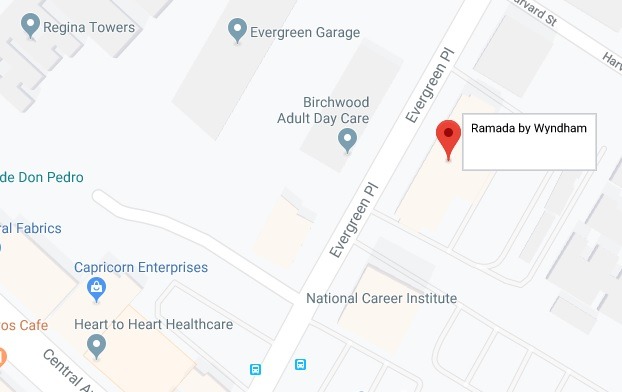
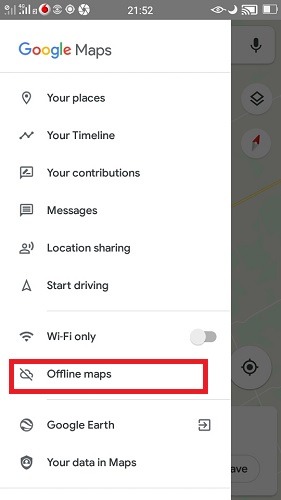
Once you have painted a picture of the area in your mind, swipe the Google Maps side panel and click “Offline maps.”
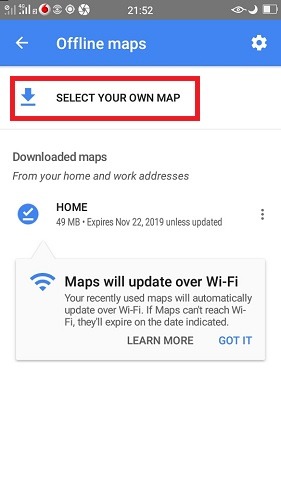
While on the offline maps screen, you can automatically download a map from “home” or a given address. The other choice is to “select your own map,” which is a better idea.
2. Download the Map for Offline Use
In the next step you can see the area around your selected location. You only have to drag or zoom out to increase the map area. Once done, click the “download” button.
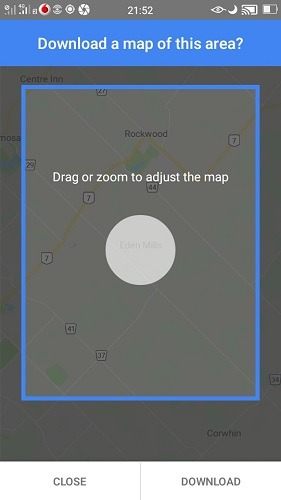
Before you download the map, you will be informed about the approximate data to be consumed. The estimate is based on navigation routes and the street views for an entire radius built around your reference.
The more you “zoom out,” the larger the file size will be. As you can see in the following screen, it’s around 70 MB. In my experience, anything within 10 to 25 miles (16 to 40 km) is a large enough map for practical needs.
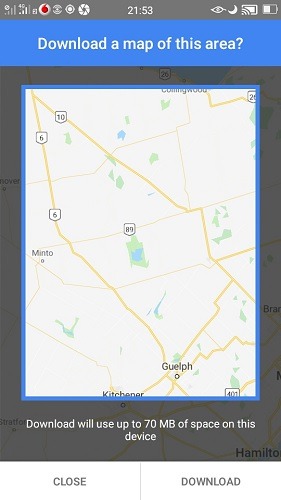
Soon, the download will start and continue in the background. One salient feature of Google Offline Maps is that it can be updated over Wi-Fi, so if there are real-time changes, you won’t miss out on them.
This is a really useful feature if you had downloaded your map many days ahead, and your landmark suddenly changes in the meantime. For example, if the hotel you are planning to stay in renames itself, the new information will be automatically updated in the background.
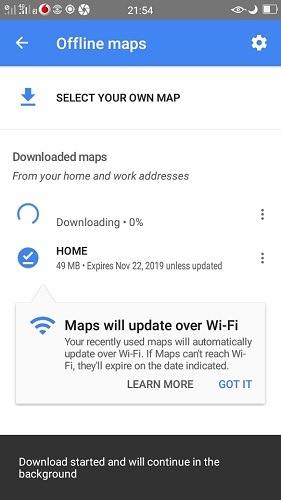
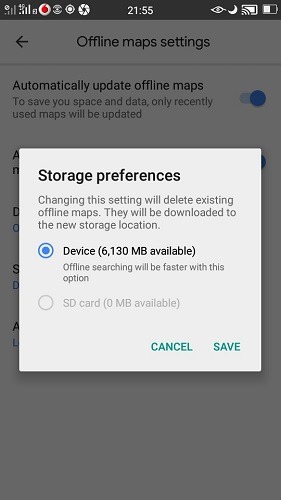
While the file is downloading, you can edit storage preferences in “offline map settings.” You can choose to store the data in an SD card, but it is faster on a device.
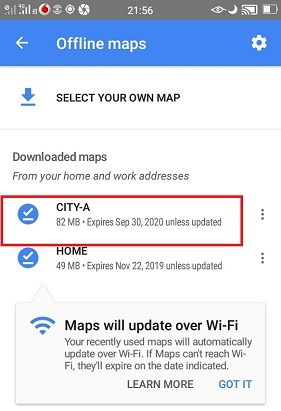
You can also update or rename the map from the three-dot icon. The renaming feature is useful if you are planning to download several maps of different locations.
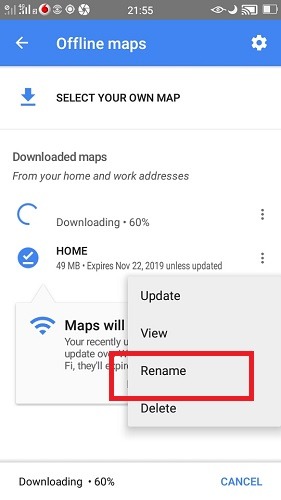
Once the map is downloaded, you will see an expiry date in the future. This is a concern only if you don’t update the map with Wi-Fi during the entire period, which is highly unlikely.
Also read: How to Drop Pins in Google Maps for More Accurate Directions
3. Using the Offline Map
In the future, even if you are without Internet access, you can use Google Offline maps in the same way you do regularly.
As long as you’re within the defined radius, you will get correct navigation. The only difference is a “lightning” symbol which indicates offline use.
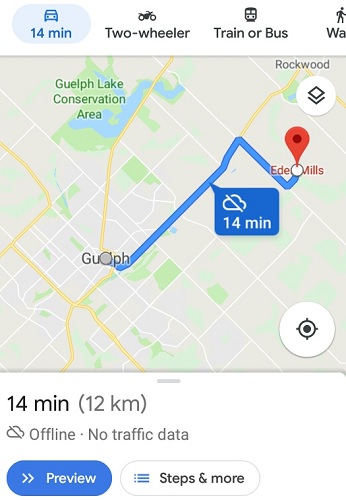
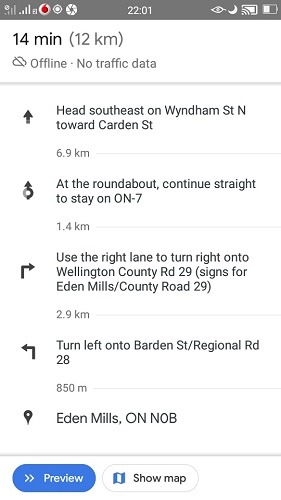
The downloaded map does not have live traffic data, but the route guidance should work perfectly.
Conclusion
In today’s world, it is almost unthinkable to commute without navigation tools such as Google Maps. On many occasions, you will want to switch off mobile data to limit its consumption.
Tip: You can drop pins in Google Maps for more accurate directions.
Have you used Google Maps in offline mode? How was the overall experience? Do let us know in the comments.