

One of the biggest dilemmas facing web developers is the incompatibility of various Internet Explorer versions with current web standards. Although Microsoft has promised CSS3 and even HTML5 support for IE9, Windows users, especially businesses, may continue to use IE8, IE7, or even the dreaded IE6 for years to come.
As a result, coding a site with exclusive CSS3 features will only alienate a large portion of your website’s visitors, and obligating them to download a standards-compliant browser, like Mozilla Firefox or Google Chrome, will only come across as arrogant.
A possible solution to the problem is to use a modernizer, which is a script or application that uses a variety of tricks to make your site appear as it should in all browsers. CSS3 Pie is javascript-based modernizer that helps Internet Explorer recognize cool CSS3 features such as rounded corners, soft drop shadows, and gradient fills. It is quick, easy, and works most of the time with very little tweaking.
Installation and Setup
This brief tutorial assumes you already have a website with CSS3 elements. In order to get CSS3 Pie working, you need to do two things: upload the javascript package and add special code to your CSS file.
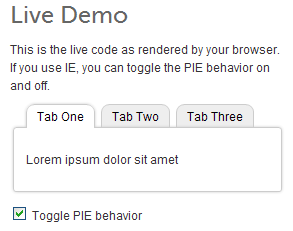
1. The download from the css3pie.com website includes a number of files, but if everything goes as planned, all you need is PIE.htc, which is a compressed text file. Upload it to a place on your web server where your CSS file can have access to it.
2. Open your CSS file in your text editor and locate the elements that contain CSS3 properties. Within those elements, add the following rule:
behavior: url(PIE.htc);
The path to your PIE.htc file needs to be exact, so if it is not in the same directory as your CSS file, change it accordingly.
The final element should look something like this:
#element1 { border: 1px solid #696;
padding: 60px 0;
text-align: center; width: 200px;
-webkit-border-radius: 8px;
-moz-border-radius: 8px;
border-radius: 8px;
background: #EEFF99;
behavior: url(PIE.htc); }
If it worked correctly, you should see the results in IE 6,7, and 8 immediately after uploading the altered CSS file.
Troubleshooting
If you see no changes at all, you could very likely need to adjust the path to your PIE.htc or even use the full URL. Just remember that IE will only accept an htc file from the same domain as the site, and “www.site.com” and “site.com” are considered two different domains.
Under some circumstances, you may need to try PIE_uncompressed.htc or even PIE.php to get it to work correctly. Consult the documentation for more details.
I have noticed that the combination of transparency and bold text results in some crazy-looking words in IE8. You might still need to use transparent image backgrounds in those situations.
The combination of CSS3 Pie and some jQuery functions seems to produce an error in IE. I have not found a solution for this, but the page still loads and displays correctly in spite of it.
Modernization
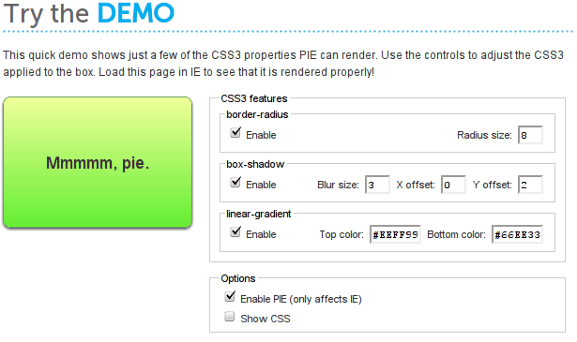
With very little effort, CSS3 Pie can help your website look consistently appealing in all major browsers, without the headache of having to shape corner images or make fake drop shadows. The front page of the site includes a demo so that you can adjust CSS3 properties and see the live results in Internet Explorer. Best of all CSS3 Pie is free and open source and available for download at no cost.