

With around 500 hours of content uploaded every minute and 2 billion active users, YouTube is one of the giants of the Internet. There’s a good chance you’ve seen some video on YouTube at least once this week. If you’ve wondered how you can upload your own videos to YouTube, this article is for you.
How to Upload a Video to YouTube
There are typically five steps to uploading a video on YouTube:
- Sign in to your Google Account
- Select the video
- Add the necessary details
- Choose an appropriate privacy setting
- Publish or schedule
Signing In
Before you can upload a video, you first need to sign in to your Google account. If you’re already signed in (you will see your Google Account picture/letter in the top-right corner), you can skip this step.
- Go to youtube.com.
- On the top-right corner of the screen, you will find the “Sign In” button. Click on it.
- Enter your Google ID and password.
Selecting the video you want to Upload
Once you’re signed in to your Google Account on YouTube, follow these steps:
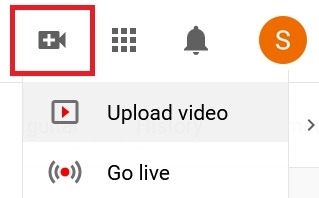
- On the top-right corner of the YouTube window, you will find a series of buttons followed by your Google Account photo (or a letter, if you haven’t added a picture).
- Click on the little camcorder button, and on the drop-down menu, click on “Upload Video.”
- You will be led to the YouTube studio page where you will be prompted to upload a video. Click on the “Select Files” button.
- From your computer, locate and select the video you want to upload and click “Open.”
Adding the Necessary Details
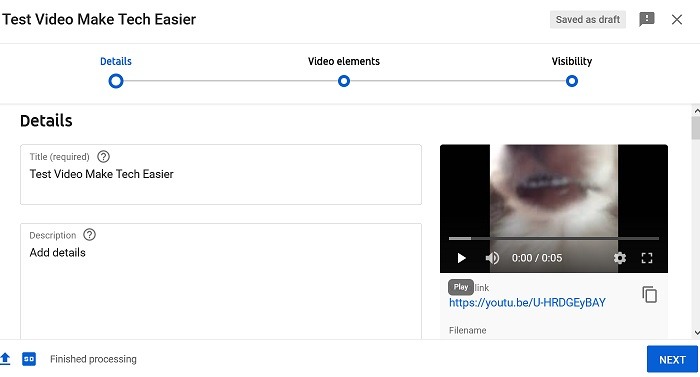
To finish uploading the video, you first need to add some necessary details. Some of these are mandatory while others are optional yet recommended.
- Assign your video an appropriate title. Make sure you put some thought into the title since it is the most important factor in determining the video’s position in Google’s Search ranking.
- Add a brief description of the video. Make sure to use keywords that your target audience will be searching for.
- Choose an appropriate thumbnail. A striking thumbnail can play a vital role in attracting clicks.
- You will also need to state if your video has sensitive content that isn’t suitable for children. To add an age restriction, first select “No, it’s not made for kids,” then under “Age Restriction (advance),” select “Yes, restrict my video to viewers over 18.”
- Click on “Show More” if you want to add more details like tags. These can be vital in improving your video’s ranking. You will also be presented with an option to hide the number of likes and dislikes for your video.
- Click on “Next” at the bottom-right corner of the window.
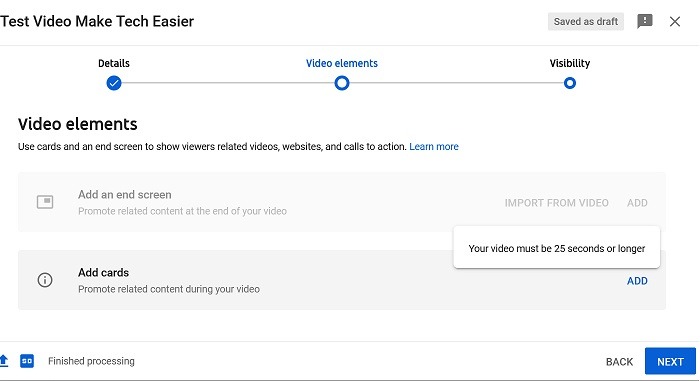
- In the “Video Elements” section, you may add cards and an end screen to your video. You can also skip this step.
Choosing an Appropriate Privacy Setting
You will have to decide who you want to share your video with.
- If you want only you and people you choose to be able to watch your video, select “Private.”
- If you want anyone with the video link to be able to watch the video, select “Unlisted.”
- If you want your video to be visible to everyone, select “Public.”
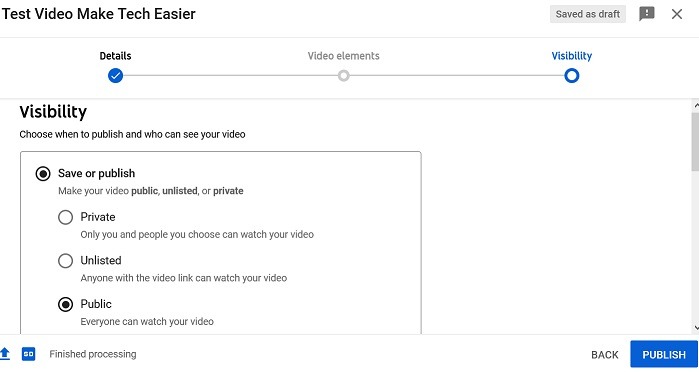
Publishing or Scheduling Your Video
We are now in the last step of the process.
- If you want to premiere your video right away, click on the “Publish” button at the bottom-right corner of the window. (Ignore steps 2 through 5.)
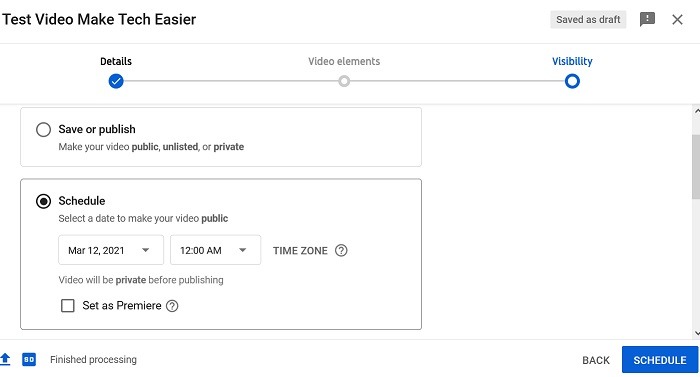
- If you want to schedule the video to be published later, select “Schedule.”
- Set an appropriate date and time for the publication of the video.
- If you want to set a premiere for your scheduled video, check the “Set as Premiere” box. This will create a public page with a countdown for your video. This can be great for building anticipation.
- Click on the “Schedule” button at the bottom-right corner of the window.
Congratulations! You just uploaded your first YouTube video. Once your video is published, you may want to share it across various social media platforms.
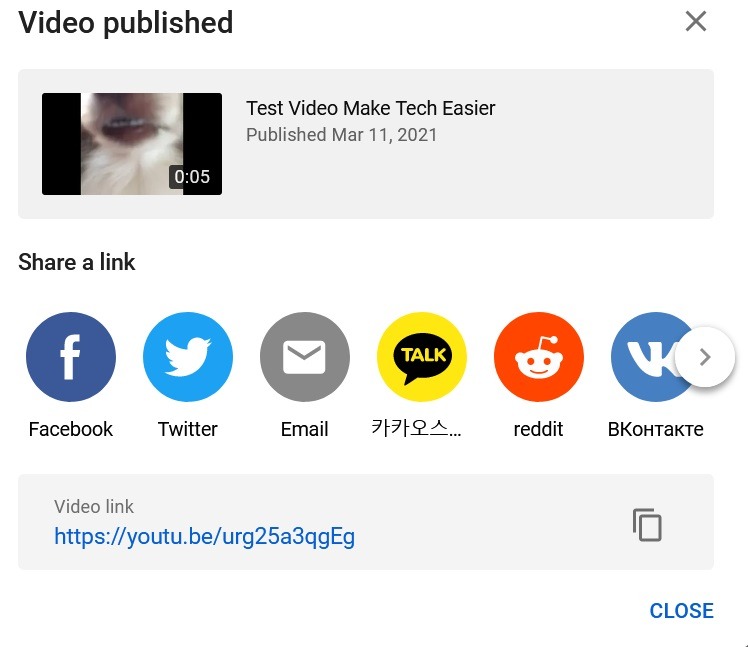
If you’re planning on becoming a professional YouTuber, you will have to upload new content regularly. You may also want to consider getting a custom URL for your channel.