

The Internet is the best place for information, and everyone deserves the opportunity to take advantage of it. However, it can be very difficult for a visually-impaired person or a blind person to browse the web, and surely they deserve to explore the world of the Internet like any other person. There are many tools available that will allow a visually-impaired or blind person to use the Web to get answers to their queries, and in this article we will list three simple tools that can help them.
1. Browser’s Built-in Magnifier
Let’s start with something simple. Almost all browsers come with a built-in magnifier to magnify text to a comfortable size. All you have to do is press and hold the “Ctrl” key and then press the “+” and “-” keys on your keyboard to zoom in and out. You can also hold the “Ctrl” key and use the scroll button on the mouse to easily zoom in and out. The zoom is very good, and you can easily zoom a line of text to fit the whole screen of your PC. Even a person with very limited eyesight should be able to make the text big enough to read comfortably.
2. NVDA Screen Reader
Screen readers make it very easy for a blind or visually-impaired person to use a device by simply listening to everything happening on the screen. For this purpose, NVDA (Non-Visual Desktop Access) is an amazing screen reader that is both robust and completely free to use. Downloading and installing NVDA on your device may require assistance as a new user (the installer also talks), but once everything is set up it will automatically start in the PC to guide you. It will read everything your mouse hovers over and whatever you type, allowing you to easily use your PC.
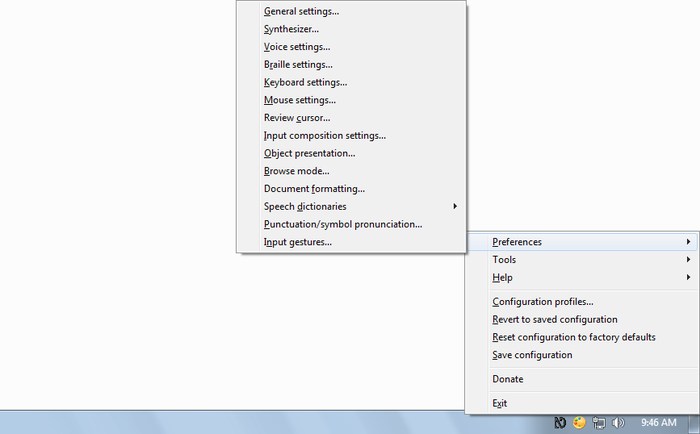
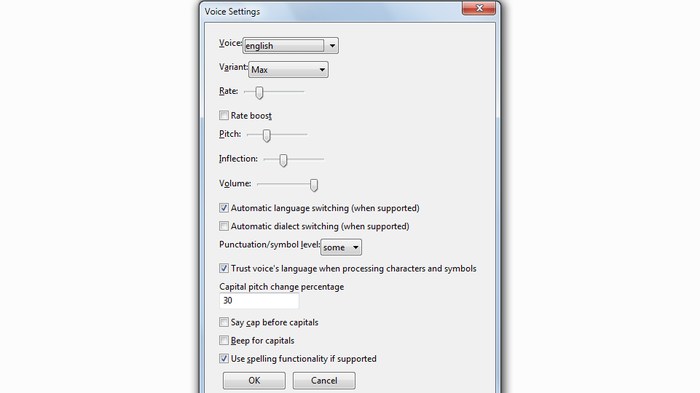
It works fine with many of the popular applications, including browsers. You can use it to open and browse the Web, and it will read everything to you. Its options allow control over voice type, pitch, speed and volume to configure it according to your needs. I tried using the tool with my eyes closed and quite easily navigated this website and opened and read a few articles. In my experience, it will consume extra time if you are only using your mouse to navigate the Web. You should also try using keyboard shortcuts and arrow keys to quickly complete most tasks without having to find them with the cursor.
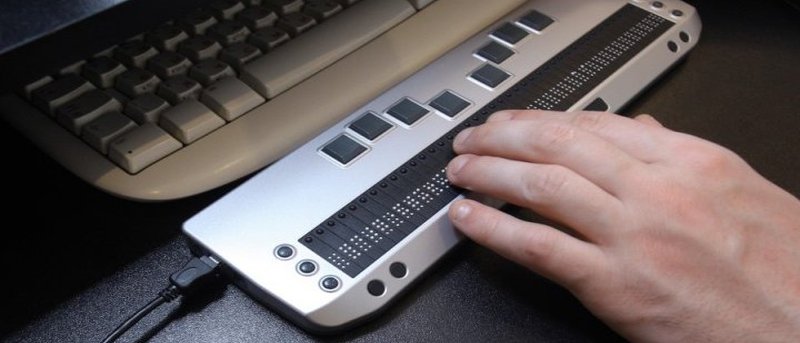
NVDA can also be configured to work with a braille display (if you own one). Furthermore, it comes with forty-three languages with an automatic language switch to make it easier to navigate in your own language. You can add more features using NVDA add-ons, like controlling the mouse with the keyboard, saving locations or reading emoticons. Best of all it also has a portable version allowing you to keep it in your USB drive and use it on any PC right from the USB.
Do also check out the various screen readers for each OS.
3. WebbIE
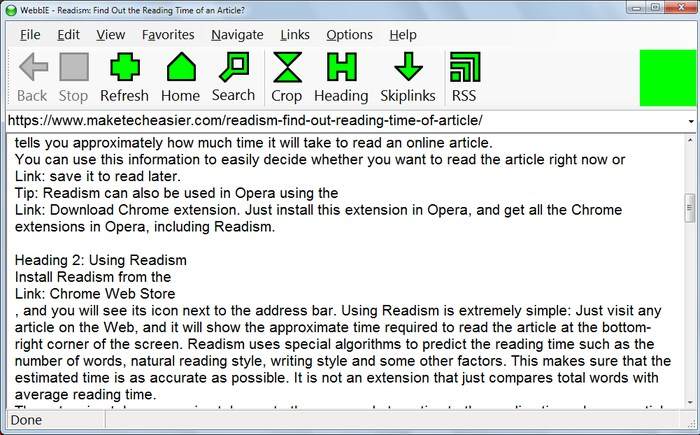
WebbIE is a browser for blind people that simplifies the Web by only fetching text and translating other content into text such as links, starting and ending points, fonts, etc. It was created to be used with a screen reader – Like NVDA mentioned above – to make it easier for blind or visually-impaired people to complete basic tasks such as reading news or using email. All you have to do is search for your query, and WebbIE will provide all the text-based results. It also has a built-in RSS reader to help you easily read text versions of news. WebbIE is very light on resources, but it takes a little more time to fetch content compared to regular browsers.
Conclusion
Technology is always improving to help people with disabilities, and the above tools should help visually-impaired and blind people to browse the Web. NVDA is perfect for all people with vision problems; even if a person is blind and deaf they can still connect it with a braille display to browse the web.
Are there any other tools that could help visually-impaired people browse the Web? Share in the comments below and help someone.