
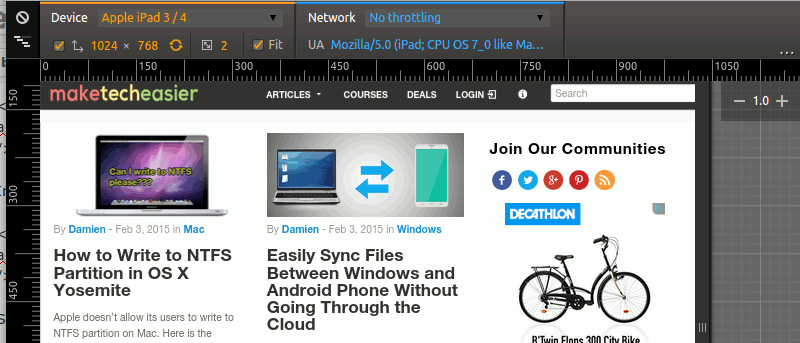

As more and more people start surfing on their mobile devices, it is becoming pertinent for us – the webmasters – to make sure that our websites render well in the mobile browser. Responsive web design is probably the way to go, but still that requires a lot of testing to make sure it fits nicely in all devices and screen size. It is almost impossible to get ahold of all the mobile devices in the world, but with a nifty tool in Google Chrome’s developer tool, you can easily test your website in a large list of mobile devices (without spending a single dime).
The “Device Mode” emulation in Chrome’s Developer Tool is a useful tool for you to test your website on multiple mobile devices. As its name implies, it emulates the browser in various devices so you can see how your website renders in each browser.
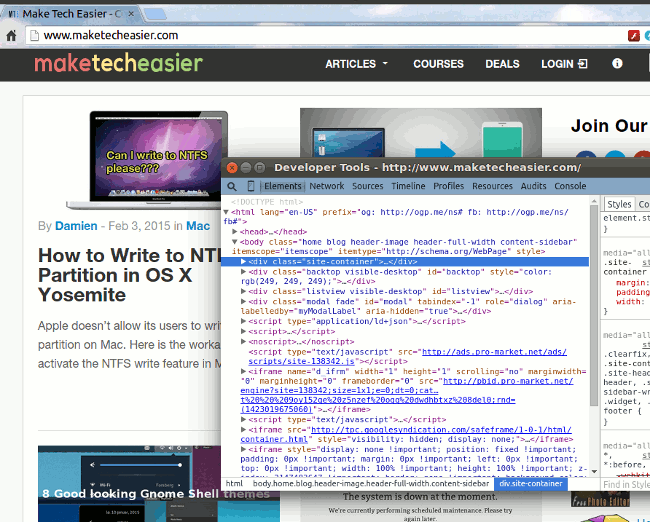
To get started, open up Chrome and load the website you want to test. Press F12 (“Cmd + Opt + I” for Mac OS X) to open the Developer Tool. Alternatively, you can right click your mouse and select “Inspect Element”.
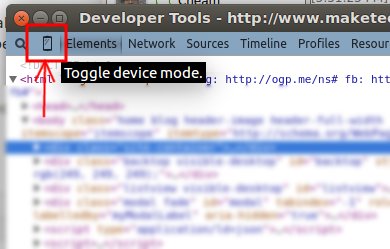
In the Developer Tool window, click the mobile icon at the top left corner.
Switch back to the main Chrome window and you should see the website changed to a grid mode.
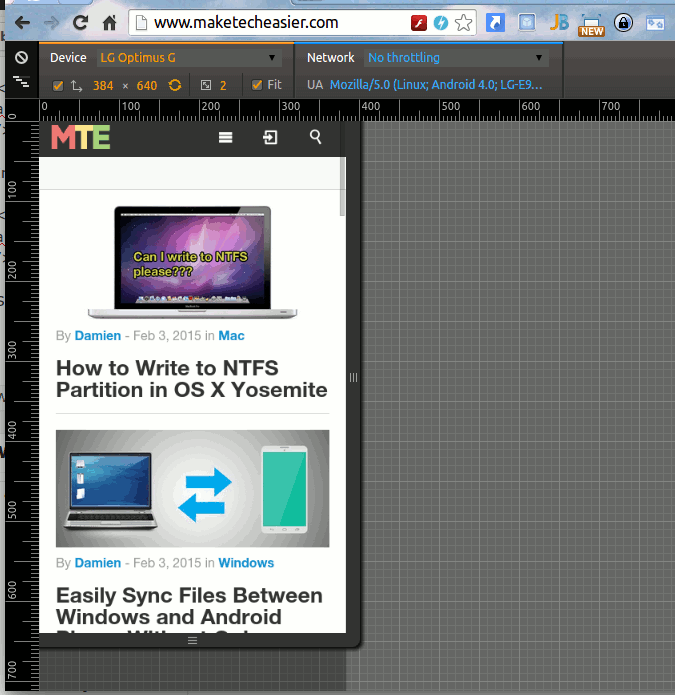
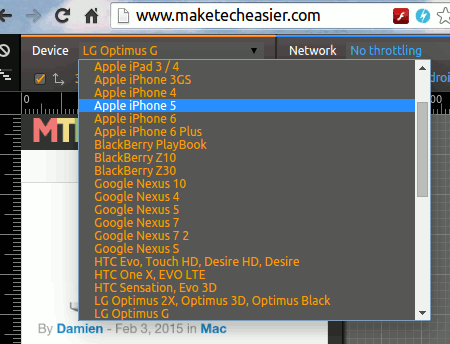
Now, all you have to do is to select the mobile device in the “Device” dropdown list. The website will auto-resize itself to match the device’s screen size.
Scrolling through the device list, you can find some of the popular devices like iPhone 3GS, 4, 5, 6, 6 Plus, Samsung Galaxy Note, etc.
Other things that you can test in the device mode include changing the screen resolution, setting the pixel ratio, changing the browser’s user agent, etc.
To exit the “device mode,” simply return to the Developer Tool window and click the mobile icon again, or simply close the Developer Tool window.
Conclusion
The developer tool in Google Chrome is a very powerful and useful tool for webmasters and developers to test and debug their websites. There is a similar tool in Firefox as well (in fact, most browsers come with a developer tool mode), but the one in Chrome comes with more features and is easier to use.