• Computing
  • Mobile
  • Lifestyle
  • PC Guides
  • Reviews
  • Tech Explained
    • Windows
    • Linux
    • Mac
    • ChromeOS
    • Android
    • iOS
    • Gadgets
    • Productivity
    • Smart Home
    • Social Media
    • Gaming
  • Internet
  • Tech Explained
  • News

More from us

  • Reviews
  • Cheatsheets
  • Buying Guides
  • Deals
  • Newsletter
How to Enable or Disable Win + L Shortcut Key in Windows

How to Disable the Lock Screen Shortcut Key (Win + L) in Windows

The fastest way to lock your Windows computer is to use the built-in shortcut “Win + L.” However, sometimes you may need to disable this. Here’s how to do that.

By Vamsi Krishna – Jul 1, 2015

MTE Explains: 'Published by' on Software Installers

MTE Explains: The Uses of the “Published by” Entry on Software Installers

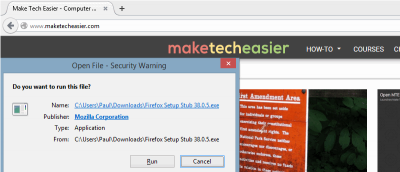
Want to learn more about the signature line on software installer windows? Read on to learn what this one line means and why you should be aware of it.

By Paul Ferson – Jul 1, 2015

How to Download the Last Freeware Versions of Windows Software

How to Download the Last Freeware Versions of Windows Software

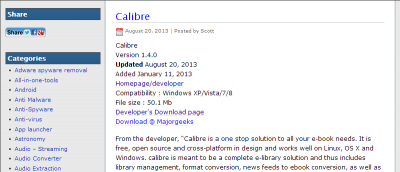
Need to download the previous version of a specific Windows program? Here are 3 reliable sources to download the last freeware versions of Windows software.

By Paul Ferson – Jun 30, 2015

4 Best Third-Party Uninstallers for Windows

4 of the Best Third-Party Uninstallers for Windows

If you’re serious about completely uninstalling a program from your Windows PC, third-party uninstallers are the way to go. Here are 4 of the best ones.

By Vamsi Krishna – Jun 29, 2015

How to Set Up Windows 8 Mail App to Use POP Mail

How to Set Up Windows 8 Mail App to Use POP Mail

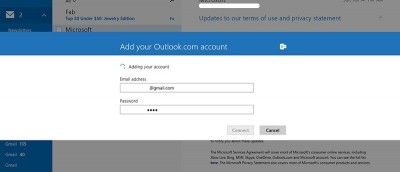
Using Windows 8 Mail as your default? Want to use it with POP? In this tutorial, you’ll learn how to set up the Mail app and trick it to use POP Mail.

By Maria Krisette Capati – Jun 22, 2015

Watermark Your Photos Quickly and Easily - Aoao Watermark for Photos

Aoao Watermark for Photos: Watermark Your Photos Quickly and Easily

Aoao Watermark for Photos is a software that provides watermark protection solutions for your digital photos. Enter to win a license for yourself.

By Vamsi Krishna – Jun 22, 2015

How to Set Up RAID in Windows

How to Set Up RAID in Windows

RAID is a data storage virtualization technology that combines multiple disk drive components into a single logical unit. Here’s how to set it up in Windows.

By Christopher Harper – Jun 16, 2015

How to Remove Get Windows 10 Icon in Windows

How to Remove the Get Windows 10 Icon in Windows

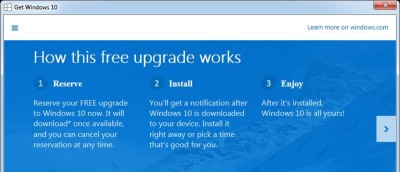
Tired of that ‘Get Windows 10’ icon sitting in your Windows taskbar? Don’t fret! We’ll show you how to get rid of it for good and get your space back.

By Vamsi Krishna – Jun 10, 2015

How to Fix the 'MSVCR100.dll' is Missing Error

How to Fix the ‘MSVCR100.dll Is Missing’ Error

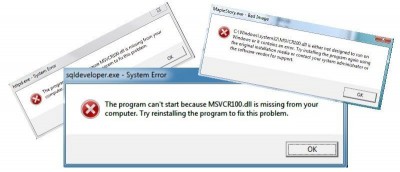
The “msvcr100.dll is missing” error is a Microsoft Visual C++ file issue that happens in Windows. Here are a couple ways to fix it.

By Lori Cline – Jun 9, 2015

Zotero - An Excellent Free Reference Manager

Zotero – An Excellent Free Reference Manager

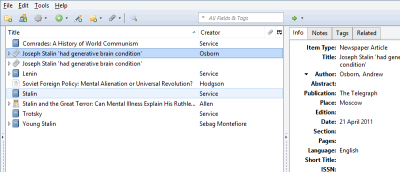
Zotero is the only research tool that automatically senses content in your web browser, allowing you to add it to your personal library with a single click.

By Paul Ferson – Jun 6, 2015

MTE Explains: What is .NET Framework? Why You Need This to Install Apps in Windows

MTE Explains: What is .NET Framework and Why You Need It to Install Apps in Windows

The .NET Framework is, in truth, a vital part of many applications from around the Web, no matter their purpose. Read on to see exactly what that means.

By Christopher Harper – May 31, 2015

Folder Marker Review and Giveaway

Change Your Windows Folder Icons with FolderMarker

If you’re someone who likes to visually organize all your work and folders, FolderMarker will help to quickly change your Windows folder icons. Here’s how.

By Vamsi Krishna – May 28, 2015

How to Remove Ask Toolbar and Ask.com Search from Your Browser

How to Remove Ask Toolbar and Ask.com Search From Your Browser

The Ask toolbar and Ask.com search bar are notorious for hijacking your browser by redirecting all the traffic to its search engine. Here’s how to stop that.

By Mahit Huilgol – May 24, 2015

KeyFreeze - A Simple App to Lock Keyboard and Mouse Without Locking the Screen

KeyFreeze – A Simple App to Lock Keyboard and Mouse Without Locking the Screen

There are times when you just want to lock your Windows keyboard and mouse but not the screen. This is when the app BlueLife KeyFreeze truly comes in handy.

By Vamsi Krishna – May 20, 2015

Why Microsoft Won't Produce New Windows 'Versions'

Why Microsoft Won’t Produce New Windows “Versions”

On May 8, 2015, Microsoft announced they won’t be producing any more Windows ‘versions’ after Windows 10. What exactly does this mean? Let’s find out.

By Miguel Leiva-Gomez – May 12, 2015

Can Edge be the Revival of IE?

Can Edge be the Revival of IE?

Edge is a brand new browser built to give you a better web experience with web notes, reading mode & more. Is it enough to put Microsoft back in the game?

By Christopher Harper – May 11, 2015

Converting Awkward Windows File Formats on a Mac

Converting Awkward Windows File Formats on a Mac

Converting a Windows file to a file format that is usable on a Mac isn’t always easy. This guide features various online & offline tools to help with that.

By Phil South – May 7, 2015

Writage: A New Contender for Windows' Best Markdown Editor?

Writage: A New Contender for Windows’ Best Markdown Editor?

Writage, a plugin for writing Markdown in Microsoft Word, is perfect if you prefer Word’s rich interface & features, but is it the best option? Let’s find out.

By Paul Ferson – May 6, 2015

How to Rename a Scheduled Task in Task Scheduler

How to Rename a Scheduled Task in Windows Task Scheduler

There are plenty of things you can do with the Windows Task Scheduler, except that you can’t rename created tasks. Here is how you can do so in Windows.

By Vamsi Krishna – May 5, 2015

How Windows 10 Might Lock Older PCs Out of 4K Movies

The upcoming release of Windows 10 might lock out older PCs that do not support the DRM technologies to watch 4k movies. Here is what you need to know.

By Miguel Leiva-Gomez – May 1, 2015

Pagination

<1…43444546>

Trending

A vintage newspaper with an atomic bomb headline displayed alongside a model airplane and historic photos.

In 1945, Ruth Bourne was one of the young Wrens operating more than 100 Bombe machines at Eastcote, phoning in good stops to Bletchley Park without knowing that Hut 6 codebreakers sometimes cheered on the other end of the line

May 26, 2026

Mars exploration rover conducting research on Martian surface, showcasing technology and science.

In 2022, NASA engineers in Pasadena watched a new image come down from Perseverance and saw a small heap of broken rocks resting on the Martian surface in a pattern that looked almost intentional, and the explanation they eventually offered involved a vanished river that has not flowed in three billion years.

May 26, 2026

Astronauts who spend more than six months in orbit tend to return with the same change in how they see Earth. Even those warned about it in advance say the actual experience defies explanation

May 26, 2026

People who flip their phone face down on every table aren’t being secretive. They figured out that staying interruptible meant handing their time to whoever rang first

May 26, 2026

People who browse social media but almost never post aren’t passive — they may have quietly opted out of the exhausting performance layer of modern life

May 26, 2026

From 6 billion kilometres out, Voyager 1 looked back in 1990 and found Earth reduced to a pale blue speck smaller than one pixel, a shot Carl Sagan had spent years fighting for

May 26, 2026

More Posts >

Affiliate Disclosure: Make Tech Easier may earn commission on products purchased through our links, which supports the work we do for our readers.

Uncomplicating the complicated, making life easier

Make Tech Easier provides tech tutorials, reviews, tips and tricks to help you navigate the complicated world of technology. We aim to uncomplicate the complicated, making your life easier.

  • About
  • Contact
  • Advertise
  • Editorial Guidelines
  • Terms of Use
  • Privacy Policy
  • RSS Feed Terms

© 2026 Uqnic Network Pte Ltd.
All rights reserved.