When you want to restrict a user from logging into their account, you can disable the user account instead of deleting it. Here are two different ways to disable a user account in Windows 10.
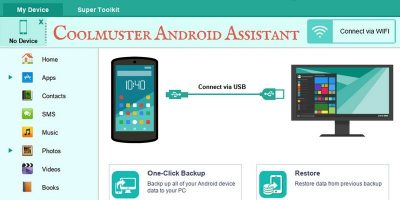
Deleted important data or files from your Android device by accident? Don’t worry, Coolmuster is an all-in-one solution for backing up, restoring, and managing your Android’s data and files.
In Windows, the virtual desktop feature has been ignored for long enough, as it only became a standard feature in the Windows 10 iteration. Learn how you can make use of the Virtual Desktop feature in Windows 10.
One of the new features in Windows 10 is the “My People” feature which was implemented in the Fall update. It’s a useful tool that gives you easier access to your favorite contacts. Let’s take a look at this new feature and see what can be done with it.
Occasionally, your PC’s screen goes totally black and after a while turns back on again. A small notification bubble will inform you that the display driver has stopped responding and had recovered. So what just happened, and how do you fix it?
Windows comes with plenty of options to configure the mouse settings and enhance the mouse experience. Here are some mouse tweaks you can use to become more productive.
These days, a second monitor is standard procedure in many a PC setup, but what if it stops working or Windows doesn’t detect it any more? Here we have the best fixes for this common problem.
The Windows 10 Fall Creator’s Update brought in some new features for Cortana. Check out the new “Talk to Cortana” feature and see if it encourages you to try voice commands in Windows 10.
On a shared computer it is very easy for the hard disk space to be filled with all kinds of data. In such situations you can set a disk quota and limit how much space a user can use on a partition.
Many people upgraded to Windows 10 from Windows 7 and regretted it. If you are looking for a way to get back to Windows 7, here’s how to downgrade from Windows 10 and reinstall windows 7.
If one of your important files gets corrupted, there is a slight chance you might still be able to fix it. Here are a few ways you can repair corrupted files in Windows.
While Microsoft has released emergency updates to patch Meltdown and Spectre bugs. considering the complexity of the bugs, your Windows system may or may not be fully patched.
Windows automatically creates a system restore point once a week, but if you need it to do it daily, here are two ways you can configure Windows to create daily system restore points.
Ellp is a Windows application that will automate your daily task and increase your productivity. It consumes few system resources and helps you set your own rules on how your PC works.
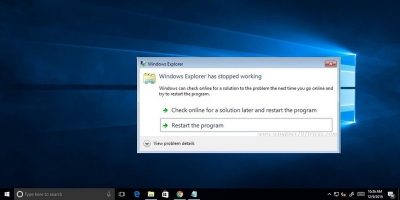
Windows has a thing for crashing, whether it’s an application, Windows Explorer, or Windows itself. If you are facing a Windows Explorer crashing issue, here are the possible solutions that could fix this issue.
If your system dual boots both Windows and Linux, you might notice that it’s impossible to get the system clocks to sync. Fortunately, there’s a relatively easy fix for that.
Microsoft’s latest Timeline feature for Windows 10 finally arrived. Timeline allows you to go back in time and open apps you were working on in the past. Let’s see how Windows Timeline works.
The new Power Throttling feature in Windows Fall Creators update might not be useful in some situations. Learn how you can disable Power Throttling in Windows 10.
The “Troubleshooter” malware scam creates convincing-looking blue screens to trick and panic users to pay up. Here is how you can fix the Troubleshooter malware without spending any money.
While there are plenty of video-editing apps that allow you to trim videos, Windows 10 Fall Creators update comes with this feature built in. Here’s how you can trim videos in Windows 10.