As a general rule, anything calling itself a “Game Booster” won’t boost your games. If you are running Windows, try out some of these tricks to actually improve your gaming performance.
Operating systems have to balance usability, user expectations, and simple operation with security concerns. Finding the right balance is important to building a user base and maintaining longevity.
If you suspect your computer has malware or a security issue, these are some useful ways to see all of the connections it is making, including those unauthorized connections that can harm your computer.
The “Open With” context menu feature has been a pillar of Windows for a long time, so when it stops working, it’s time to take action. Here are our fixes for the “Open With” not working issue in Windows.
In some cases the Recycle Bin in Windows can be more of an annoyance than anything else. Learn how you can disable the Recycle Bin in Windows and remove it from your desktop.
While it is easy to install an antivirus program in Windows, it is relatively difficult to remove it from your system. This article will show how to uninstall antivirus programs in Windows.
Just about everyone uses an administrator account for their primary computer account. If a malicious program or attackers are able to get control of your user account, they can do a lot more damage with an admin account than with a standard account.
Windows Photo Viewer was phased out in Windows 10 in favour of the volatile “Photos” app. This will show how you can get Photo Viewer to work in Windows 10 and set it as your default photo viewing app again.
Have you noticed that Windows puts a little icon in the system tray informing you that you can “safely remove” the USB drive? What does it mean to “safely remove” a USB drive? And do we need to do it with all USB devices?
Changing your default DNS server can boost your security, privacy, and speed. This article explains why you should change your DNS server and how to do so in Windows.
Erasing a file is a straightforward task, but sometimes the wrong files can be deleted. If there is a folder that you don’t ever want to erase, creating an undeletable folder is your best bet.
Windows 10 is a well streamlined beast, but over time it can start to become agonizingly slow to boot. These are the best ways to make Windows 10 boot faster.
The process of formatting your hard drive may sound daunting, but it’s actually fairly easy to do. Here we’ll tell you everything you need to know about formatting a hard drive on Windows 10 and how to do it.
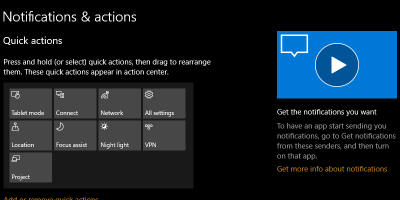
Windows 10 Fall Creators update comes with a new tips section on the right side of every page, but unless you are a complete beginner, you may not be using these tips that often. Here’s how to remove the tips from the Windows 10 Settings app.
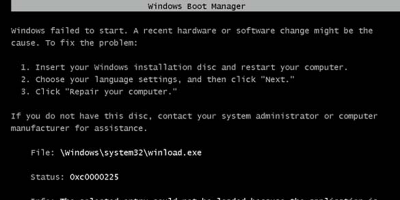
Those experienced in Windows will probably have experienced errors in the MBR (Master Boot Record) at some point. Here’s how to fix MBR errors in Windows 10.
One improvement in the Windows 10 Fall Creators Update was the addition of cross-device web browsing functionality. The feature “Continue on PC” feature connects your PC to your phone so you can share web pages between them.
Microsoft is always on the lookout for ways to make Windows 10 a better operating system. The latest edition, Windows 10 Pro for Workstations, is powerful and one of a kind. Read on to learn more about Windows 10 Pro.