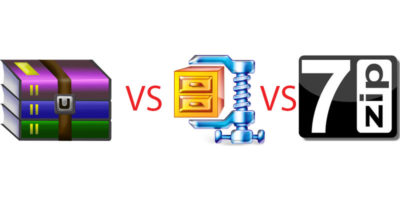
WinZip, WinRAR and 7Zip are three of the most popular file compression tools for Windows, but which gives the best compression result? Let’s check it out.
When you have an issue with your Windows system, you can boot into Safe mode to safely troubleshoot problems. Learn what Safe mode is in Windows 10 and how it is useful to you.
To fix the DNS not responding error, there are several different things you can try. Here are some of the ways you can use to resolve DNS errors in Windows.
If you are an app developer, you will have to test your apps on the latest version of Android. Here is how to set up and run Android Pie 9.0 on your computer.
Notifications can be annoying when they are constantly grabbing your attention. Learn how you can customize Windows 10 notifications to only show the things you want.
Windows 10 has a neat little feature that lets you track your device and lock your PC remotely. This feature is very helpful when your device is stolen.
Windows 10 has had issues with update space before, and that is why it will now automatically reserve 7GB of space dedicated just for update downloads.
If you are an avid keyboard user, then you will love all the new keyboard shortcuts that are introduced in Windows 10 to access all the new features easily. Take a look.
Chromebooks don’t naturally support Windows, but that could change after Google announced they will support dual-booting Windows 10 on their Chromebooks.
If you are using different languages on your Windows 10 machine, enabling the input indicator or language bar allows you to easily switch between languages.
Are you facing problems uninstalling Adobe Creative Cloud products from your Windows 10 PC? Here is a simple method you can use to banish Adobe CC from your PC.