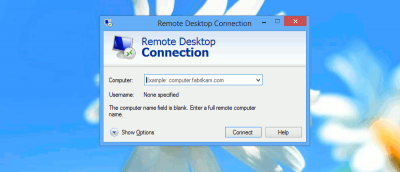
There are tons of things that you can do with your mobile device, and one of them is to remotely access Windows PC and work remotely. Here’s how it works in Android.
Files metadata can contain information that exposes the identity of the owner. If you are concerned about your privacy, here is how you can remove Windows 8 metadata.
A system image allows you to easily restore your computer to an earlier state and without any file loss. Here’s how to create a system image in Windows 8/8.1
The Windows Shadow Copy feature is a useful, but hard to configure feature. we will show you how you can back up and restore data from Windows Shadow Copy.
Dealing with languages in the Windows 8 is cumbersome and buggy at best. We showed you how to change the overall language in Windows 8, now we’ll show you how to set individual app languages.
Microsoft debuted the first public beta of Windows 8.1. You don’t have to install it to find out what’s new. Read on for what you are really getting for Windows 8.1.
Microsoft’s release of Windows 8.1 Preview addresses a number of issues that have bugged users of Windows 8 since it was made available, but many people have run into problems when attempting to install the preview software. If you have not been able to get the Windows 8.1 update installed, here’s what you need to do.
Windows Aero became a popular interface for PC users with the release of Windows Vista in 2007, but only a portion of it still remain in Windows 8. For users who want to utilize Aero features in Windows 8 and are not sure how to do so, here are the methods you can use to enjoy Aero features.
A clogged printer queue is not something you want to deal with. Many who are in such situations watch helplessly as their ink and paper go to waste when their printer incessantly print old documents that they may not even need anymore. Fortunately, it is possible to fix this problem. This article shows you two quick ways to clear printer jobs from the queue.
While Remote Desktop Connection is useful for you to connect to a remote machine, it is utterly useless if it takes forever to connect. Here are some things you can do to speed up the process.
Backing up allows you to recover and get yourself back into the swing of things smoothly and quickly. The key question is – which files, other than our personal data, should we back up to recover from a hard drive crash?
You may prefer the standard bubble notification than the new toast notification in Windows 8. Here is how you can disable toast notifications in Windows 8.
One of the best features in Windows 8 is the ability to bring your “desktop” with you no matter where you use a PC. This article shows you how you can force sync app licenses to the cloud to access them anywhere.
The File Recovery option in Windows 8 allows you to create a system image and back up your files, folders and programs to an external drive or even to a new partition on your computer. If you set up Windows backup properly, it can be a powerful way to keep a backup handy in the event you need to restore not just your computer but also your files.
If your computer hang during the hybrid boot and shutdown process, you may want to disable the hybrid boot and shutdown feature in Windows 8. Here is how you can do so.
If you just bought a new PC, you will know that transferring data and settings from the old PC to the new machine can be a hassle. When you find yourself in this scenario, there’s one application that can answer your call to migrate data and files: Zinstall WinWin. We have a giveaway for this event. Read on for more detail.
Bing is the default search provider in Internet Explorer 10 and it’s very difficult to configure another search provider. In fact, it almost looks impossible. We’ll explain how you can change the search provider in Internet Explorer 10, effectively ending the frantic search for that darned setting.
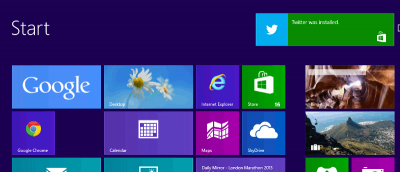
Windows 8 does not give users a way to create or pin live tiles on their own, so users must rely on third party programs to do it. WinAero’s Pin to 8 is a great solution for users looking to pin to the Windows 8 Start Screen.
Microsoft introduced the new interface in Windows 8 that make full use of live tiles, but they failed to gives users the tools to create, modify and tweak the lives tiles. Here is how you can do so.