If you find that some of your keyboard buttons are going unloved, here is how you can remap unused keys in Windows 10 and maximize your keyboard usage.
Windows 10 has a syncing feature that syncs your data between devices. If you are concerned about your privacy, here’s how to control what Windows 10 syncs.
The default guest account in Windows 10 is completely disabled and cannot be turned on. Here’s how you can create your own guest user account in Windows 10.
If you have an external hard disk that needs to be split into different partitions, here is how you can easily partition an external hard disk in Windows 10.
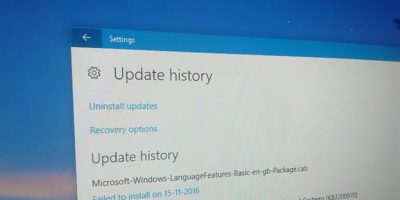
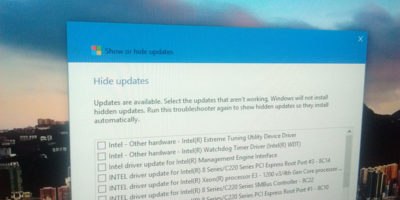
In the event you need to troubleshoot your PC, you can find the Windows update history in Windows 10 and see what has been updated and is causing the issue.
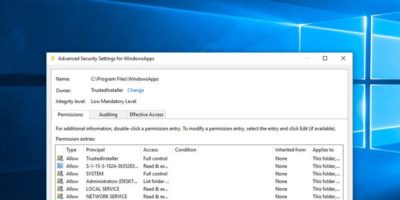
There are times when you take ownership of a system file, and it causes the system to be unstable. Here’s how you can restore the ownership to TrustedInstaller in Windows 10.
Extending a hard drive partition sounds like a difficult task, but luckily it’s not. Here’s how you can easily extend a hard drive partition in Windows 10.
Even though Microsoft is actively pushing Windows 10, its market share is still far behind Windows 7. Did Windows 10 flop? How did things get this way?
Setting the accent color in Windows 10 will apply it to the Start menu, taskbar, title bar, etc. This trick will show you the way to apply the accent color to the taskbar only.
Windows 10 comes with a way for you to manage and change app permissions so you can fine tune and grant the app the appropriate permissions. Here’s how to do that.
Windows 10 comes with an Indexing option for you to quickly search your files. Here are some of the ways to optimize Windows Index for better performance.
For most system administrators, Remote Desktop is one of the most used features in Windows. Here is how you can secure the remote desktop with the credential guard in Windows 10
The lock screen in Windows 10 is not very useful and requires more work to log in to your PC. Here are three ways to disable the lock screen in Windows 10.
There are many apps in Windows 10 that need access to your location. Here is how to set a default location in Windows 10 so the system will always return a location to your app.
For testing it is recommended to use a virtual machine so any fatal changes won’t affect your main system. Here are some virtual machines for Windows 10 that you can use.