• Computing
  • Mobile
  • Lifestyle
  • PC Guides
  • Reviews
  • Tech Explained
    • Windows
    • Linux
    • Mac
    • ChromeOS
    • Android
    • iOS
    • Gadgets
    • Productivity
    • Smart Home
    • Social Media
    • Gaming
  • Internet
  • Tech Explained
  • News

More from us

  • Reviews
  • Cheatsheets
  • Buying Guides
  • Deals
  • Newsletter

How to Increase Line Spacing in Terminal for Better Reading [Mac]

The line spacing of the command for the Terminal app in Mac is tiny. Here is how you can change the line spacing in the Terminal app in Mac.

By Mahesh Makvana – Jan 15, 2015

How to Install and Configure Cygwin in Windows Environment

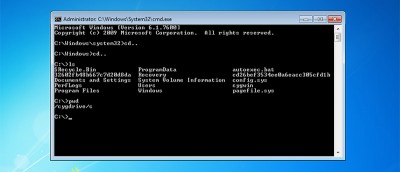
For those who are missing the Linux terminal in Windows, you can use Cygwin to do the same task. Learn how to install and configure Cygwin in Windows.

By Vamsi Krishna – Sep 28, 2014

How to Batch Convert Text Files to Other Formats in Mac (Via the Terminal)

A lot of you might have your own method to convert a text file to another format. Here’s a simple way to batch convert text files to other format in Mac. Check it out.

By Shujaa Imran – Sep 8, 2014

How to Share a Terminal Session with Friends

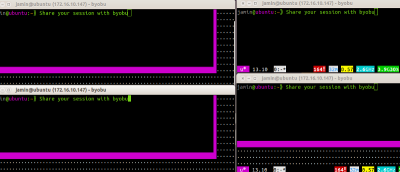
If you are having problem with your terminal session in Linux or Mac, you can easily share terminal session with your friends and get them to help you. Here’s how to do it.

By Jamin Becker – Sep 3, 2014

Fish: A Better Alternative to Bash That Many Are Not Aware of

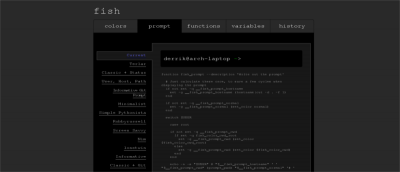
Have you ever wanted to get away from Bash when using Linux? Enter Fish shell, a great alternative with tons of neat features.

By Derrik Diener – Aug 30, 2014

Reset OS X Account With the Terminal In Single-User Mode

Have you tried all means to reset your OS X password without any success? The last resort to reset OS X account is via the use of Terminal Single User mode. Let check it out.

By Shujaa Imran – Aug 28, 2014

How to Take Full Length Screenshots of Websites from Linux Terminal

Gnome-web-photo is a useful Gnome application that you can use to capture full length screenshot of website. Let’s check it out how it works.

By Damien Oh – Jun 6, 2014

Writing Spreadsheets from the Linux Command Line

If you can run text editors running from the command line, what about a spreadsheet? This command line spreadsheet app “sc” is the one for you.

By Gary Sims – Jun 5, 2014

How to Clear and Manage “Recent Places” In OS X

Don’t like the choices in the Recent Places in OS X? Here’s how to clear out that list, manage it, and set the number of entries in Recent Places.

By Shujaa Imran – May 30, 2014

How to Fix Missing Users Folder In OS X 10.9.3 Mavericks

The latest OS X 10.9.3 Mavericks update came with a new missing Users folder bug. If you are affected by this, here’s the fix to restore your Users folder.

By Shujaa Imran – May 27, 2014

How to Manipulate HTML and XML Files from the Command Line

The HTML-XML package is a set of simple utilities for manipulating HTML and XML files from the command line. Here is how you can use it in Ubuntu and other Linux distro.

By Gary Sims – May 26, 2014

How to Easily Fix a Mac Stuck in Expose View

The Expose feature in Mac allows you to view all open applications at once. However, there is a bug in Mac that cause Expose to stuck. Here’s the fix.

By Shujaa Imran – May 23, 2014

How to Play Games from the Linux Terminal

There was a time when the only games that could be played were text based. If you are up for a bit of nostalgia, you still can play games from the Linux terminal.

By Gary Sims – May 22, 2014

How to Easily Revert an Accidental Language Change in OS X

Mistakenly have an OS X language change to something unknown? No issues, we’ve got you covered. Follow these two methods to revert back your language.

By Shujaa Imran – May 13, 2014

Get the Most from Your Terminal Window with Tabs and Other Customizations

if you spend any length of time using the terminal, you may find that you want to customize it to better fit your needs.

By Gary Sims – May 8, 2014

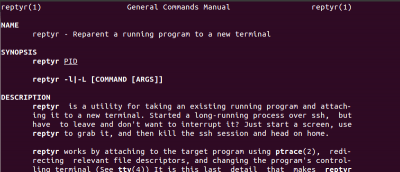
Reptyr – Moving Processes to Another Screen Shell [Linux]

The Reptyr tool, as the name suggests, is a command line utility that takes a running process form one terminal and migrates it to another. Check out how it works.

By Richa – Apr 15, 2014

How to Use Terminal to Convert Audio Files to Ringtones in OS X

There are many tools that you can use to convert audio files to ringtones. In Mac OSX, you can use the afconvert utility in Terminal to get the work done. Here’s how to do it.

By Shujaa Imran – Apr 15, 2014

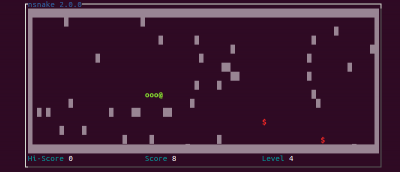
Play the Classic Snake Game in the Linux Terminal

While there are tons of games that you can play on your PC, nothing beat the old classic snake game, and make it better, play it in the Linux terminal.

By Damien Oh – Apr 14, 2014

Open Multiple Applications Simultaneously in Ubuntu

Instead of opening one application at a time, you can use this simple trick to open multiple applications simultaneously. Work in Linux and Mac.

By Damien Oh – Mar 12, 2014

2 Simple Applications That Record Your Terminal Session as Video [Linux]

If you like to record your terminal session and save it in video format, here are 2 applications that allow you to record your terminal session as video. Work with both Linux and Mac.

By Damien Oh – Mar 4, 2014

Pagination

<1…1112>

Trending

Twitch Vs Youtube Gaming Vs Facebook Gaming Featured

Twitch vs. Facebook Gaming vs. YouTube Gaming: What’s the Best Live Game Streaming Platform?

Mar 31, 2026

Anytype Android

I Swapped Notion for Anytype on Android, And I’m Not Going Back

Mar 31, 2026

What Is Emulation Featured

What is Emulation? Benefits, Downsides and More

Mar 31, 2026

Play Legend Of Zelda Pc Featured

How to Play The Legend of Zelda on PC

Mar 31, 2026

Nvidia Dlss Featured

What Is NVIDIA DLSS? Upscaling and DLSS Alternatives Explained

Mar 30, 2026

Featured Image depicting the latest Windows10 and 11 Update Problems

Latest Windows Update Problems and How to Fix Them

Mar 30, 2026

More Posts >

Affiliate Disclosure: Make Tech Easier may earn commission on products purchased through our links, which supports the work we do for our readers.

Uncomplicating the complicated, making life easier

Make Tech Easier provides tech tutorials, reviews, tips and tricks to help you navigate the complicated world of technology. We aim to uncomplicate the complicated, making your life easier.

  • About
  • Contact
  • Advertise
  • Editorial Guidelines
  • Terms of Use
  • Privacy Policy
  • RSS Feed Terms

© 2026 Uqnic Network Pte Ltd.
All rights reserved.