How do you get your hands on old, authentic game cartridges? Fortunately, there are a number of online retailers where you can buy retro video games online.
There are a number of classic games, also known as optional packages, you can play in RetroPie that are completely free and totally legal. Check them out!
RetroPie is an excellent way to relive all of your video game nostalgia, and here we feature some RetroPie customization tips to make it more pleasing to the eye.
The small form factor of a single-board computer allows people to create impressive DIY gaming systems. These are some DIY retropie projects you can complete in one day.
Retro gaming is as popular as ever. If you want to game on the go, here are the best Sega Genesis games, from the 16-bit era, you can play on your phone.
A number of websites have popped up that are dedicated to preserving old video games. The best part is all of the games are playable directly within your browser.
RecalBox is an operating system that includes a wide variety of video game consoles, arcade systems and PCs. This guide will go through the steps to install and configure RecalBox on a Raspberry Pi.
When it comes to video game emulation, RetroPie is the most popular operating system around, while RecalBox is gaining its share of fans. Find out the pros and cons of RetroPie vs. RecalBox and which one you should use.
You can easily set up the Raspberry Pi to become a retro gaming machine with RetroPie. Here’s how you can transfer ROMs to Retropie and start playing games.
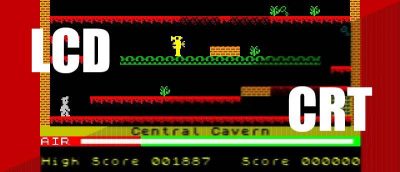
Want to get the full retro gaming experience that you once had on a CRT display? In this article we’ll help you do that using Retropie via the careful application of the built-in shaders.
For those who have difficulty figuring out the joystick modes and file system problems in Retropie, here’s how you can properly configure Retropie in Raspberry Pi.
Retro gaming is fun, but antique game consoles can be expensive! Fortunately there are free emulators out there for OS X Yosemite that run classic games.