• Computing
  • Mobile
  • Lifestyle
  • PC Guides
  • Reviews
  • Tech Explained
    • Windows
    • Linux
    • Mac
    • ChromeOS
    • Android
    • iOS
    • Gadgets
    • Productivity
    • Smart Home
    • Social Media
    • Gaming
  • Internet
  • Tech Explained
  • News

More from us

  • Reviews
  • Cheatsheets
  • Buying Guides
  • Deals
  • Newsletter
Featured Image Ram Take Note While Upgrading

What to Take Note of When Upgrading Your RAM

Adding more memory is the best way to boost your computer performance. This tutorial covers the most important criteria to take note of when upgrading your RAM.

By Sayak Boral – Jun 10, 2020

Ram Feature

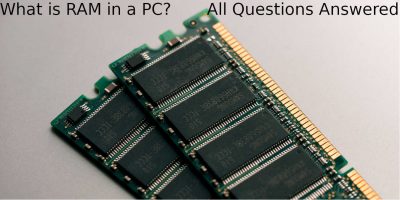
What Is RAM in a PC? All Questions Answered

The RAM in a laptop is used to store temporary files so the CPU can process them faster without waiting for a slow hard disk.

By John Perkins – Jun 9, 2020

Use Zswap to Improve Performance on Linux PC with Low Amounts of RAM

On an old Linux PC with a small amount of RAM, you can use zswap to compress the swap files and make the PC run faster. Here’s how to do it.

By Alexandru Andrei – Nov 21, 2018

How to Save Costs by Upgrading an Older Mac Rather than Buying a New Mac

Apple has soldered in many parts to their newer Macs to prevent users from upgrading. One way to save costs is to buy and upgrade an older Mac instead of getting a new one.

By Corbin Telligman – May 13, 2017

First Time Getting a Laptop? Here is What You Need to Look Out For

When buying a laptop for the first time, some users will find the advertised system specs quite confusing. Here are the specs of a laptop you should look for when getting your first laptop.

By Simon Batt – Oct 12, 2016

How to Speed Up Your Mac Using the Purge Command

How to Speed Up Your Mac Using the Purge Command

Sometimes the easiest way to speed up your Mac is by clearing the cache and RAM contents. Best of all, you can use the purge command to do so. Here’s how.

By Mahesh Makvana – Jul 11, 2016

Visualize Memory Use on Linux with Smem

Visualize Memory Use on Linux with Smem

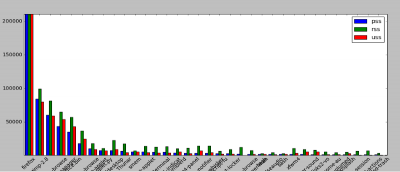
Using smem, you can view a color-coded bar and pie chart of the memory used by processes in a Linux system.

By Obaro Ogbo – May 4, 2015

How to Increase the Memory Limit for 32-bit Applications in Windows 64-bit OS

Did you know that 32-bit applications are limited to using only 2GB of RAM? Here we show you how to increase the memory limit for 32-bit applications

By JJ – Aug 13, 2011

Pagination

<12

Trending

Twitch Vs Youtube Gaming Vs Facebook Gaming Featured

Twitch vs. Facebook Gaming vs. YouTube Gaming: What’s the Best Live Game Streaming Platform?

Mar 31, 2026

Anytype Android

I Swapped Notion for Anytype on Android, And I’m Not Going Back

Mar 31, 2026

What Is Emulation Featured

What is Emulation? Benefits, Downsides and More

Mar 31, 2026

Play Legend Of Zelda Pc Featured

How to Play The Legend of Zelda on PC

Mar 31, 2026

Nvidia Dlss Featured

What Is NVIDIA DLSS? Upscaling and DLSS Alternatives Explained

Mar 30, 2026

Featured Image depicting the latest Windows10 and 11 Update Problems

Latest Windows Update Problems and How to Fix Them

Mar 30, 2026

More Posts >

Affiliate Disclosure: Make Tech Easier may earn commission on products purchased through our links, which supports the work we do for our readers.

Uncomplicating the complicated, making life easier

Make Tech Easier provides tech tutorials, reviews, tips and tricks to help you navigate the complicated world of technology. We aim to uncomplicate the complicated, making your life easier.

  • About
  • Contact
  • Advertise
  • Editorial Guidelines
  • Terms of Use
  • Privacy Policy
  • RSS Feed Terms

© 2026 Uqnic Network Pte Ltd.
All rights reserved.