Find out how to compress PDF documents and files for free without uploading them.
By Crystal Crowder – Feb 18, 2023
Looking for the files you downloaded? Learn how to find downloaded files like PDFs, images, videos, etc. on iPhone and iPad.
By Mehvish Mushtaq – Feb 17, 2023
Making a reference to a PDF in Word? This tutorial shows various ways to insert a PDF into a Microsoft Word document.
By Sandy Writtenhouse – Feb 16, 2023
A password-encrypted PDF can be a pain when distributing documents online. Learn how you can easily remove a password from a PDF in Linux.
By Ramces Red – Feb 10, 2023
Sometimes you need to sign a document on the go. If you have an Android phone, learn how to sign a PDF on Android.
By Alexandra Arici – Feb 1, 2023
Troff is a lightweight yet powerful text processor for Linux. Learn how to create PDF documents with this old school program.
By Ramces Red – Jan 31, 2023
LightPDF convertor is an online tool that lets you quickly convert PDFs to Word documents, among other things.
By Alexandra Arici – Dec 29, 2022
Have similar PDF files that really should be one file? Learn how to combine PDF files on Windows and Linux using several different tools.
By Crystal Crowder – Dec 13, 2022
The next time you need to sign and/or fill out a PDF on your Mac, use the built-in Preview app. This tutorial shows you how.
By Brahm Shank – Dec 12, 2022
The Markup tool in iOS allows you to easily add your signature to documents. Learn how use it to sign a PDF on iPhone.
By Mehvish Mushtaq – Nov 28, 2022
Learn how to sign a PDF in Windows without a third-party app. You don’t even need an internet connection to add your signature!
By Natalie dela Vega – Nov 15, 2022
Make your PDFs easier to open
By Sayak Boral – Oct 31, 2022
Easily access thousands of Visual CertExam (VCE) files.
By Megan Glosson – Sep 26, 2022
Editing text in a PDF is easier than you think.
By Sayak Boral – Sep 9, 2022
Stop digging through folders to find your most-used PDFs.
By Mehvish Mushtaq – Aug 17, 2022
If you have to combine scanned documents on macOS, you can do so without additional software. This post shows you how to do it!
By Tom Rankin – Jul 26, 2021
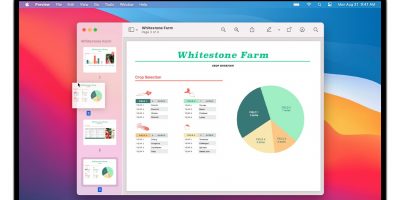
It is easy to extract a page from a PDF document in macOS. All you need is the Preview app. No third-party software is required.
By David Joz – May 27, 2021
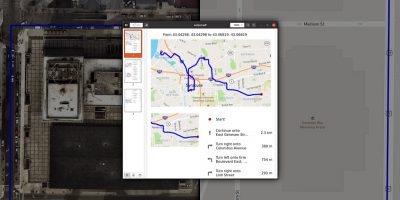
If you are a Linux user, you can use Gnome Maps to find the best route to your desired destination and export the map as a PDF to take with you.
By Odysseas Kourafalos – Jul 6, 2020
Chrome for Android has a built-in tool to help you print to PDF. Learn how it works and to print and save pages you want for later.
By Crystal Crowder – May 29, 2020
When you’re trying to draw customers’ eyes to your product, presentation counts. Thanks to FlipBook PDF, you can turn your PDF files into a digital flipbook.
By Kris Wouk – Aug 12, 2019
Pagination
Affiliate Disclosure: Make Tech Easier may earn commission on products purchased through our links, which supports the work we do for our readers.