• Computing
  • Mobile
  • Lifestyle
  • PC Guides
  • Reviews
  • Tech Explained
    • Windows
    • Linux
    • Mac
    • ChromeOS
    • Android
    • iOS
    • Gadgets
    • Productivity
    • Smart Home
    • Social Media
    • Gaming
  • Internet
  • Tech Explained
  • News

More from us

  • Reviews
  • Cheatsheets
  • Buying Guides
  • Deals
  • Newsletter
How to Make Animated GIFs With Right-Click on Your Mac

How to Make Animated GIFs with Right-Click on Your Mac

Did you know that you can create animated gifs on a Mac without a third-party app? All it takes is an Automator service and the right-click button.

By Mahesh Makvana – Apr 12, 2016

Search Subtitles for Your Movies with FlixTools Lite

Search Subtitles for Your Movies with FlixTools Lite [Mac]

Watching movies in a language other than your native one is possible but hard to understand. Here’s how to search subtitles for movies so you’ll enjoy them.

By Jeffry Thurana – Apr 11, 2016

How to Access Photo Booth Images on Your Mac

How to Access Photo Booth Images on Your Mac

If you use the Photo Booth app for Mac, you’ve probably noticed pictures are saved to a secret place, making it hard to access the images. Here’s a solution.

By Mahesh Makvana – Apr 9, 2016

Keep Beautiful Journal in Mac, iPhone, and iPad with Day One

Keep a Beautiful Journal in Mac, iPhone, and iPad with Day One

Day One is a beautiful journaling app that can make you look forward to writing a journal regularly. It’s available for Mac, iOS, and Apple Watch. Check it out.

By Jeffry Thurana – Apr 7, 2016

How to Set a Photo Library As the Screen Saver on Your Mac

How to Set a Photo Library as the Screen Saver on Your Mac

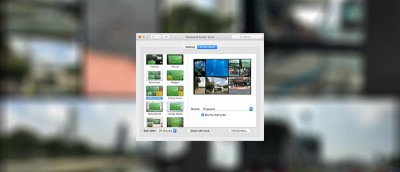
Did you know that the Mac’s built-in system panel allows you to set a photo library as the screen saver on your Mac? Here’s how it’s done.

By Mahesh Makvana – Apr 3, 2016

How to Dim the Display Further on Your Mac

How to Dim the Display Further on Your Mac

Have you ever wanted to dim the display on your Mac below the default setting? If so, check out this free app called Shady.

By Mahesh Makvana – Mar 29, 2016

Extend Your MacBook Battery Life with Fruit Juice

Extend Your MacBook Battery Life with Fruit Juice

Fruit Juice is a battery management app that sits silently in the menubar while analyzing your battery to help extend your Macbook’s bettery life. Here’s how it works.

By Jeffry Thurana – Mar 24, 2016

optical-drive-laptop-featured

How to Access Optical Drives on Other PCs on Your Mac

Some Mac machines do not have an optical drive. If you have a PC desktop or laptop, you can easily access optical drives over your network. Here’s how.

By Phil South – Mar 23, 2016

How to Change the Launchpad Layout on Your Mac

How to Change the Launchpad Layout on Your Mac

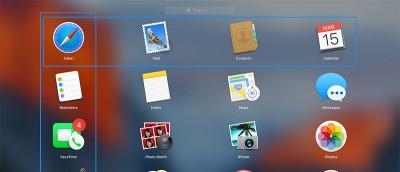
Want to change up the Launchpad layout on your Mac? The following method lets you change the number of rows and columns for apps in Launchpad.

By Mahesh Makvana – Mar 22, 2016

How to Stop the Cursor From Getting Bigger in OS X El Capitan

How to Stop the Cursor from Getting Bigger in OS X El Capitan

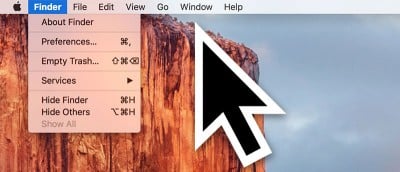
In El Capitan you can find where the cursor is by shaking your fingers on the trackpad to make the cursor get bigger. Don’t like this effect? Here’s how to disable it.

By Mahesh Makvana – Mar 20, 2016

How to Adjust Volume and Brightness in Smaller Increments on Your Mac

How to Adjust Volume and Brightness in Smaller Increments on Your Mac

There’s now a way to change both volume and brightness on your Mac in smaller increments. The trick allows you to change levels in as small as 25% of the default bar.

By Mahesh Makvana – Mar 19, 2016

How to Hide the Menu Bar in OS X El Capitan

How to Hide the Menu Bar in OS X El Capitan

Did you know there’s a way to automatically hide the menu bar on your Mac so that you don’t see it unless you move your cursor near it? Here’s how it’s done.

By Mahesh Makvana – Mar 18, 2016

ZeroNet: A p2p Website Service Based on Bitcoin and Torrent Technology

ZeroNet: A p2p Website Service Based on Bitcoin and Torrent Technology

ZeroNet is a P2P networking tool powered by BitTorrent & encrypted with Bitcoin tech. It lets you access and host websites in peer-to-peer fashion.

By Derrik Diener – Mar 15, 2016

How to Find the Uptime of Your Mac

How to Find the Uptime of Your Mac

Looking to find the uptime of your Mac? There are two ways to see this info, neither requiring a third-party app. Here are those methods.

By Mahesh Makvana – Mar 13, 2016

How to Add a Location to an Image in Photos for Mac

How to Add a Location to an Image in Photos for Mac

If you have images that do not have location data embedded, here’s how you can add a location to an image in Mac.

By Mahesh Makvana – Mar 12, 2016

filepane-featured

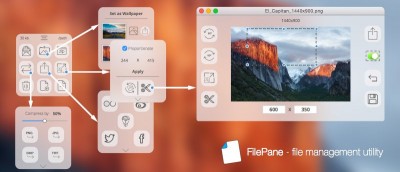
Filepane for Mac: Add Useful Drag-and-Drop Actions to Improve Your Productivity

Filepane is a nifty little tool for Mac to add useful drag-and-drop actions to your system and allow you to complete mundane tasks quickly. Let’s check it out.

By Damien Oh – Mar 10, 2016

How To Manage Your TV Shows Collection Automatically With Sonarr

How to Manage Your TV Shows Automatically With Sonarr

The Internet comes with the solution to watch whatever TV shows you want, at whatever time. Sonarr is one of the best tools to do it. Here’s how it works.

By Jeffry Thurana – Mar 8, 2016

Improve Your Mac Sound Quality with Boom

Improve Your Mac Sound Quality with Boom

Not 100% happy with the sound quality when listening to music or watching videos on your Mac and yearning for more? Check out Boom 2.

By Jeffry Thurana – Mar 7, 2016

Liquid Info - The Fastest Way to Get More Information on Selected Text

Liquid – The Fastest Way to Get More Information on Selected Text [Mac]

Meet Liquid, your free personal search bar for Mac that helps to simplify the process of getting more information on selected text.

By Jeffry Thurana – Mar 4, 2016

Download Any Video from the Web with Downie

Download Any Video from the Web with Downie

Downie is a Mac-only video downloader tool that is very easy to use. After installing a browser extension, you can download any video from a site just by clicking the browser extension’s icon.

By Jeffry Thurana – Mar 3, 2016

Pagination

<1…19202122>

Trending

A Greenland shark caught in 2016 was carbon-dated to roughly 400 years old, meaning it was already swimming the Arctic when Shakespeare was writing Hamlet — and biologists still can't explain how its cells resist ageing

In 2026, scientists assembled the Greenland shark’s 5.9-billion-letter genome and examined retinas from animals more than a century old, finding intact vision, expanded DNA-repair pathways and unusual chromatin machinery inside a vertebrate believed capable of surviving for nearly four centuries

Jul 24, 2026

At 3 gigahertz, a processor has only a third of a nanosecond between clock ticks, enough time for light to travel about 10 centimetres in vacuum before real interconnects, logic gates and capacitance shrink the distance a signal can cross on the chip

Jul 24, 2026

When Adobe announced Flash’s end-of-life in July 2017, it closed a technology that had once run on 99 per cent of desktops — and took with it an estimated four million animations, games and interactive works now preserved only by an amateur archive called Flashpoint

Jul 24, 2026

When Japan’s trade ministry put the PlayStation 2 under export control in April 2000, its 6.2-gigaflop hardware was considered adaptable for missile guidance, briefly forcing anyone exporting more than one console to seek government approval

Jul 24, 2026

How did a failed CD deal between Sony and Nintendo in 1991 accidentally create the console that would sell 155 million units and reshape gaming?

How did a failed CD deal between Sony and Nintendo in 1991 accidentally create the console that would sell over 100 million units and reshape gaming?

Jul 24, 2026

Every QR code hides three larger squares in its corners — they let a scanner find the code at any angle, and the pattern also carries enough redundancy to still read after roughly 30 per cent of the code is damaged or covered

Standard QR codes hide three larger squares in their corners so scanners can orient them from any angle, while their strongest Reed-Solomon setting can restore roughly 30 per cent of damaged codewords, though not necessarily 30 per cent of the visible square

Jul 24, 2026

More Posts >

Affiliate Disclosure: Make Tech Easier may earn commission on products purchased through our links, which supports the work we do for our readers.

Uncomplicating the complicated, making life easier

Make Tech Easier provides tech tutorials, reviews, tips and tricks to help you navigate the complicated world of technology. We aim to uncomplicate the complicated, making your life easier.

  • About
  • Contact
  • Advertise
  • Editorial Guidelines
  • Terms of Use
  • Privacy Policy
  • RSS Feed Terms

© 2026 Uqnic Network Pte Ltd.
All rights reserved.