• Computing
  • Mobile
  • Lifestyle
  • PC Guides
  • Reviews
  • Tech Explained
    • Windows
    • Linux
    • Mac
    • ChromeOS
    • Android
    • iOS
    • Gadgets
    • Productivity
    • Smart Home
    • Social Media
    • Gaming
  • Internet
  • Tech Explained
  • News

More from us

  • Reviews
  • Cheatsheets
  • Buying Guides
  • Deals
  • Newsletter
encfsgui-featured

Easily Create and Mount an Encrypted Folder in Mac OS X with EncFSGui

Looking for a GUI tool to automate the mounting of your EncFS-encrypted folder? Check out EncFSGui for Mac OS X.

By Damien Oh – Jun 3, 2016

How to Quickly Resize Images on Your Mac

How to Quickly Resize Images on Your Mac

Did you know that you can use the built-in Automator app on your Mac to create a service to resize images to specified values? Resized images are available instantly!

By Mahesh Makvana – May 31, 2016

Alternote - A Clutter-Free and More Powerful Evernote-Based Note Taking App

Alternote – A Clutter-Free and Powerful Evernote-Based Note-Taking App For Mac OS X

Alternote is an Evernote-based note-taking and organizing app that retains your collection while giving you more features and a better writing experience.

By Jeffry Thurana – May 31, 2016

How to Set Gmail as the Default Mail App in Various Browsers on Your Mac

How to Set Gmail as the Default Mail App in Various Browsers on Your Mac

If you’re looking to open the Gmail website whenever you click on email links in various browsers on your Mac, here’s how to set the Gmail website as the default mail app.

By Mahesh Makvana – May 28, 2016

How to Convert a DOCX File to a PDF File on Your Mac

How to Easily Convert a DOCX File to PDF in Mac OS X

There are multiple ways to convert a DOCX file to a PDF file on your Mac. However, this is one the most convenient and fastest ways because it only requires right-clicking on a Word file.

By Mahesh Makvana – May 27, 2016

How to Automatically Quit or Hide Apps After Certain Period on Your Mac

How to Automatically Quit or Hide Apps After Inactivity on Your Mac

Quitter is a Mac app that helps you automatically quit the apps that have been open for some time but are not used to help free up resources. Here’s how it works.

By Mahesh Makvana – May 25, 2016

How to Schedule Emails in the Mail App for Mac

How to Schedule Emails in the Mail App on Mac

You can’t schedule emails in the Mac Mail app natively, but with a little trick and an Automator script, scheduling emails is a snap. Here’s how it’s done.

By Mahesh Makvana – May 24, 2016

How to Create a Blank Disk Image on Your Mac

How to Create a Blank Disk Image on Your Mac

Want to create a blank disk image on your Mac for your storage? This guide will help you do that so that you can add and delete files as needed.

By Mahesh Makvana – May 17, 2016

How to Create a Reminder For an Email on Your Mac

How to Create a Reminder for an Email on Your Mac

Did you know that the Mac Reminders app allows you to easily create a reminder for emails so you don’t forget about them? Here’s how to do that.

By Mahesh Makvana – May 12, 2016

How to Install Command Line Tools Without Xcode on Your Mac

How to Install Command Line Tools without Xcode on Your Mac

Want to run UNIX commands on your Mac via the Command Line Tools utilities? You can do so with our without Xcode. Here’s how to do it without.

By Mahesh Makvana – May 9, 2016

How to Remove Adobe Flash From Your Mac

How to Remove Adobe Flash from Your Mac

If you find Adobe Flash on your Mac to be a threat to the security of your machine, you can follow this guide to get that utility removed.

By Mahesh Makvana – May 8, 2016

How To Authorize and Deauthorize a Computer in iTunes

How To Authorize and Deauthorize a Computer in iTunes

Part of Apple’s DRM system requires that all content endpoints be authorized to use the content you buy and use on them. Here’s how to authorize and deauthorize a computer.

By Chris Spera – May 7, 2016

How to Set the Default Calendar in OS X and iOS

How to Set the Default Calendar in OS X and iOS

If you have several calendars for different purposes, you may want to set one of them as the default calendar. Here’s how to set the default calendar in OS X and iOS.

By Mahesh Makvana – Apr 30, 2016

How to Lock the Notes on Your Mac

How to Lock the Notes on Your Mac

Want to keep the notes on your Mac private? Here’s how to lock them so that only you can see what’s in them and no one else.

By Mahesh Makvana – Apr 26, 2016

How to Hide a ZIP Archive in an Image File on a Mac

How to Hide a ZIP Archive in an Image File on a Mac

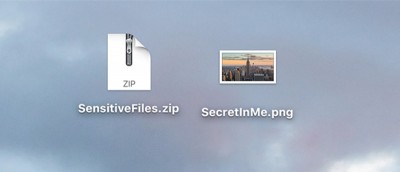
If you have files you don’t want nosy eyes to see on your Mac, this tutorial shows how to hide files (zip archive) inside another file (image). Users only see the image file and not the zip archive.

By Mahesh Makvana – Apr 25, 2016

How to Convert Pages Files to Microsoft Word Format

How to Convert Pages Files to Microsoft Word Format

If you have some Pages files that you want to be able to open in Microsoft Word, here’s two methods of converting them from Pages to Word.

By Mahesh Makvana – Apr 24, 2016

How to Hide the Device Icons on the Desktop of Your Mac

How to Hide the Device Icons on a Mac Desktop

Looking to keep your Mac desktop uncluttered? One option is to hide the device icons. Here are two ways to hide them, allowing you to get them back when desired.

By Mahesh Makvana – Apr 23, 2016

How to Record the Screen of Your iPhone Using QuickTime on Your Mac

How to Record Your iPhone Screen Using QuickTime on Your Mac

If you’re looking to record your iPhone screen without using third-party apps, here’s how to do so using QuickTime on your Mac.

By Mahesh Makvana – Apr 22, 2016

How to Transfer Notes From Evernote to Apple Notes

How to Transfer Notes from Evernote to Apple Notes

If you’re an Evernote user wanting to switch to Apple Notes, you’re in luck. Apple has made it easy to migrate from Evernote to Apple Notes. Here’s how.

By Mahesh Makvana – Apr 16, 2016

sega-dreamcast

Emulating the Sega Dreamcast on the Mac

Feeling a little nostalgic and looking to play Sega Dreamcast games on your Mac? This article shares different ways to emulate this retro system on the Mac.

By Phil South – Apr 13, 2016

Pagination

<1…18192021>

Trending

A Greenland shark caught in 2016 was carbon-dated to roughly 400 years old, meaning it was already swimming the Arctic when Shakespeare was writing Hamlet — and biologists still can't explain how its cells resist ageing

In 2026, scientists assembled the Greenland shark’s 5.9-billion-letter genome and examined retinas from animals more than a century old, finding intact vision, expanded DNA-repair pathways and unusual chromatin machinery inside a vertebrate believed capable of surviving for nearly four centuries

Jul 24, 2026

At 3 gigahertz, a processor has only a third of a nanosecond between clock ticks, enough time for light to travel about 10 centimetres in vacuum before real interconnects, logic gates and capacitance shrink the distance a signal can cross on the chip

Jul 24, 2026

When Adobe announced Flash’s end-of-life in July 2017, it closed a technology that had once run on 99 per cent of desktops — and took with it an estimated four million animations, games and interactive works now preserved only by an amateur archive called Flashpoint

Jul 24, 2026

When Japan’s trade ministry put the PlayStation 2 under export control in April 2000, its 6.2-gigaflop hardware was considered adaptable for missile guidance, briefly forcing anyone exporting more than one console to seek government approval

Jul 24, 2026

How did a failed CD deal between Sony and Nintendo in 1991 accidentally create the console that would sell 155 million units and reshape gaming?

How did a failed CD deal between Sony and Nintendo in 1991 accidentally create the console that would sell over 100 million units and reshape gaming?

Jul 24, 2026

Every QR code hides three larger squares in its corners — they let a scanner find the code at any angle, and the pattern also carries enough redundancy to still read after roughly 30 per cent of the code is damaged or covered

Standard QR codes hide three larger squares in their corners so scanners can orient them from any angle, while their strongest Reed-Solomon setting can restore roughly 30 per cent of damaged codewords, though not necessarily 30 per cent of the visible square

Jul 24, 2026

More Posts >

Affiliate Disclosure: Make Tech Easier may earn commission on products purchased through our links, which supports the work we do for our readers.

Uncomplicating the complicated, making life easier

Make Tech Easier provides tech tutorials, reviews, tips and tricks to help you navigate the complicated world of technology. We aim to uncomplicate the complicated, making your life easier.

  • About
  • Contact
  • Advertise
  • Editorial Guidelines
  • Terms of Use
  • Privacy Policy
  • RSS Feed Terms

© 2026 Uqnic Network Pte Ltd.
All rights reserved.