Mobile Safari in iOS 10 provides top-notch web surfing for the iPhone. Find out some of its new features and tips to troubleshoot its performance issue.
Have you ever fallen for a prank that you really shouldn’t have? Let’s take a look at five of the harshest examples that left users with an expensive brick.
iPhone 6/6S users don’t have to be sad over the improved camera in iPhone 7. Here are 5 useful camera features in iPhone 6 that you might have overlooked that make your phone still one of the best.
With the release of the iPhone 7, is now the right time to go for a 6S? Is iPhone 6S still worth getting? Here’s a guide to help you make a decision about which Apple device is right for you.
Everyone who uses a mobile phone knows the frustration of it being filled with unwanted apps out of the box. Are pre-installed apps on your phone junk or useful?
Did you know the Japanese keyboard on iPhone offers a secret Emoji keyboard called “Kaomojis?” Kaomojis are face emotions made using letters, numbers & symbols. Here’s how it works.
iMyfone is a data recovery software for iPhone that uses smart scanning technology & works on Windows. Check out how it works & enter to win a license key.
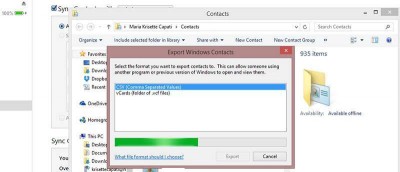
Do you have thousands of contacts on your iPhone? Whether you need to create a backup or want to export, here’s how to export iPhone contacts in Windows 8.
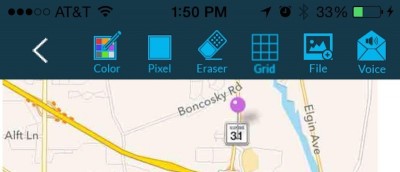
If you’re looking for an app to help you simply compare notes, Live Sketchpad isn’t the one, but it is if you would like to actually hear what your coworker or friend thinks.
If you don’t want your contact list to be inmudated with hundreds of Facebook friends, here is an easy fix to remove Facebook contacts from your iPhone.
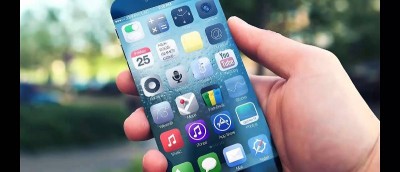
Even before Apple releases a phone, people often know the buzz before it reaches the market. Here are some rumors on what iPhone 6 might look like and work.
When you change your handset, one of the most annoying tasks is to transfer contacts from your old phone to the new one. One way to transfer your contacts from iPhone to any other device would be to connect it to your computer, sync the contacts using iTunes and pray that the new device can sync with iTunes as well. Here are a few ways you can easily transfer contacts from iPhone to Android.