

If you work from more than one computer, then you probably have a system in place for syncing data between them. Files are now easily synced with applications like Dropbox and Google Drive. For web browsers, Google Chrome and Firefox both offer syncing features across multiple devices.
TabCloud is another syncing tool for web browsers. The extension records and saves your open tabs in real time so you can view them at a later time or on another device. Here’s how it works:
Download and install the extension from the Chrome Web Store for all your devices.
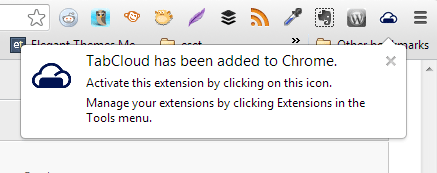
The TabCloud icon is added on the top right corner of your browser.
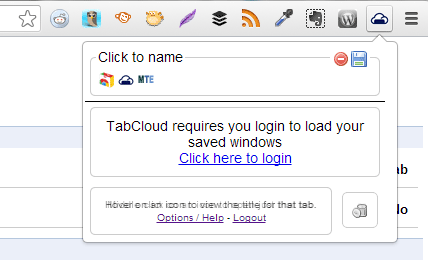
With your current tabs open, click on the TabCloud icon. You’re prompted to log in to save your windows. Click on the link and enter your Google user name and password on the next page.
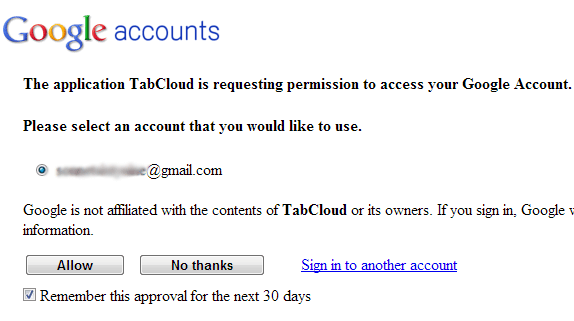
Click on Allow on the permissions page after logging in to Google. This takes care of syncing the browsing data across several devices.
Once you’re logged in, you can start saving your browsing sessions. To see your recorded tabs, click on the cloud icon again. Here you can type in a name for these tabs — each set of tabs are called windows. You can name windows by date, website type, or anything that will help you remember what they are when you view it later. To save the current window, click on the disk icon. Saved windows can now be deleted or restored.
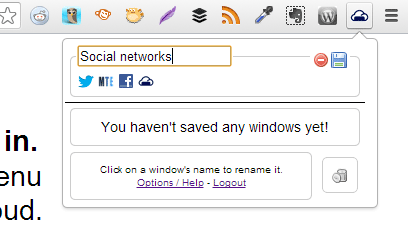
Each tab is represented by its website’s icon, and are lined up below each window name. You can hover the mouse pointer over each of them to view more details about the website. The minus sign deletes the saved window. You can also drag a single tab to the trash bin icon on the bottom left corner to remove it from windows.
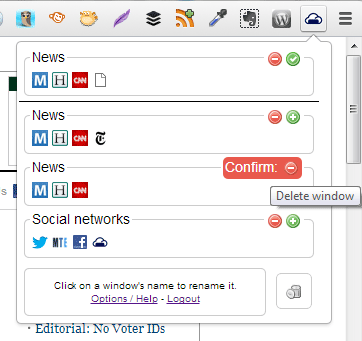
Once a window is saved, the disk icon becomes a green plus sign. This opens a new browser window to restore the saved tabs.
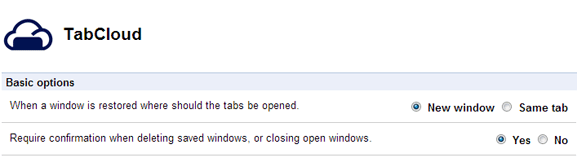
If you want the tabs to open within the same browser window, go to TabCloud’s Settings page by right-clicking on the cloud icon and clicking on Options. Choose Same tab beside the option for When a window is restored where should the tabs be opened.
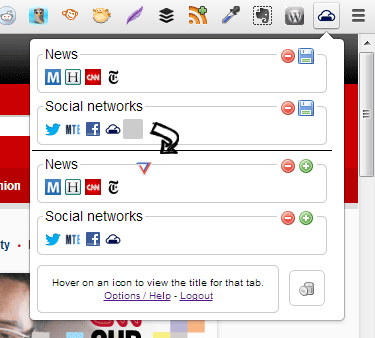
New windows are added with each new session, and it stays recorded even if you have not saved it yet. New tabs added in restored windows do not integrate with the original one. You would have to save the new set of tabs with its addition, and delete the old one.
Tabs can also be dragged and dropped between saved and unsaved windows to reorder them. To open a specific tab, hold down the Ctrl key and left click on the tab icon. This opens the tab within the same browser window.
TabCloud is a great addition to syncing methods already available in browsers. Although Chrome has a built-in syncing function for bookmarks and web history, it doesn’t quite have the same convenience that TabCloud offers. With a user-friendly interface, restoring tabs are easy to do even for less tech-savvy users.