

Bookmarks play a small but important role in making it easier for us to quickly access frequently visited websites. However, it’s a challenge to manage, especially if you have different browsers installed. If you work with both Firefox and Chrome, an extension/add-on called EverSync does a superb job of syncing bookmarks between the two browsers.
First, you’ll need to install EverSync for Firefox and Chrome.
Once installed, you’ll need to register for an EverSync account. You can do this by clicking on either of the EverSync buttons found along the top menu bars of the browser.
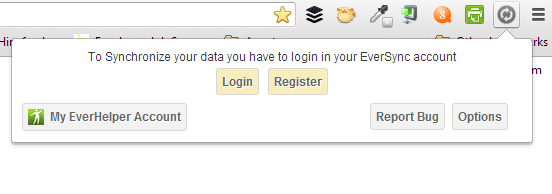
In Chrome, the button drops down and provides you with a Login or Register button.
In Firefox, click on Sync Bookmarks and a dialog box opens with a Login and Register buttons.
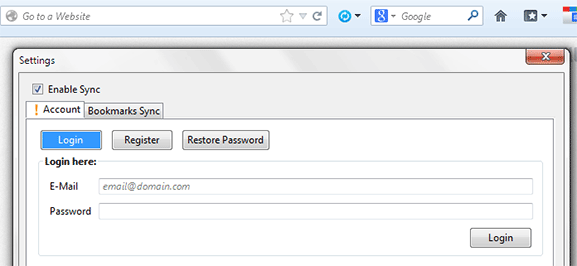
You only need to register using one browser, and you don’t have to do it for both. Registration requires only your email address and a password. Registration allows EverSync to store your data in their servers, so your bookmarks are stored in the cloud and safely backed up.
Syncing Bookmarks in Firefox
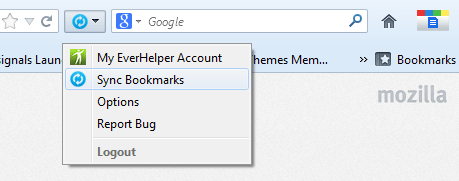
In your Firefox browser, click on the Sync icon again. In the drop down, click on Sync Bookmarks.
A dialog box will open. There are three ways you can do to start syncing bookmarks: Merge, Upload and Download. If this is the first time you’re going to use EverSync, then merging server and computer data is the best option.
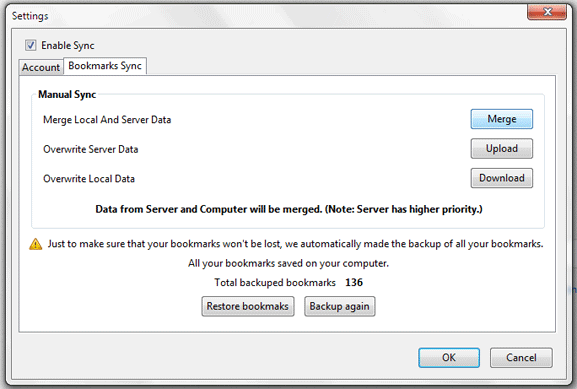
This setting is chosen just once, and will become the default action the next time you sync bookmarks. If you want to change the sync method, you can always go back to this page and change it accordingly.
Syncing Bookmarks in Chrome
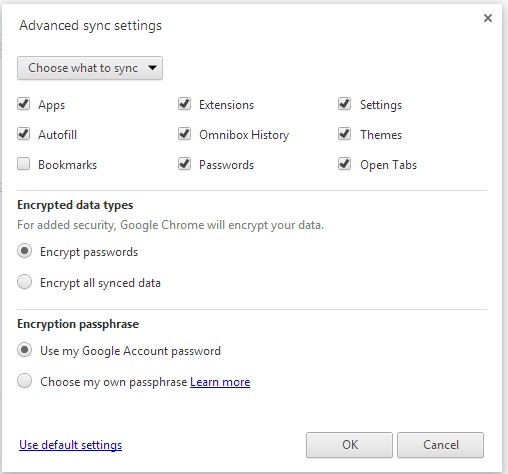
Chrome has its own bookmark syncing feature, and this has to be disabled for EverSync to work. To do this, go to “Settings -> Advanced Sync Settings”. Change the drop down from “Sync Everything” to “Choose what to sync”. Uncheck Bookmarks from the list below. Click OK.
You are now ready to enable EverSync. Click on the Sync icon and click Start Synchronization.
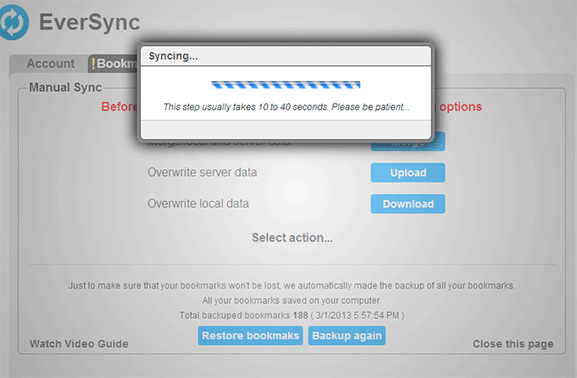
A similar menu should open and prompt you to select from Merge, Upload or Download. To make syncing between Chrome and Firefox work without losing data, be sure to always choose Merge.
As a precaution, EverSync automatically backs up your bookmarks and saves it in its server even if you haven’t done so. The number of bookmarks saved is indicated on the bottom of the sync settings dialog box. If, at any time, your bookmarks disappear, go to this page and click Restore bookmarks.
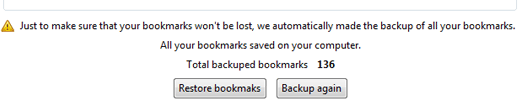
Remember that uploading and downloading options will overwrite what you’ve already saved in the server. If you upload your current bookmarks, it will erase all previous ones you’ve synced and retain only the ones you have at the time of upload. The same goes with downloading.
Once you have sync settings set up in both browsers, you should be able to see your bookmarks in either browser. When you add a new bookmark in Chrome, it should automatically appear in Firefox too. If not, you may need to refresh the bookmark page, or click on the EverSync icon.