


Discord is an extremely popular platform that many gamers use to communicate with other players while roaming distant lands and taking on fierce enemies or battling monsters. There are thousands of channels that you can join, but no matter which one wins your favor, there is usually no shortage of snark or sarcasm. It’s not always mean spirited, as most gamers just want to blow off steam while having fun with friends. But the tone of voice is often lost in all the typing. That’s when strikethrough can be the only way to get your message across. This quick tip shows how to strikethrough text on Discord.
Good to know: when taking a break, you can even add some music bots to rally the troops.
[mte_toc]How to Strikethrough Text in Discord Chats
In traditional typographical presentations, the strikethrough means that there’s a correction or deleted information. However, when used in the context of Discord and other chat apps, it indicates a deliberate change of thought that would have otherwise been seen as a Freudian slip.
To inject some humor into your Discord posts, you can add a strikethrough to any word. The actions can be somewhat laborious, especially if you need to get your message across quickly.
- Log in to your Discord account.
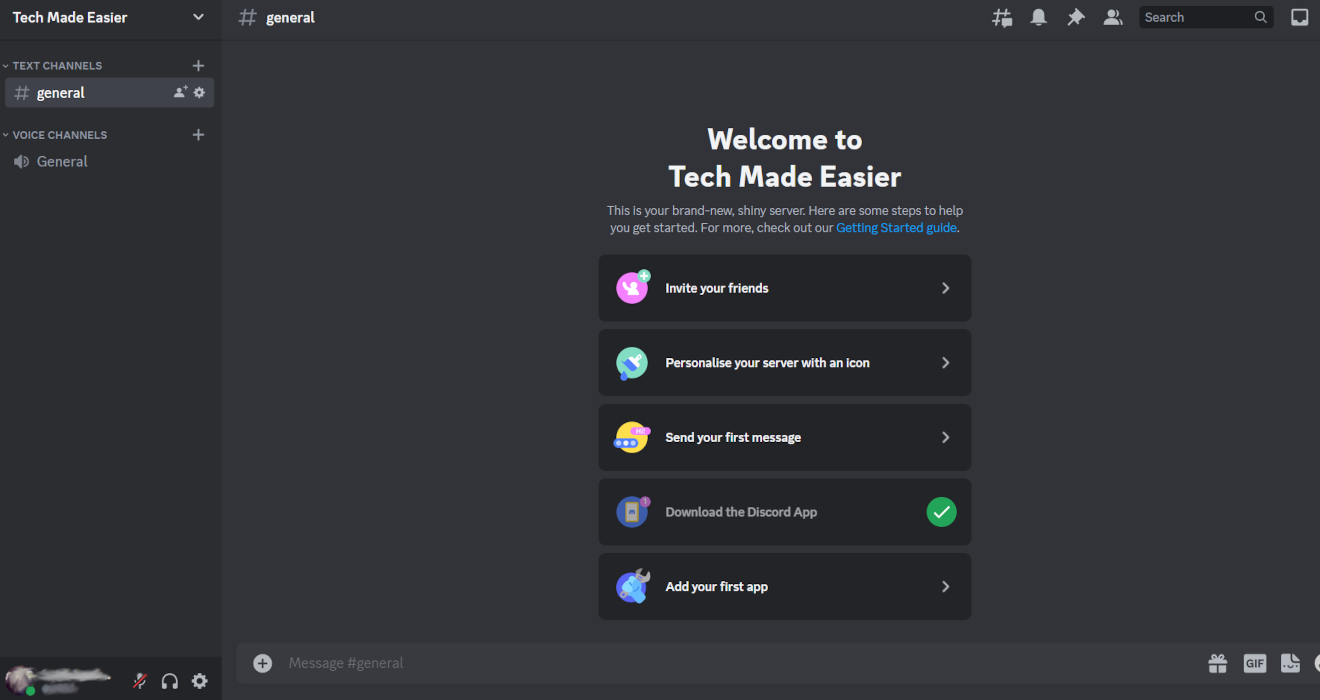
- Go to the channel where you would like to chat.
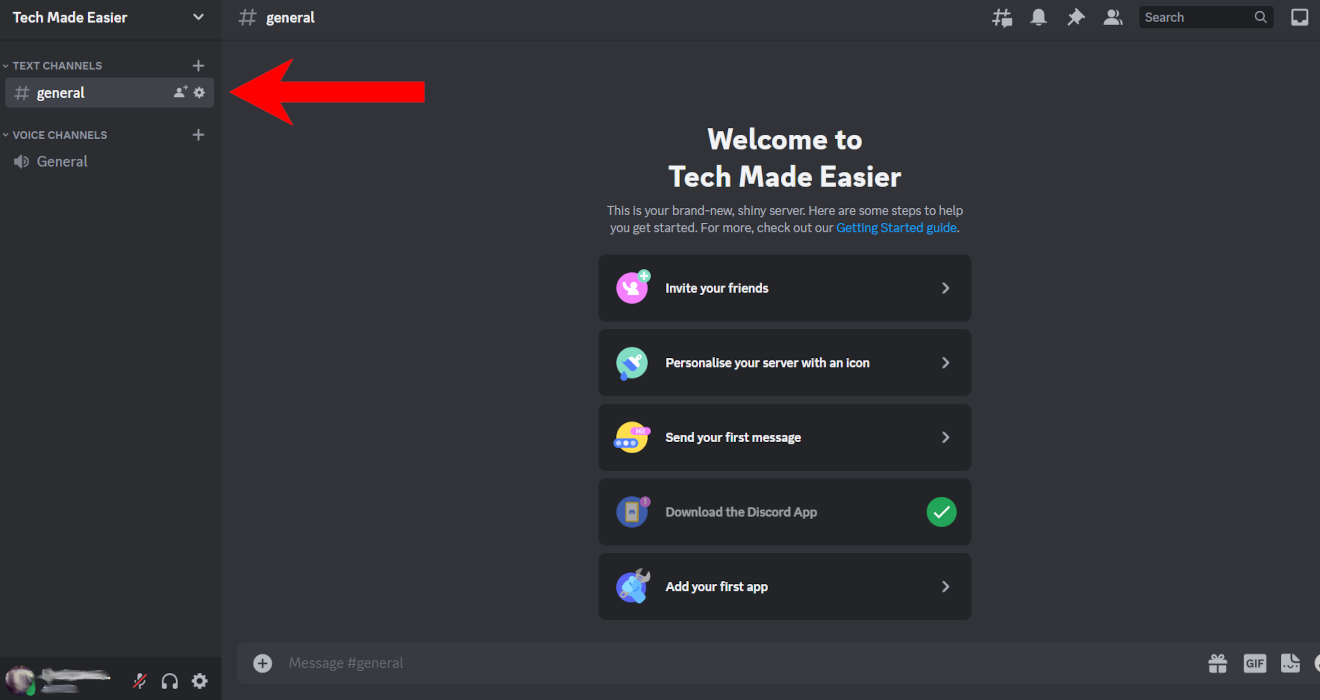
- Click on the message box at the bottom to start a conversation.
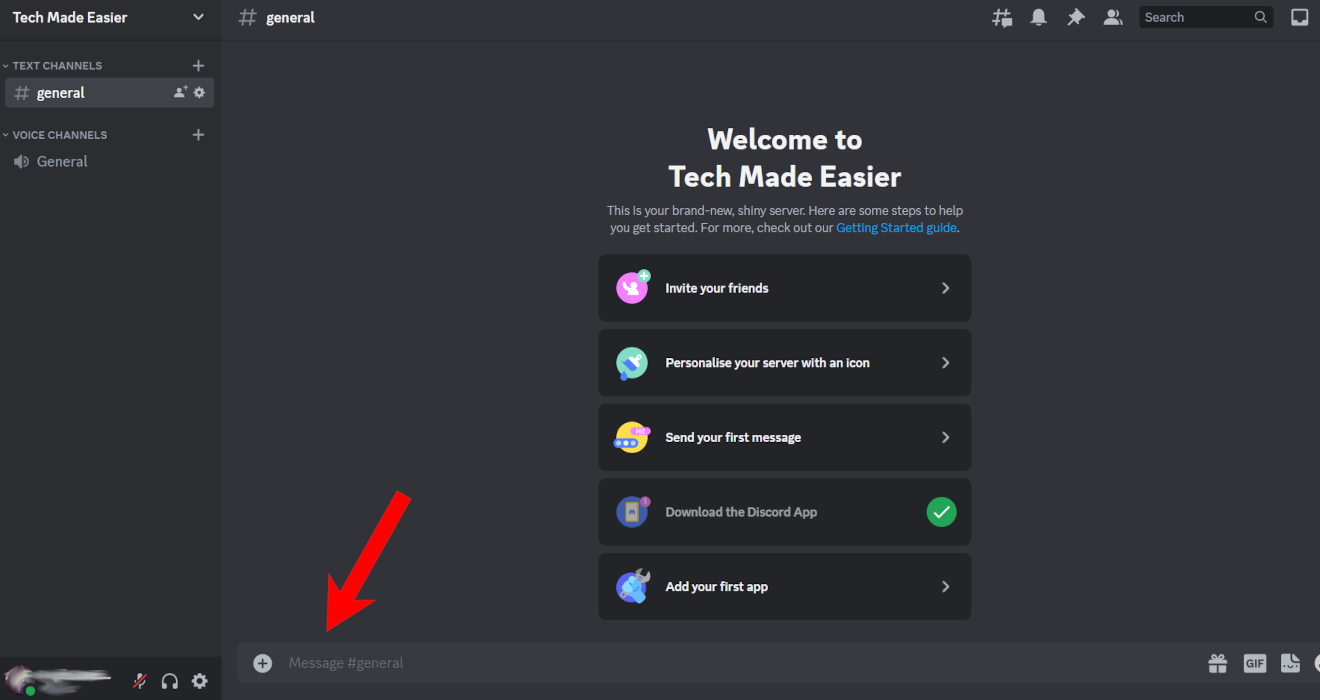
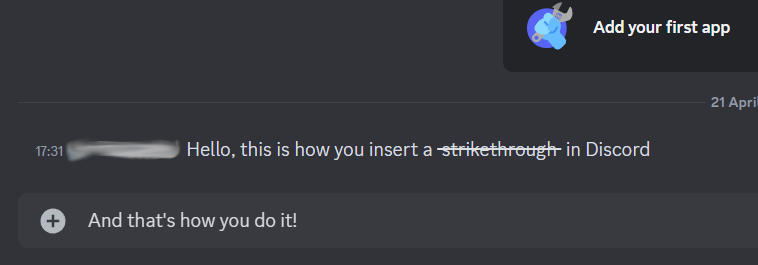
- Type your message as usual. Add two tildes (~) before and after a word when you want to strikethrough it.
Tip: learn how to change your status on Discord and let everyone know what you’re doing.
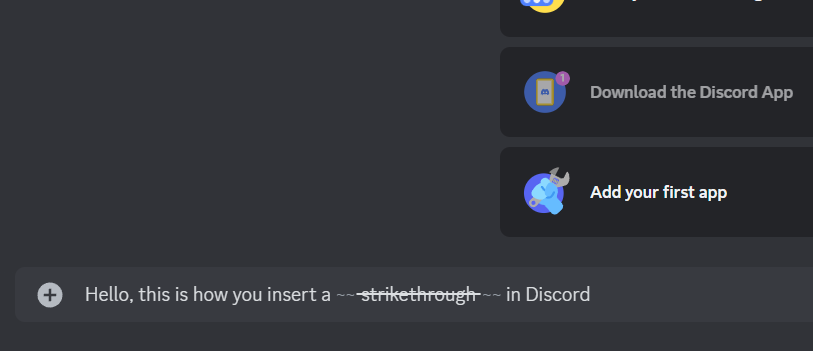
- The word will appear with a strikethrough preview.
- Hit Enter when you want to send the message, and you’ll see that the word has a proper strikethrough.
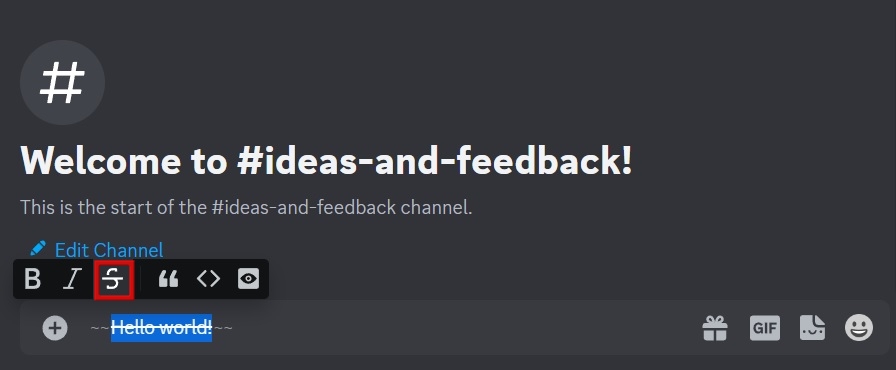
- Alternatively, there is another option to add a strikethrough on desktop. Write your message, then highlight it using your mouse. Right-click on it, and a small pop-up toolbar will appear. Click on the “Strikethrough” option, and your text will immediately appear crossed out.
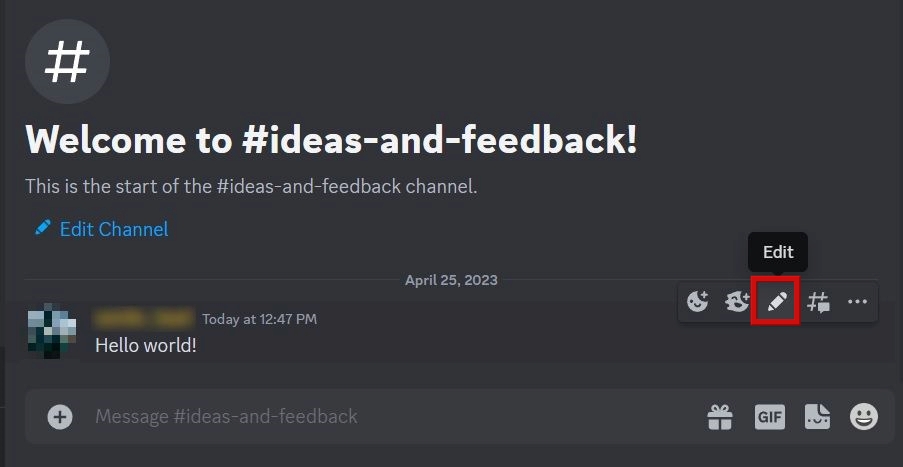
- You can add a strikethrough even if you already sent the message. On a PC, hover your mouse over the message in question until a few options pop up. Click on the pencil-shaped one to edit.
- Use either method described in the steps above to add a strikethrough over your text.
FYI: not happy with your original Discord username or nickname? Learn how to change it.
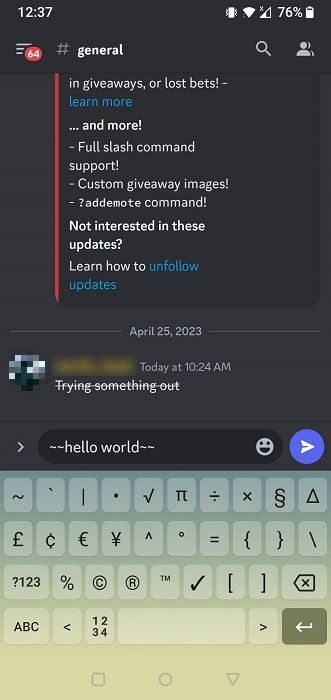
- On the mobile apps, you can strikethrough a word/phrase in similar fashion. Once you are in the text block, tap on “~” twice before and after the word you want to strikethrough. You won’t see a preview like you would in the desktop version, but when you post the message, it appears correctly.
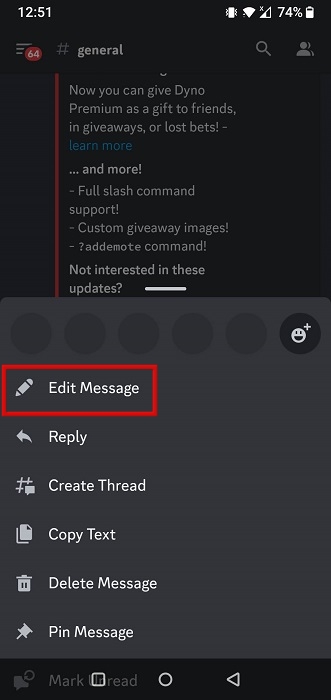
- To edit a message on mobile, long-press on it, then select “Edit” from the pop-up menu that appears from the bottom.
There are several text styles in Discord, each with its own shortcut. However, those aren’t the only ones. There are Discord shortcuts for everything from scrolling up the list of servers to toggling the GIF picker.
Image credit: Freepik. All screenshots by Charlie Fripp.