

To write a story on a particular topic, you often cut bits and pieces from all over the web. To create an effective and informative story in this way, you find yourself constantly jumping from one site to another.
What you could really use is “Storify” – a web service that merges the most popular information sites and a story-writing interface. Not only will you save time on the research, but you will also form and publish your stories quickly.
Introduction
Storify is a web service currently in its beta. It lets you write stories on any topic and then quickly publish. The site offers an intuitive interface that lets you find and import various types of media and data from Twitter, Facebook, Wikipedia, Flickr, YouTube, and other websites. Your story is then published under a public URL that you can share with your friends. Visiting stats of the story are recorded and displayed to show how popular a story is.
Usage
You can sign into Storify using your existing Twitter account. With your Twitter account linked to the site, you then have to provide your email address.

You will see an interface with the Twitter feed on the left and your story pane on the right. The left pane is for your resource material. The right pane is where you enter the story’s title and description, select its image thumbnail, and drag sources.
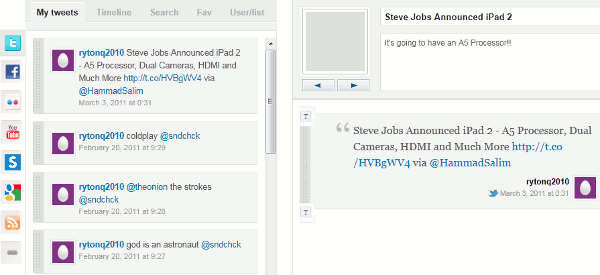
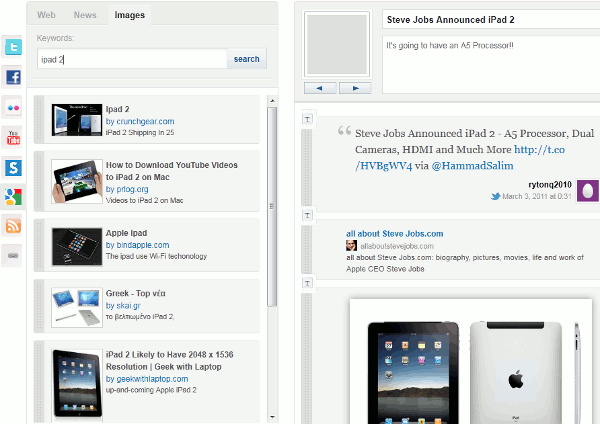
To find sources, focus on the left pane. Select a site available from the sidebar. Enter your search query and the type of results you want. For example, if you have chosen Google as a source you will need to specify whether you are looking for web results or images. The results will load up in the same pane.

You can drag your desired results to the right and make them a part of your story. You can switch between different sources and add various types of data to your story: tweets, Facebook pages, URLs, videos, images, etc.
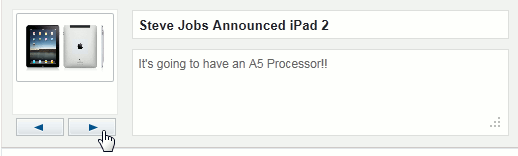
When you have a sufficient number of sources you will be able to change the story’s thumbnail image in the right pane. The image options will actually be thumbnails retrieved from the sources you added.
If you feel like you need to add your own comments between the stories, you can click on the ‘T’ icon.

This icon presents a text box where you can write text with bold, italics, strikethrough, underlined, and hyperlinks.
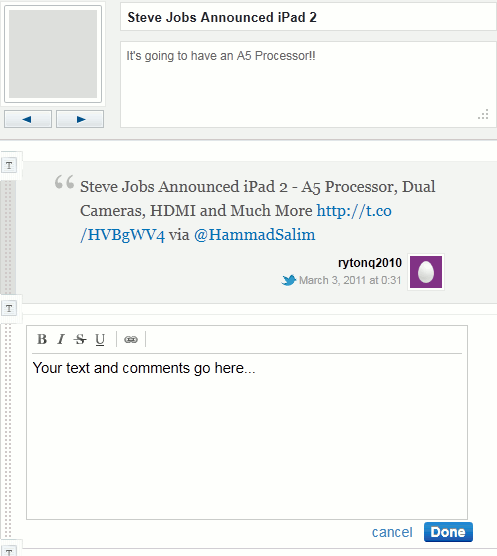
You can add as many text boxes as you want, even on top of one another.
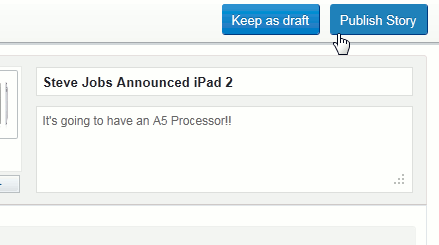
With your story complete, you can either save it as a draft for future editing or publish it right away through the buttons located on top.
Your story is published on a unique URL and displayed exactly the way you ordered your sources and text.

Links at the bottom of the page allow you to quickly share the story on Twitter, like it on Facebook, and obtain its embeddable code that can be easily used on your own site or blog.

To share the direct URL of the story, just copy it from your browser’s address bar.
Visits to the story page are recorded and displayed as a sign of the story’s popularity.

Conclusion
Storify offers a unique and user-friendly way of telling a story and sharing chunks of information from social media sites. Its clean interface and ease-of-use will surely be appreciated by all its users. The next time you are looking to create a mosaic of information from the web, remember to pay a visit to Storify. It will definitely pay off.
You can visit Storify’s homepage over here.